Dell Precision Workstation T7810 System Guide
Summary: This article explains the features of the Dell Precision Workstation T7810.
Symptoms
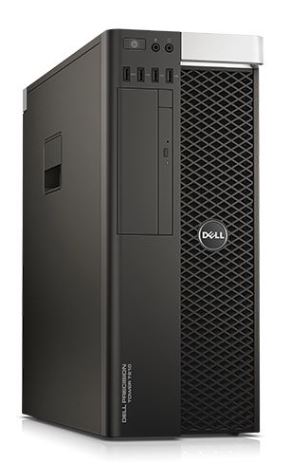
Table of Contents:
Dell Precision Workstation T7810 System Guide: The guide contains all the resources required to resolve common issues.
1. Installation/Drivers
Installation Options:
The Installation Options section covers the Factory Restore, Clean Install and the Reinstallation options for your supported Operating System (OS).
Drivers:
The Drivers section covers the drivers required and the order of installation for the various Operating Systems supported on your system.
Installing Drivers with the Resource CD/DVD
Imaging:
The Imaging section covers utilities and resources to support deployment and remote management of your system.
Imaging Resources
- Obtaining the Driver CAB File for Operating System Deployment to Latitude, OptiPlex and Precision Workstation Systems
- Using Dell Repository Manager with Microsoft System Center Configuration Manager
2. Security/Anti-virus
Security and Encryption:
The Security and Encryption section covers the security and encryption hardware/software available on your system, plus applicable upgrade options.
Anti-virus:
The anti-virus section provides various guides for the anti-virus Software shipping with our systems and also for removing the most well-known Malware infections to date.
General Rules for safe Internet browsing:
The General Rules for safe Internet browsing section provides suggestions and best practices for navigating the Internet and minimizing security risk.
- Protect Your Computer or Remove Virus, Spyware, or Other Malware in Microsoft Windows
- Security Software FAQs
3. Software
Software sold with your machine:
The software sold with your system section provides information about preinstalled software and how to identify the software sold with your system.
Adobe
Microsoft
Skype

Using your Operating System:
This section covers guides on setting up and using your system when you first receive it.
Slow Performance:
This section covers resolving performance issues with your system.
Windows Blue Screen (Crash Screen) Errors:
This section covers system crashes, restarts, and other OS issues.
4. Hardware - Troubleshooting/Error Codes
Getting to know your computer:
This section provides information, and images, about your particular system and helps you familiarize yourself with the system.
Safety Precautions and Tips:
This section provides information about safe practices to consider before working with electrical equipment.
Diagnostics and Error Codes:
This section covers the various error messages, beep codes, and Diagnostic LED codes that help to troubleshoot any issues with your system.
- Diagnostic Indicators (Workstation Desktops)
- ePSA Diagnostics Guide
- How to identify if your Dell PC supports the Memory DIMM Isolation diagnostics and the benefits of this technology
Hardware Troubleshooting:
This section covers troubleshooting guidelines for the various hardware-related faults that you may experience on this particular system type.
Audio Issues
- Computer Making Noises? Troubleshoot Loud Fans, Hard Drive & More
- How to fix problems with speakers emitting unwanted noise
- How to Troubleshoot and Resolve a No Audio Issue with a Dell Desktop PC
BIOS and Motherboard Issues
- How to check BIOS version and update the System BIOS on your Dell PC
- How to resolve a signed BIOS firmware message on a Dell Latitude, Precision or OptiPlex system
Fan and Overheating Issues
- How to troubleshoot an Overheating, Shutdown or Thermal issue on a Dell PC
- Computer Making Noises? Troubleshoot Loud Fans, Hard Drive & More
Hard Drive Issues
- Hard Drive Issues on Your Dell Computer
- How to Troubleshoot a RAID Hard Drive issue on a Dell Desktop PC
- RAID - Redundant Array of Independent Disks
- PowerEdge Tutorials: Physical Disks and RAID Controller (PERC) on Servers
Input Devices Issues
Memory Issues
Networking Issues
- Troubleshooting Guide for NIC issues on your Latitude Dell PC
- A Guide to the various "How To" Wireless Network articles
- Troubleshooting Guide for Bluetooth issues
No Post
No Power
Optical Drive Issues
Ports and Peripherals Issues
- USB Ports Not Working on Windows: Solve Common USB Issues
- A Guide to External Ports and Connectors on a Computer System
Video Issues
Specific Troubleshooting:
This section includes links to any system-specific articles that provide solutions for your particular Dell PC.