Avamar: Sådan opretter, ændrer eller bekræfter du brugerindstillinger for Unity NDMP
Summary: Denne KB-artikel indeholder instruktioner om, hvordan du opretter, ændrer eller kontrollerer brugerindstillinger for Unity Network Data Management Protocol (NDMP).
This article applies to
This article does not apply to
This article is not tied to any specific product.
Not all product versions are identified in this article.
Instructions
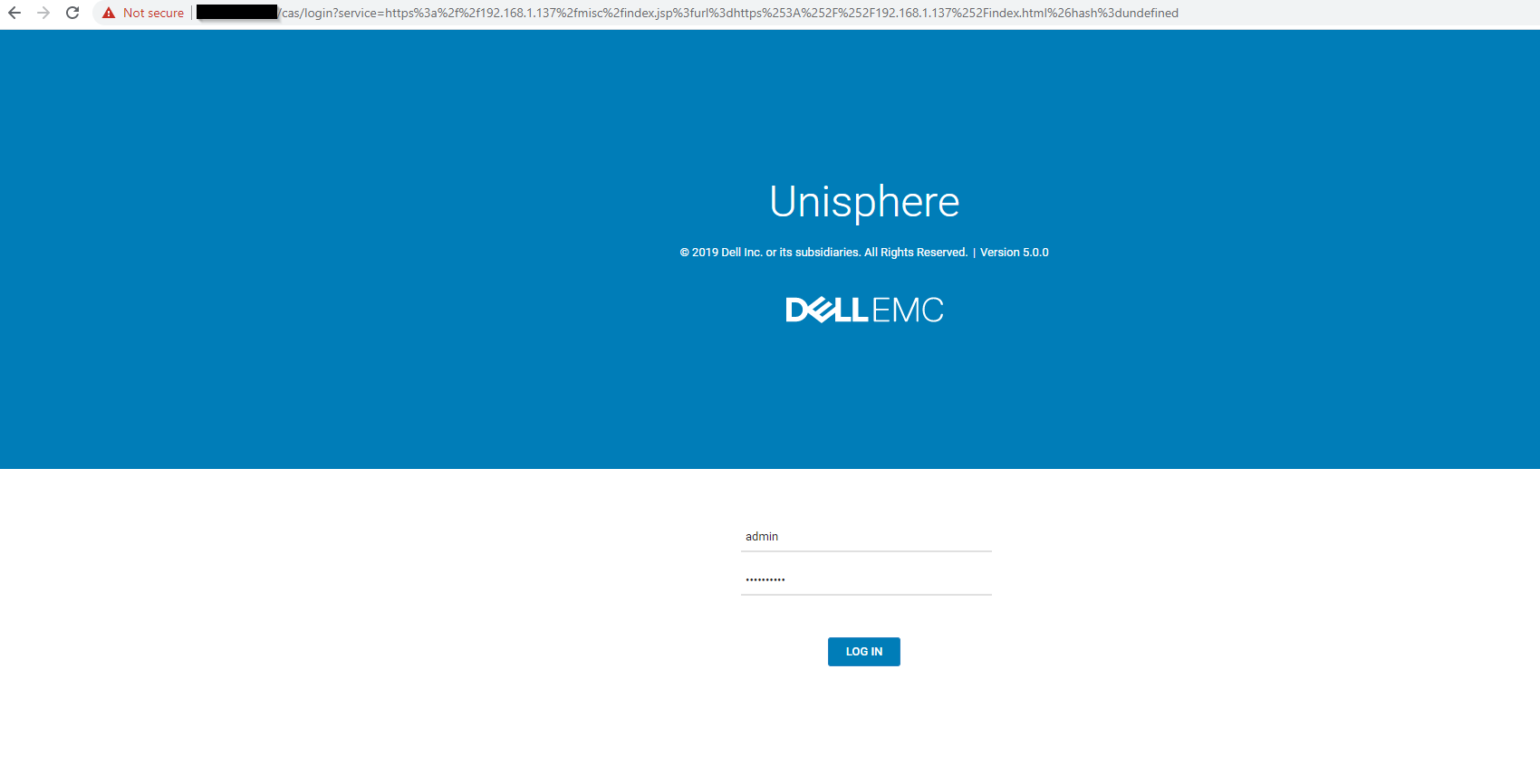
- Log på Unity Unisphere med en administratorkonto.
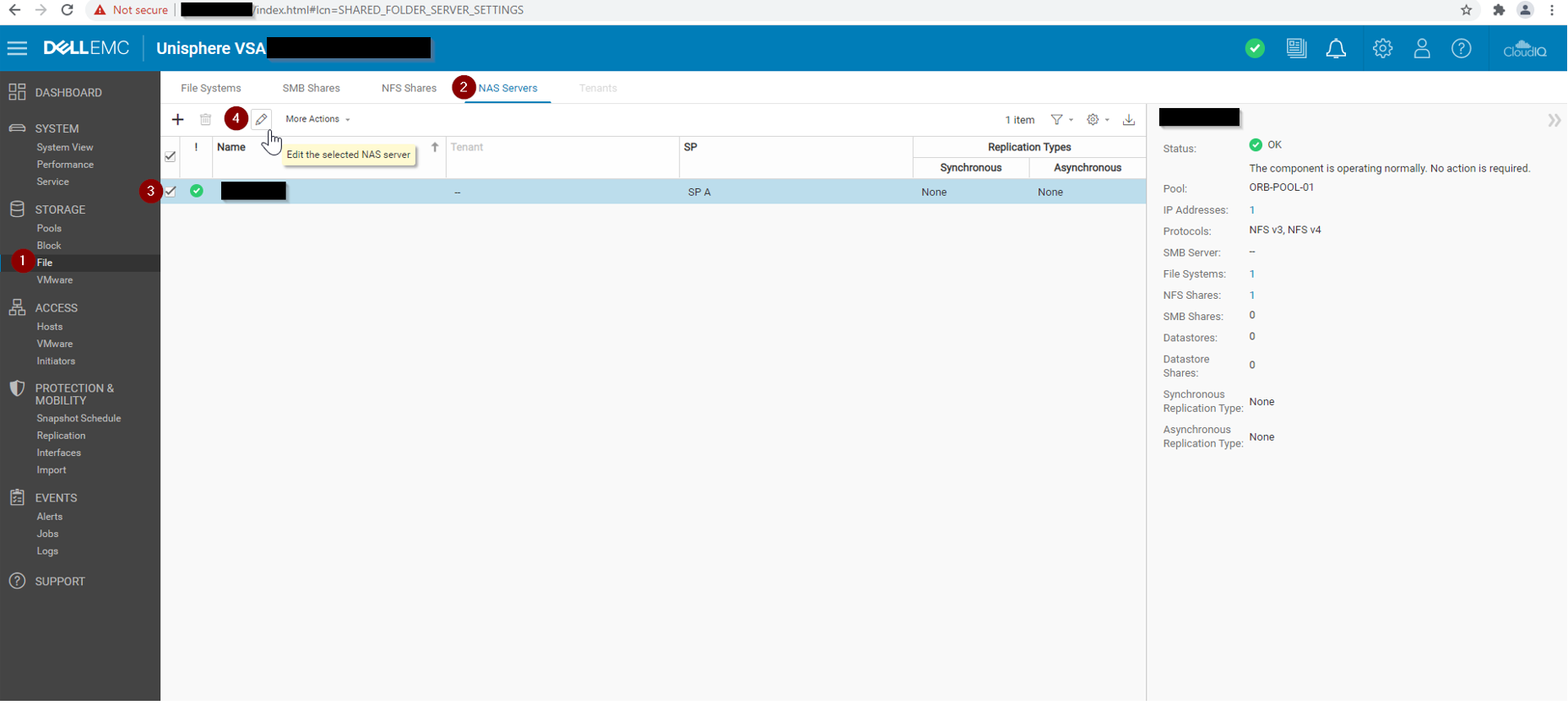
- Gå til Unisphere > File > NAS-servere.
- Vælg NAS-destinationsserveren, og klik på Rediger.
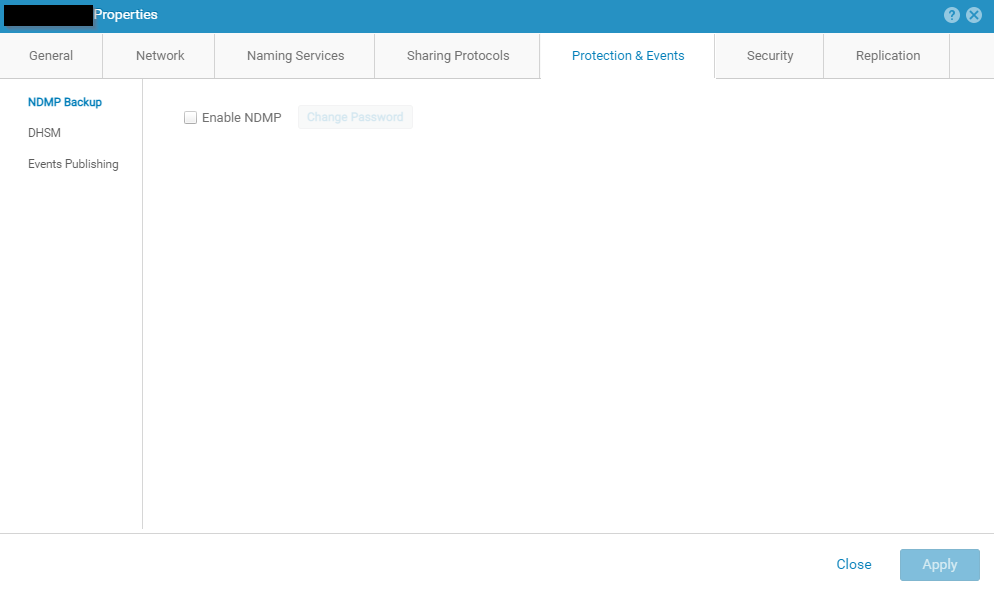
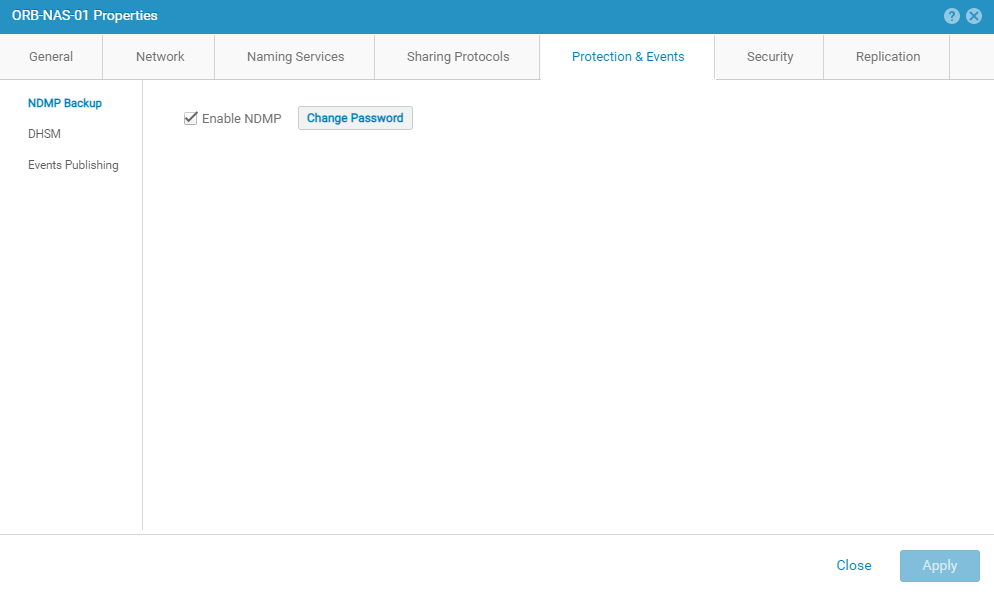
- For en ny Unity-installation vises siden med NDMP-indstillinger som vist:
- Markér afkrydsningsfeltet Aktivér NDMP.
- Indtast NDMP-brugeradgangskoden, og bekræft den.
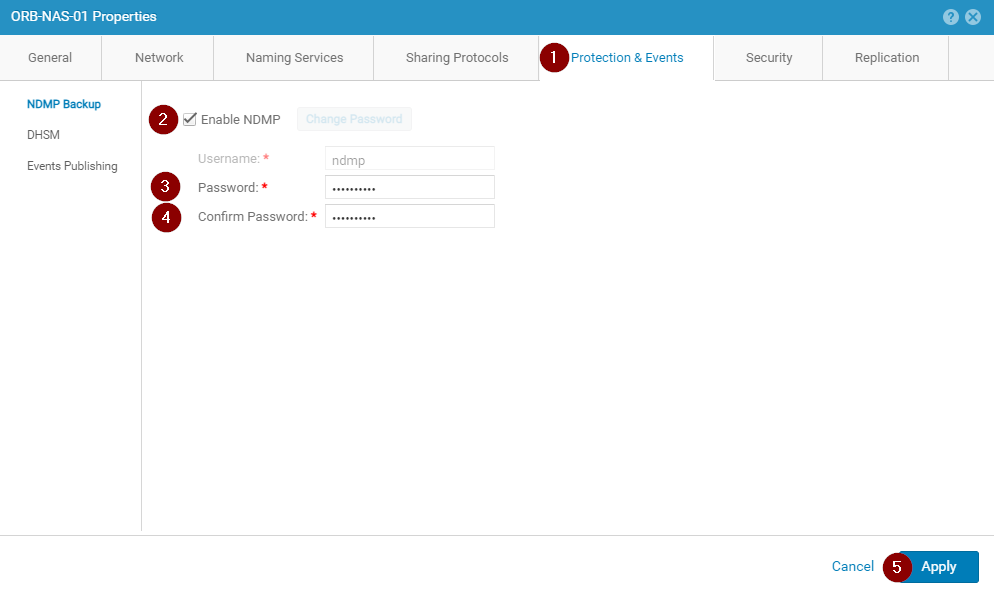
- Bekræft, at NDMP-tjenesteindstillingerne vises korrekt:
Article Properties
Article Number: 000189645
Article Type: How To
Last Modified: 09 Dec 2025
Version: 5
Find answers to your questions from other Dell users
Support Services
Check if your device is covered by Support Services.