VxRail: 배포 오류: "고객 제공 vCenter 관리 사용자 역할을 검증하지 못했습니다."
Summary: 외부 vCenter를 사용한 배포 검증이 실패하고 "고객 제공 vCenter 관리 사용자 역할을 검증하지 못했습니다." 오류가 표시됩니다.
This article applies to
This article does not apply to
This article is not tied to any specific product.
Not all product versions are identified in this article.
Symptoms
VxRail 배포 마법사에서 오류가 발견되었습니다.
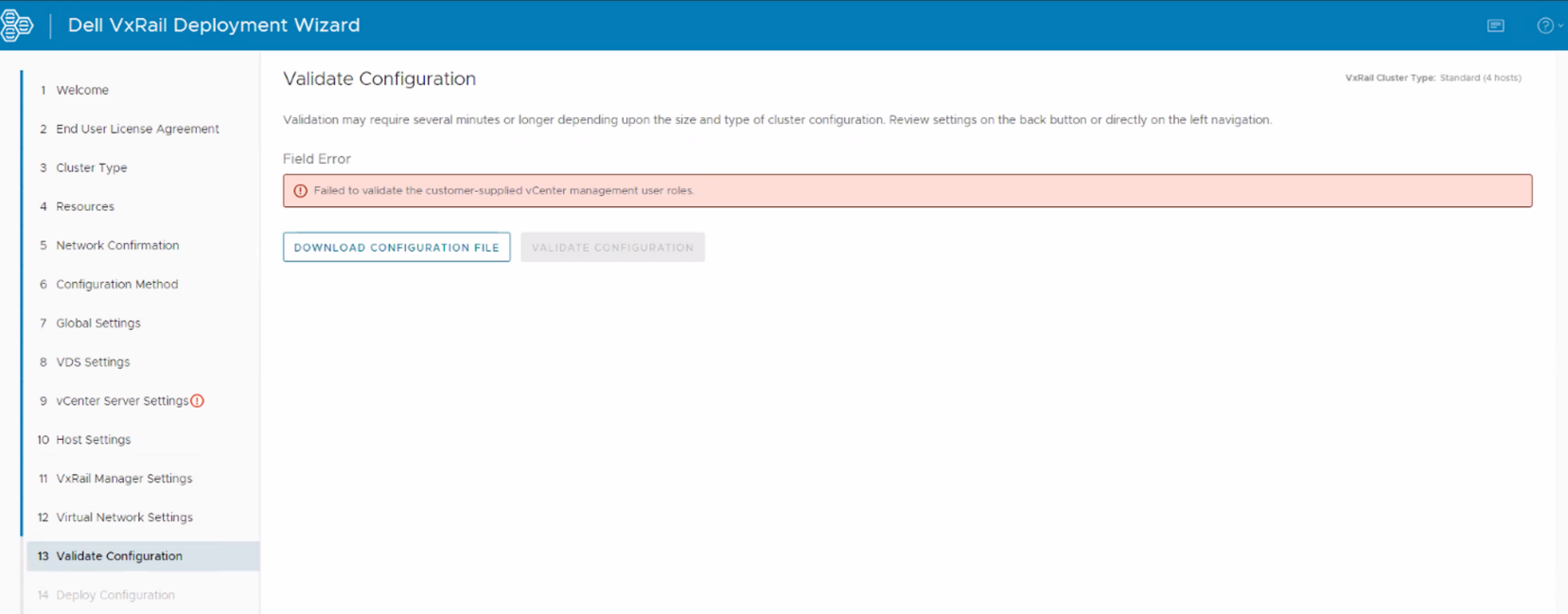
Dayone.log:
Failed to validate the customer-supplied vCenter management user roles.
Dayone.log:
"2022-07-19 14:11:33,668" microservice.nano-service "2022-07-19T14:11:32.850669536Z stdout F 2022-07-19 14:11:32,850 [ERROR] <Dummy-1062:139904847503944> validator.py execute() (89): Validation errors: errors=[{'type': 'THOROUGH-VALIDATOR', 'field': 'vcenter.accounts.management.username', 'code': 'E3100_VAL_116', 'placeholders': (), 'message': 'Failed to validate customer provided vCenter management user roles.'}]"
"2022-07-19 14:11:33,668" microservice.nano-service "2022-07-19T14:11:32.850758938Z stdout F 2022-07-19 14:11:32,850 [ERROR] <Dummy-1062:139904847503944> validator.py execute() (90): Validation invalid_fields: invalid_fields={'witness_node.witness_ip', 'vcenter.accounts.management.username'}"
Cause
배포를 수행하는 데 사용되는 vCenter 관리 계정에는 외부 vCenter에 할당된 역할이 있습니다. (관리자 또는 VxRail HCIA 역할)
이 관리 계정은 Solve 절차에 따라 역할 없이 생성해야 합니다.
이 관리 계정은 Solve 절차에 따라 역할 없이 생성해야 합니다.
Resolution
이 문제를 해결하려면 다음 단계를 수행하십시오.
- 역할 또는 사용 권한 없이 외부 vCenter에서 새 관리 계정을 생성합니다.
- vCenter 관리 계정에 대한 초기 배포 마법사에서 이 새 관리 계정을 사용합니다.
- 검증을 다시 시도합니다.
Affected Products
VxRail Appliance Family, VxRail Appliance SeriesArticle Properties
Article Number: 000211503
Article Type: Solution
Last Modified: 14 Jun 2024
Version: 2
Find answers to your questions from other Dell users
Support Services
Check if your device is covered by Support Services.