How to Set a System Password in Dell BIOS
Summary: Secure your computer at power on. Learn how to set a System BIOS password to prevent unauthorized start-ups.
Instructions
Setting up a System Password in your Dell BIOS adds an extra layer of security by preventing your computer from booting without the correct password. This guide walks you through the entire process of configuring this important BIOS security feature.
What Is a System Password and Why Do You Need One?
The System Password is a BIOS security option that prevents your computer from starting up without entering the correct password first. Unlike other BIOS passwords that protect settings, the System Password blocks the entire boot process, making it impossible for unauthorized users to access your computer or operating system.
Key Benefits of System Password Protection
- Complete Boot Protection: Prevents computer from starting entirely without the password
- Pre-OS Security: Blocks access before the operating system even loads
- Hardware-Level Security: Protection built into the BIOS, independent of your operating system
- Theft Protection: Makes stolen computers unusable without the password
Before You Begin: Important Things to Know
Password Requirements
Dell BIOS System Password requirements vary depending on your system settings:
- Standard Password: Can be any combination of characters
- Strong Password (if enabled): Must be at least 8 characters with both uppercase and lowercase letters
Important Notes
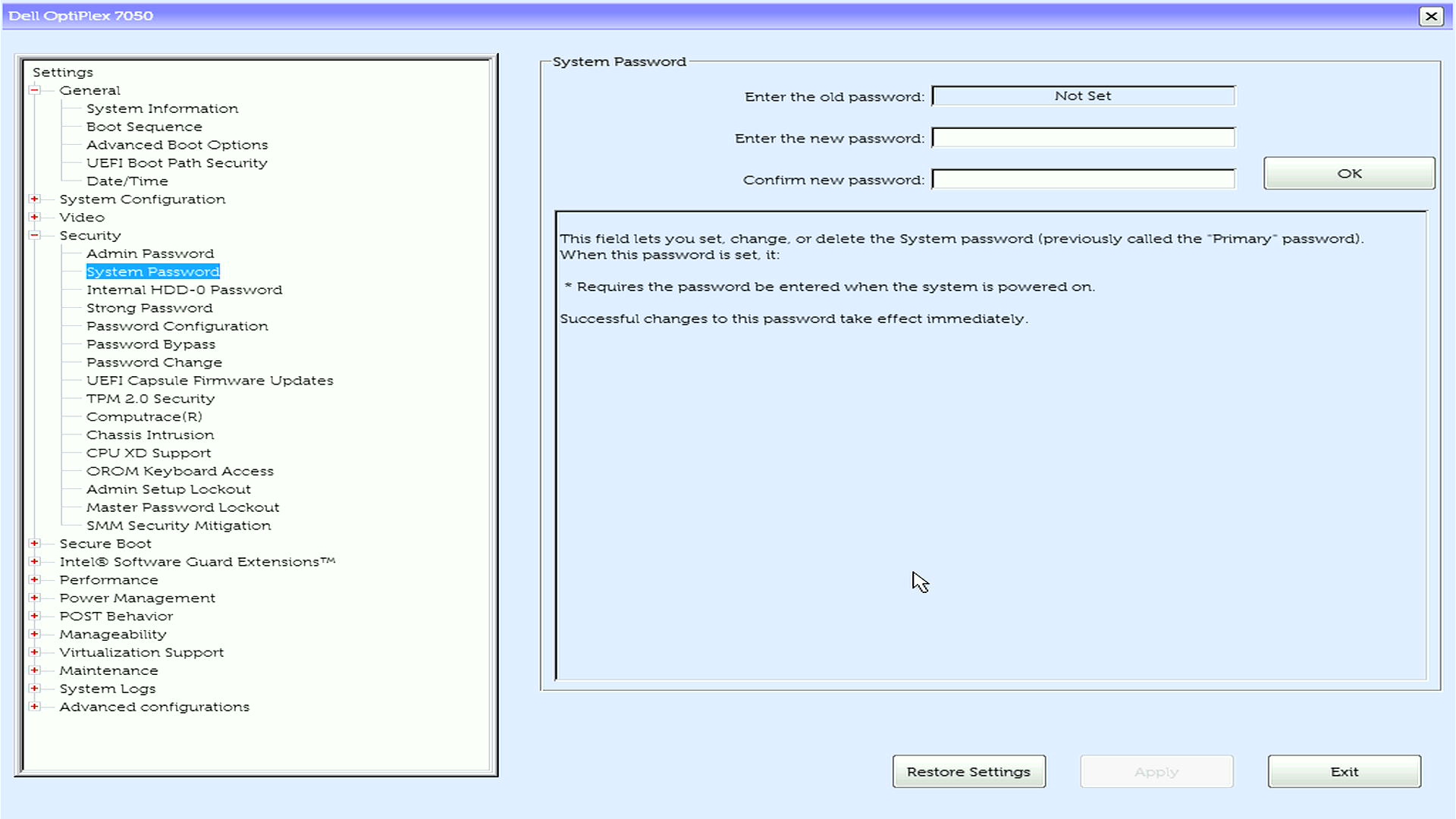
- You can only set a System Password when the current status shows "Not Set"
- If an Admin Password is already configured, you'll need to enter it first
- Remember your password - you'll need it every time you start your computer
- Store your password securely using a password manager
How to Set Up Your System Password
Need help to remove your system password? Learn next steps: How to Reset or Recover System Password
Access the BIOS setup
- Turn off your Dell computer completely
- Turn it back on and immediately press F12 repeatedly until you see the boot menu
- Select BIOS Setup from the menu options
Find the password settings
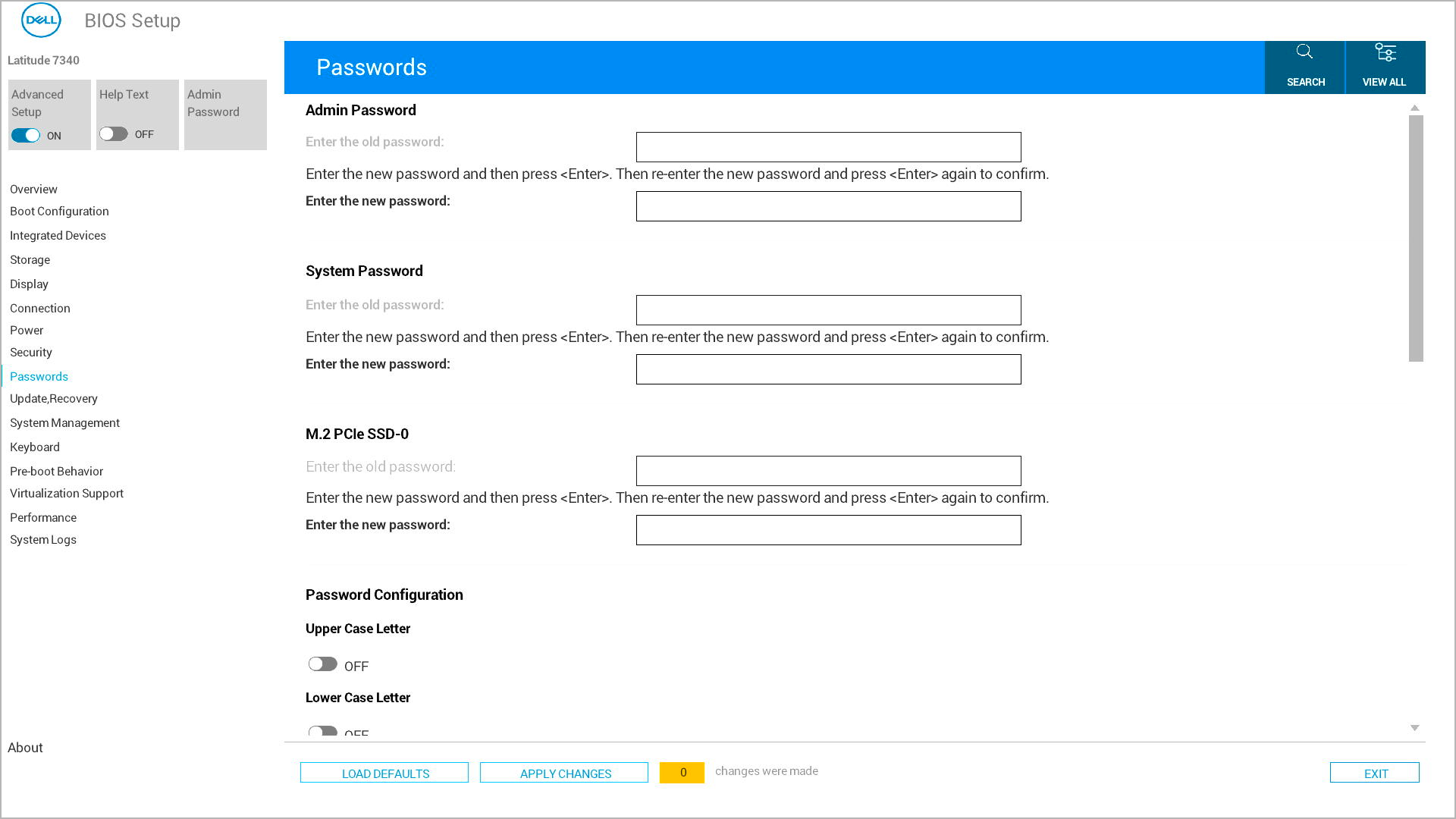
- Look for either "Security" or "Passwords" in the main menu (this varies by Dell model)
- Use your arrow keys to highlight the option and press Enter
Create your System Password
- Find and select System Password from the list
- In the Enter the New Password field, type your chosen password
- Move to the Confirm New Password field and type the same password
Save and exit
- Save your changes using one of these methods:
- Option 1: Look for "Apply" or "Apply Changes" button, click it, then click Exit
- Option 2: Press Esc to go back to the main menu, then press Y when prompted to save changes
- Your computer will restart automatically
What Happens After You Set the System Password
Once you've successfully configured your System Password in BIOS, here's what to expect:
During Every Startup
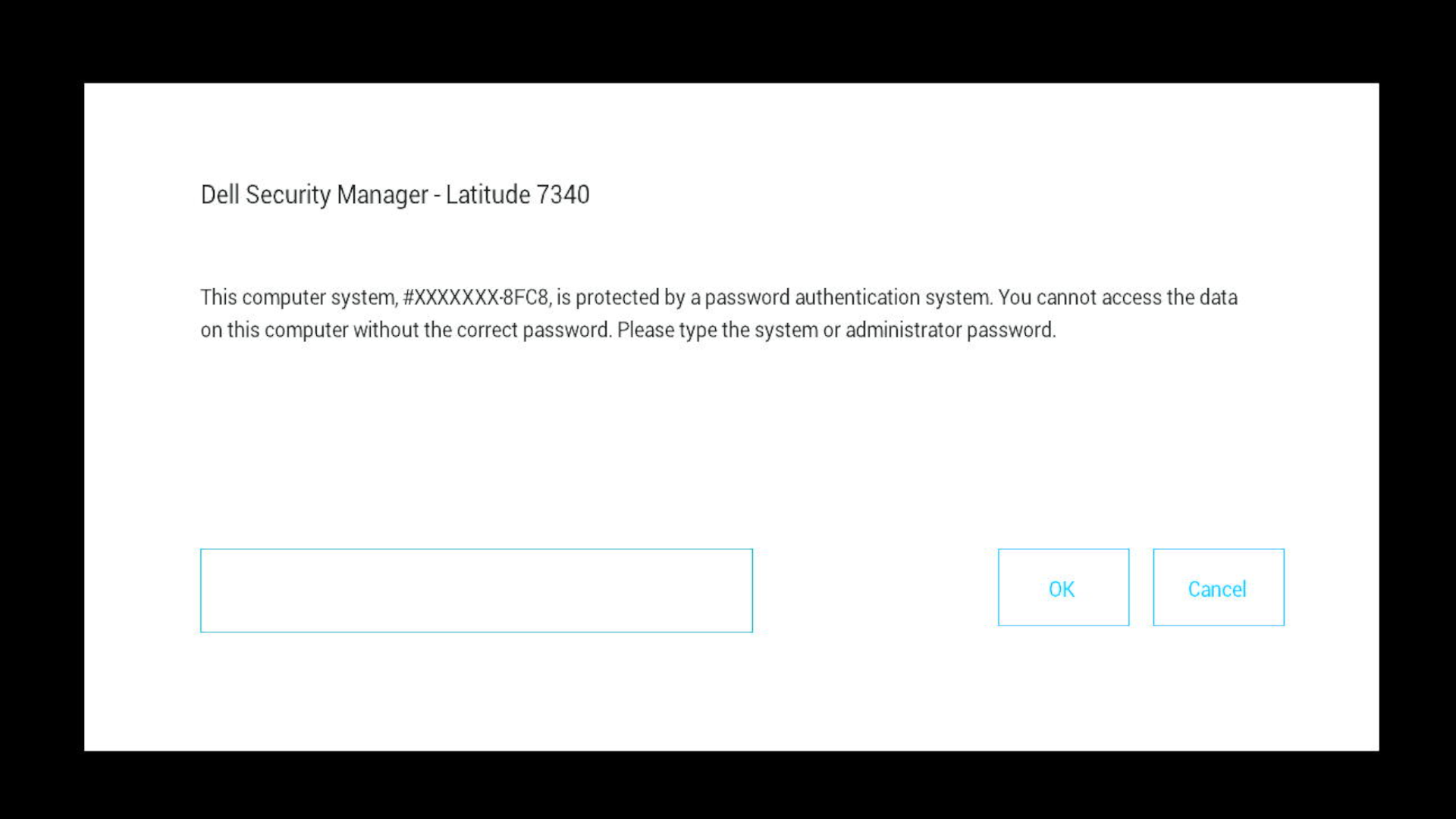
- Your computer will display a password prompt before booting
- You must enter the correct System Password to continue
- The operating system won't load until the password is entered
- No access to boot menu (F2/F12) without the password first
BIOS Access
- You can still access BIOS settings after entering the System Password
- If an Admin Password is also set, you may need both passwords for BIOS changes
Troubleshooting Common Issues
Can't find the System Password option? Look in "Security" and "Passwords" sections, as menu organization varies by Dell model.
Option appears grayed out? Check if an Admin Password is set - you'll need to enter it first before modifying the System Password.
Strong password requirements? Ensure your password has at least 8 characters with both uppercase and lowercase letters.
Need More Help?
- Ready to protect your computer? Learn: Understanding BIOS Password Types
- To create new passwords: see guides for Admin Password or Hard Drive Password Setup