PPDM仮想マシンが起動しない警告:dracut-initqueue:タイムアウト スクリプトの開始
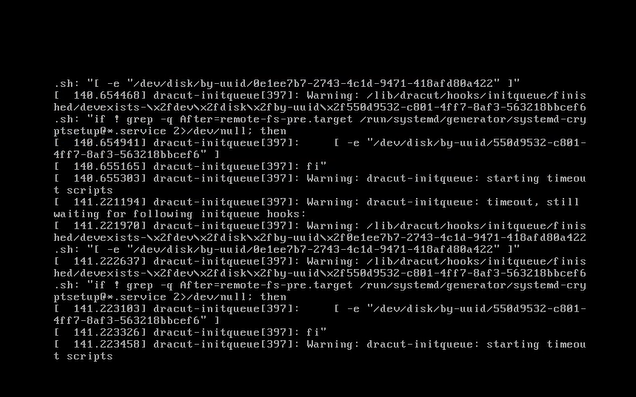
Summary: Small Computer System Interface (SCSI)コントローラーを「LSI Logic Parallel」から変更した後、PowerProtect Data Manager (PPDM)が「Warning: dracut-initqueue: starting timeout scripts」というエラーで起動に失敗する
This article applies to
This article does not apply to
This article is not tied to any specific product.
Not all product versions are identified in this article.
Symptoms
PowerProtect Data Managerの起動の問題
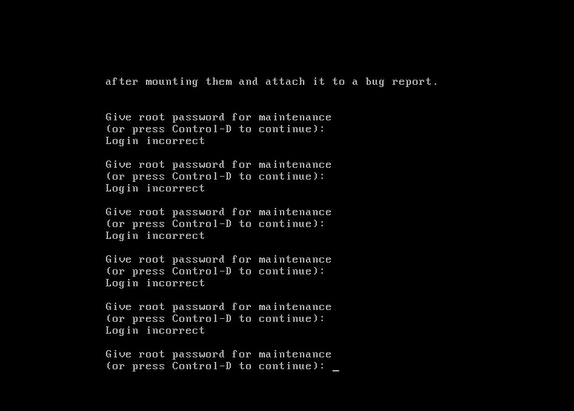
PPDM仮想マシンが起動せず、コンソールに警告メッセージが表示されます。」Warning: dracut-initqueue: starting timeout scripts」
Cause
問題の根本原因
この問題の根本原因は、PPDM SCSIコントローラーの構成に関連しています。
- PPDM SCSIコントローラーが「LSI Logic Parallel」以外に変更されました。
このコントローラー構成の変更により、PPDM起動の問題が発生しました
Resolution
PPDMブートの問題の解決。
PPDM起動の問題を解決するには、PPDM SCSIコントローラーを「LSI Logic Parallel」に変更します。
これを行うには、vSphereでPPDM仮想マシンの設定を変更します。
この変更を行った後、PPDMインスタンスは問題なく起動するはずです。
Affected Products
PowerProtect Data ManagerArticle Properties
Article Number: 000357133
Article Type: Solution
Last Modified: 23 May 2026
Version: 3
Find answers to your questions from other Dell users
Support Services
Check if your device is covered by Support Services.