PPDM 虛擬機器未開機警告:dracut-initqueue:啟動逾時指令檔
Summary: 將小型電腦系統介面 (SCSI) 控制器從「LSI 邏輯平行」變更後,PowerProtect Data Manager (PPDM) 無法開機,並顯示「警告: dracut-initqueue: start timeout scripts」
This article applies to
This article does not apply to
This article is not tied to any specific product.
Not all product versions are identified in this article.
Symptoms
PowerProtect Data Manager 的開機問題
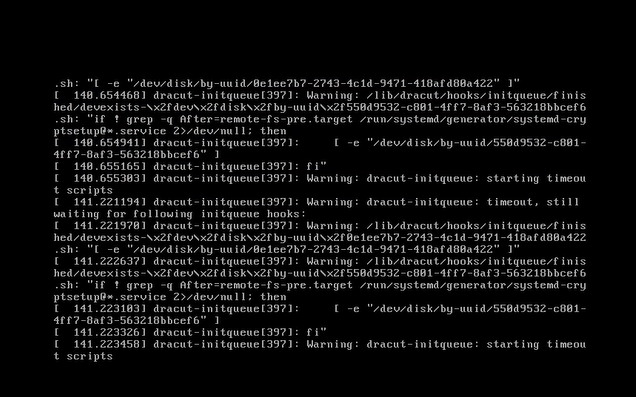
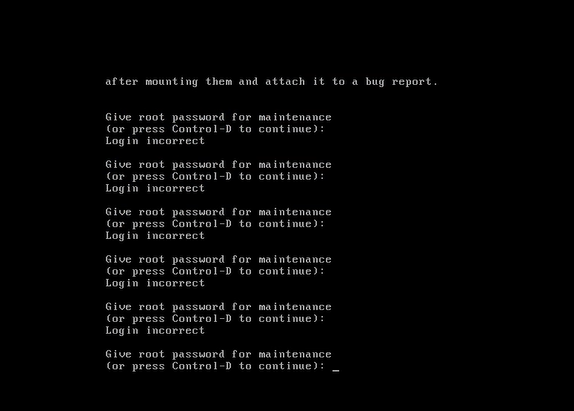
PPDM 虛擬機器未開機,並顯示主控台中顯示的警告訊息:」Warning: dracut-initqueue: starting timeout scripts」
Cause
問題的根本原因
問題的根本原因與 PPDM SCSI 控制器的組態有關。
- PPDM SCSI 控制器已變更為「LSI 邏輯平行」以外的其他名稱。
控制器組態中的此變更導致 PPDM 開機問題
Resolution
PPDM 開機問題解決方法。
若要解決 PPDM 開機問題,請將 PPDM SCSI 控制器變更為「LSI 邏輯平行」。
您可以透過在 vSphere 中修改 PPDM 虛擬機器的設定來完成此作業。
進行此變更後,PPDM 例項應可正常開機。
Affected Products
PowerProtect Data ManagerArticle Properties
Article Number: 000357133
Article Type: Solution
Last Modified: 23 May 2026
Version: 3
Find answers to your questions from other Dell users
Support Services
Check if your device is covered by Support Services.