PowerProtect Data Manager NAS NetApp - Discovery fails with error ADN0005
Summary: PowerProtect Data Manager NAS with NetApp Appliance discovery fails with error ADN0005: Service Unavailable
Symptoms
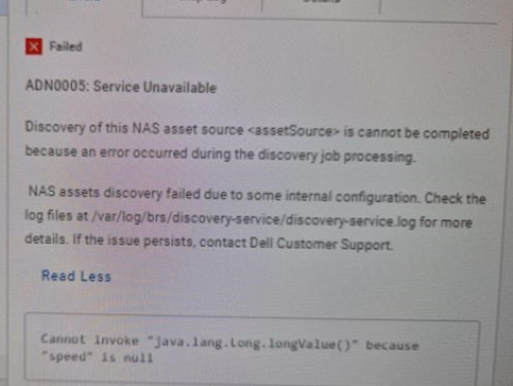
PowerProtect Data Manager NAS with NetApp Appliance discovery fails with error:
ADN0005: Service Unavailable
Cannot invoke "java.lang.Long.longValue()" because "speed" is null.
From the discovery-service.log, we have:
discovery-service.log: 2024-11-14T11:25:40.674Z ERROR [] [134f9119-fdb7-473f-b78f-b59a47d2e1e3-akka.actor.default-dispatcher-8] [][][][TRACE_ID:8eee0f2c6495c875;JOB_ID:a10f090acbaa49de][] [c.e.b.d.a.n.n.NetAppDeviceActor.discover(212)] - Start: Exception in NetApp discovering:
java.lang.NullPointerException: Cannot invoke "java.lang.Long.longValue()" because "speed" is null
  at com.emc.brs.discovery.adapters.nas.util.NasDiscoveryUtil.lambda$getLagSpeedFromMemberPorts$39(NasDiscoveryUtil.java:1486)
And also:
discovery-service.log: 2024-11-14T11:25:39.911Z WARN [] [134f9119-fdb7-473f-b78f-b59a47d2e1e3-akka.actor.default-dispatcher-8] [][][][TRACE_ID:8eee0f2c6495c875;JOB_ID:a10f090acbaa49de][] [c.e.b.d.a.n.n.NetAppHelper.generateSVMDetailsBO(158)] - No network interface found for SVM: svm0
Cause
The ONTAP API /api/network/ethernet/ports?fields=speed, the speed of the ports during discovery and as it is of type integer it can carry a value of 0 to GBs.
The specific scenario, the network interfaces discovered as part of the NetApp appliance were found to be hosted on ethernet ports that are not in an active or healthy state. There is no cabling done for some of the ethernet ports, but they are not disabled.
Under this condition (ports are down or degraded), the speed is not getting reported in the API call and this translates to null as discovery service (i.e. NetApp discovery adapter) deserializes the response. This fails the discovery job as the scenario results in a null pointer exception in the code.
Resolution
This specific scenario will be handled in the next PowerProtect Data Manager release.
If you are encountering this issue in 19.18.0-14, please contact Dell Technical Support.