PowerStore: Pre upgrade health check (PUHC) to detect partial inter-cluster TCP connections
Summary: When a previously removed appliance, or a new/fresh appliance is added to a multi-appliance cluster running PowerStoreOS version earlier than 3.2.1.1. The TCP connections in this case are only made from the added appliance to the existing appliance(s) in the cluster and do not create TCP connection from existing appliance(s) to the added appliance. off_release_inter_cluster_tcp_conn_check PUHC detect this issue and prevents NDU from failing. ...
Symptoms
The PowerStore health check (PUHC) may fail the off_release_inter_cluster_tcp_conn_check validation, with the following error:
Found partial inter-cluster TCP connections. Please contact your service provider. (off_release_inter_cluster_tcp_conn_check)
The health check is an off-release PUHC check that is contained in the Health Check thin package downloaded from the Dell Drivers & Downloads site. See the Additional Info section for information about the Health Check thin package.
The following snapshot is displayed in PowerStore Manager when the issue is detected: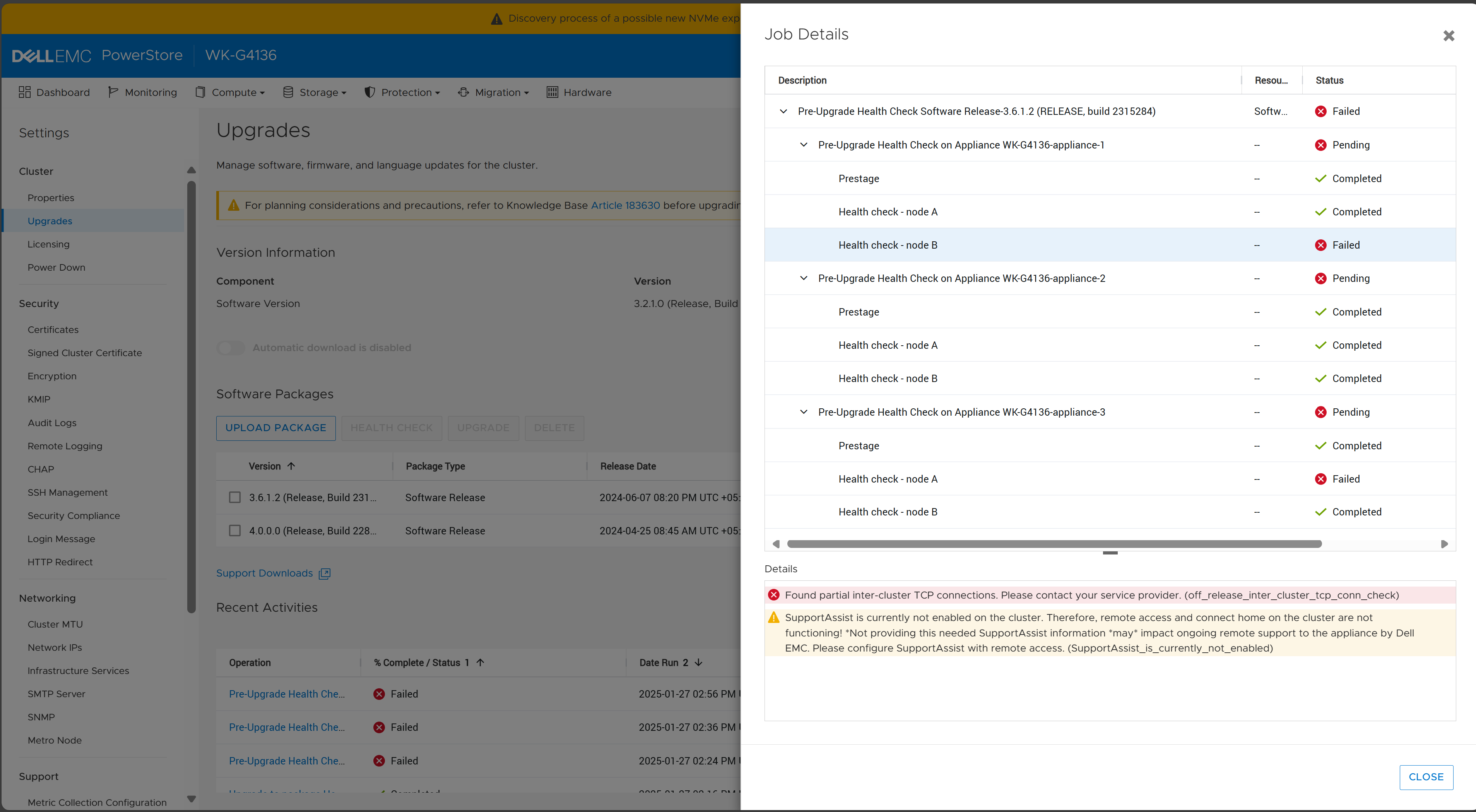
Cause
Impact
Non-disruptive upgrades (NDUs) will fail in a multi-appliance cluster configuration.
Resolution
To resolve this issue, contact technical support for assistance. Reference KB# 000285925 for expedited attention and resolution.
Additional Information
For additional information about the Health Check thin package, see KB 000192601 PowerStore: How to Check the Health of the Cluster Before Software Upgrade Using Pre-Upgrade Health Check and System Check.