PowerProtect: Sunucu DR çoğaltma yapılandırma işi başarısız oldu
Summary: PowerProtect Data Manager Sunucusu DR çoğaltma yapılandırma işi "Data Domain ile bağlantı kurulamıyor" hatasıyla başarısız oldu. Düzeltme, Sunucu DR'si için çoğaltmayı etkinleştirmektir. ...
This article applies to
This article does not apply to
This article is not tied to any specific product.
Not all product versions are identified in this article.
Symptoms
PowerProtect Data Manager Olağanüstü Durum Kurtarma (DR) yedeklemesi için "Enable Replication" öğesine tıkladıktan sonra yapılandırma işi "Data Domain ile bağlantı kurulamıyor" hatasıyla başarısız oluyor. 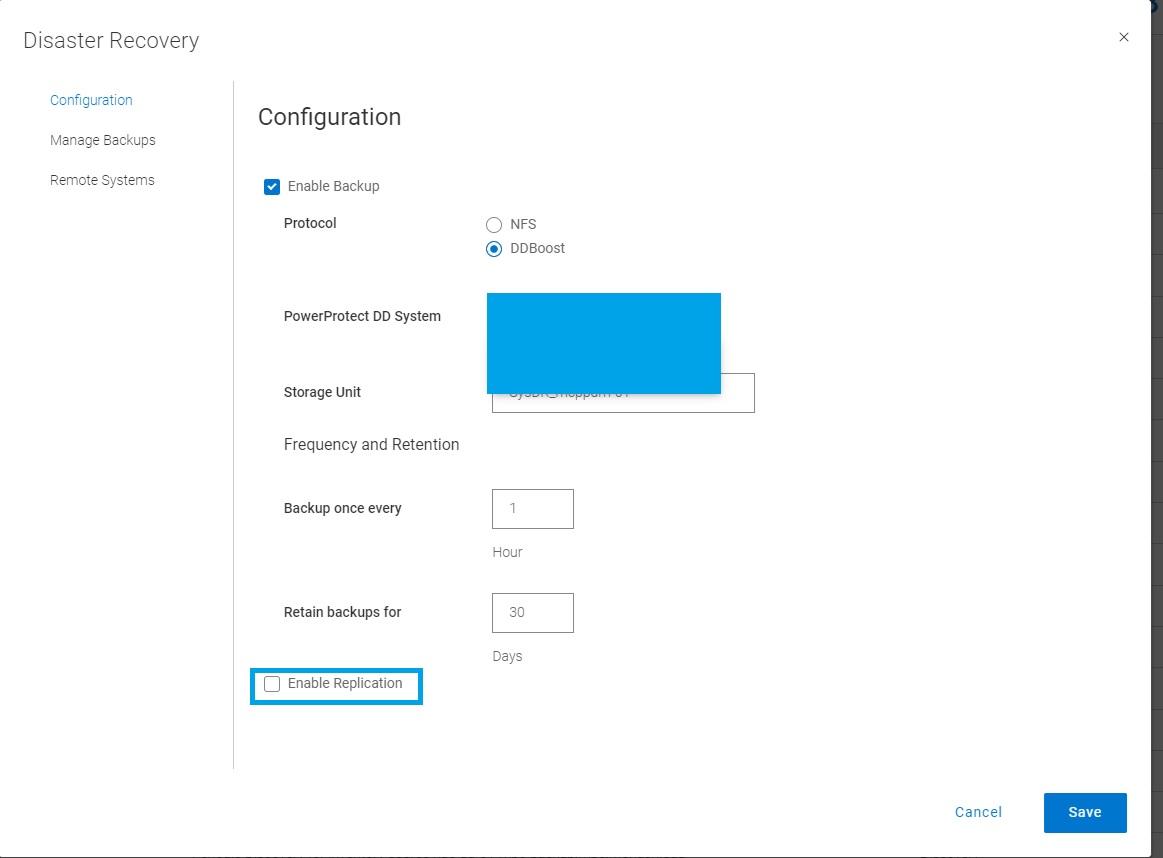
serverdr.log aşağıdaki mesajlar veya günlüğe kaydedilmiş hatalar var.
2022-08-29T05:56:37.455Z INFO [] [SimpleAsyncTaskExecutor-4] [][][][][] [c.e.b.s.common.SshManager.connect(121)] - *******timeout: socket is not established*******
2022-08-29T05:56:37.455Z INFO [] [SimpleAsyncTaskExecutor-4] [][][][][] [c.e.b.s.common.SshManager.sendCommand(143)] - Could not connect to the host <DD_hostname> with username: <DD_username> password: *****
...
2022-08-29T05:58:07.483Z INFO [] [SimpleAsyncTaskExecutor-4] [][][][][] [c.e.d.e.c.s.c.s.i.AutoConfigServiceImpl.configureStorageUnitForReplicationTarget(5748)] - configureStorageUnitForReplicationTarget exception: com.emc.dpsg.ecdm.cs.serverdr.core.exception.SdrException: SDR_REPL_SSH_NULL_ERROR code=500 reason="Unable to establish connection to Data Domain <DD_hostname>, received null response" remediation="none"
Cause
PowerProtect Data Manager, kaynak ve/veya çoğaltma Data Domain'den biriyle veya her ikisiyle SSH bağlantısı kuramaz.
Resolution
PowerProtect, Sunucu DR'si için çoğaltmayı etkinleştirmek üzere çoğaltma kaynağına ve hedef DD depolama sistemlerine bağlanmak için SSH'yi (bağlantı noktası 22) kullanır.
Hem kaynak hem de hedef DD sistemleri için 22 numaralı bağlantı noktası, PowerProtect sunucusunda açılmalıdır.
Affected Products
PowerProtect Data ManagerArticle Properties
Article Number: 000202899
Article Type: Solution
Last Modified: 11 Dec 2025
Version: 5
Find answers to your questions from other Dell users
Support Services
Check if your device is covered by Support Services.