PowerProtect: VM backups fail with ABV0018 "Unable to create LWD snapshot."
Summary: The virtual machine (VM) backups fail with exit status ABV0018 during the Creating Light Weight Delta (LWD) snapshot step.
This article applies to
This article does not apply to
This article is not tied to any specific product.
Not all product versions are identified in this article.
Symptoms
The PowerProtect Data Manager is used to protect the vSphere environment with the Transparent Snapshot Data Mover (TSDM) solution. The virtual machine (VM) backups fail with exit status ABV0018 during the "Creating LWD snapshot" step. The PowerProtect Data Manager interface job details show:
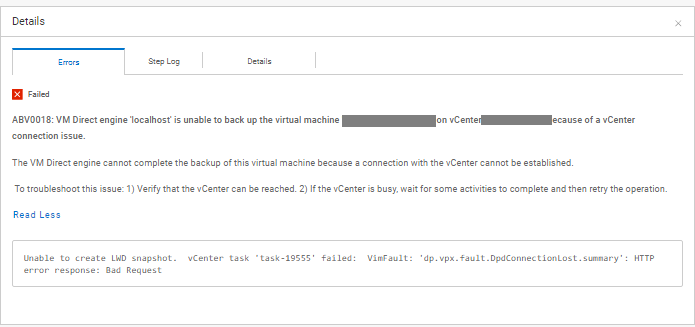
ABV0018: VM Direct engine 'localhost' is unable to back up the virtual machine 'my-vm' on vCenter 'my-vcenter.domain.local' because of a vCenter connection issue.

The VM Direct engine cannot complete the backup of this virtual machine because a connection with the vCenter cannot be established.

 To troubleshoot this issue: 1) Verify that the vCenter can be reached. 2) If the vCenter is busy, wait for some activities to complete and then retry the operation.

Read Less
Unable to create LWD snapshot.  vCenter task 'task-19555' failed:  VimFault: 'dp.vpx.fault.DpdConnectionLost.summary': HTTP error response: Bad Request
The backup export log shows:
YYYY-MM-DD HH:MM:SS DEBUG:  [a2f5cd4b522e3631;9701a8efeb09207a] SDM Data Mover: Create LWD Snapshot: vCenter SOAP call 'DpSnapshot' was accepted.
YYYY-MM-DD HH:MM:SS ERROR:  [a2f5cd4b522e3631;9701a8efeb09207a] SDM Data Mover: Create LWD Snapshot: vCenter task 'task-19480' failed:  VimFault: 'dp.vpx.fault.DpsFault.summary': Operation was canceled
YYYY-MM-DD HH:MM:SS ERROR:  [a2f5cd4b522e3631;9701a8efeb09207a] SDM Data Mover: Create LWD Snapshot: Unable to create LWD snapshot.
YYYY-MM-DD HH:MM:SS DEBUG:  [a2f5cd4b522e3631;9701a8efeb09207a] SDM Data Mover: Create LWD Snapshot: Retrying in 15s...
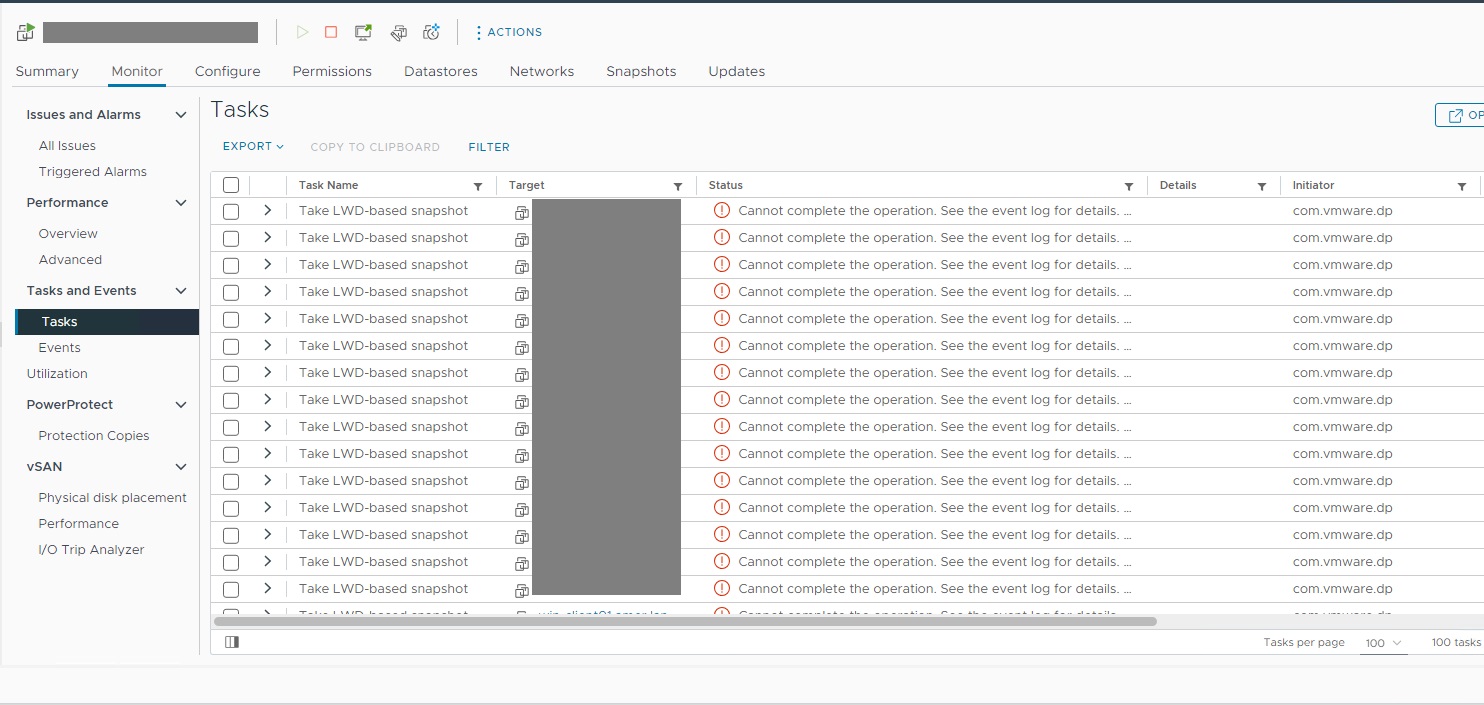
The vSphere Web Client shows tasks for the affected VM shows continuous error tasks when taking the LWD-based snapshot.
Cause
The vSphere Web Client shows the DPD daemon in a Stopped status on the ESXi server hosting the affected VMs.
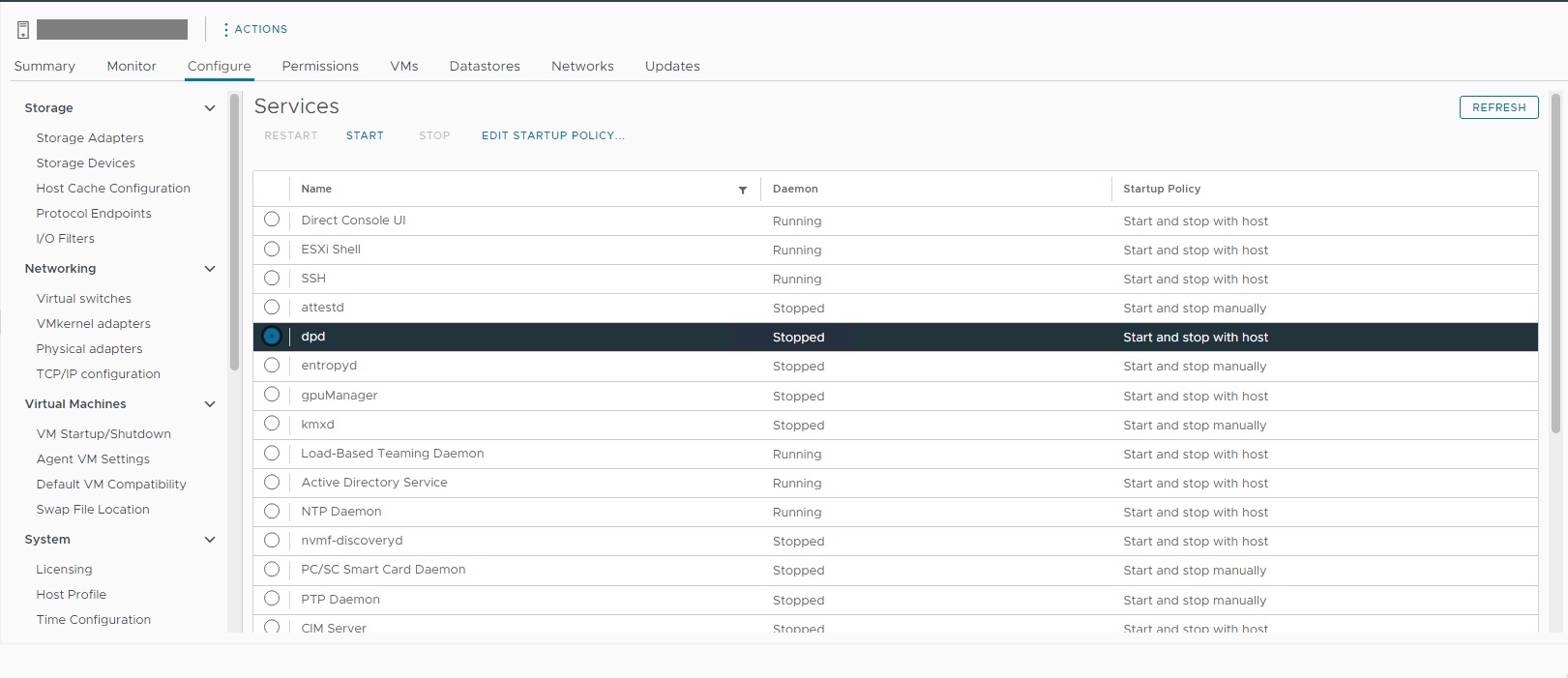
The cause of the DPD being in a Stopped state is unknown.
Resolution
The DPD must be restarted on the affected ESXi host. The DPD may be started using an ESXi ssh session:
If required, contact VMware Support to further investigate the DPD showing a Stopped state.
[root@my-esx:~] /etc/init.d/dpd status
dpd is stopped
[root@my-esx:~] /etc/init.d/dpd start
Starting dpd:Setting the memory limit for dpd resource pool on this host to 320 MB
Setting max number of file descriptors to 800
Setting MALLOC_ARENA_MAX to 20
success

[root@my-esx:~] /etc/init.d/dpd status
dpd is running
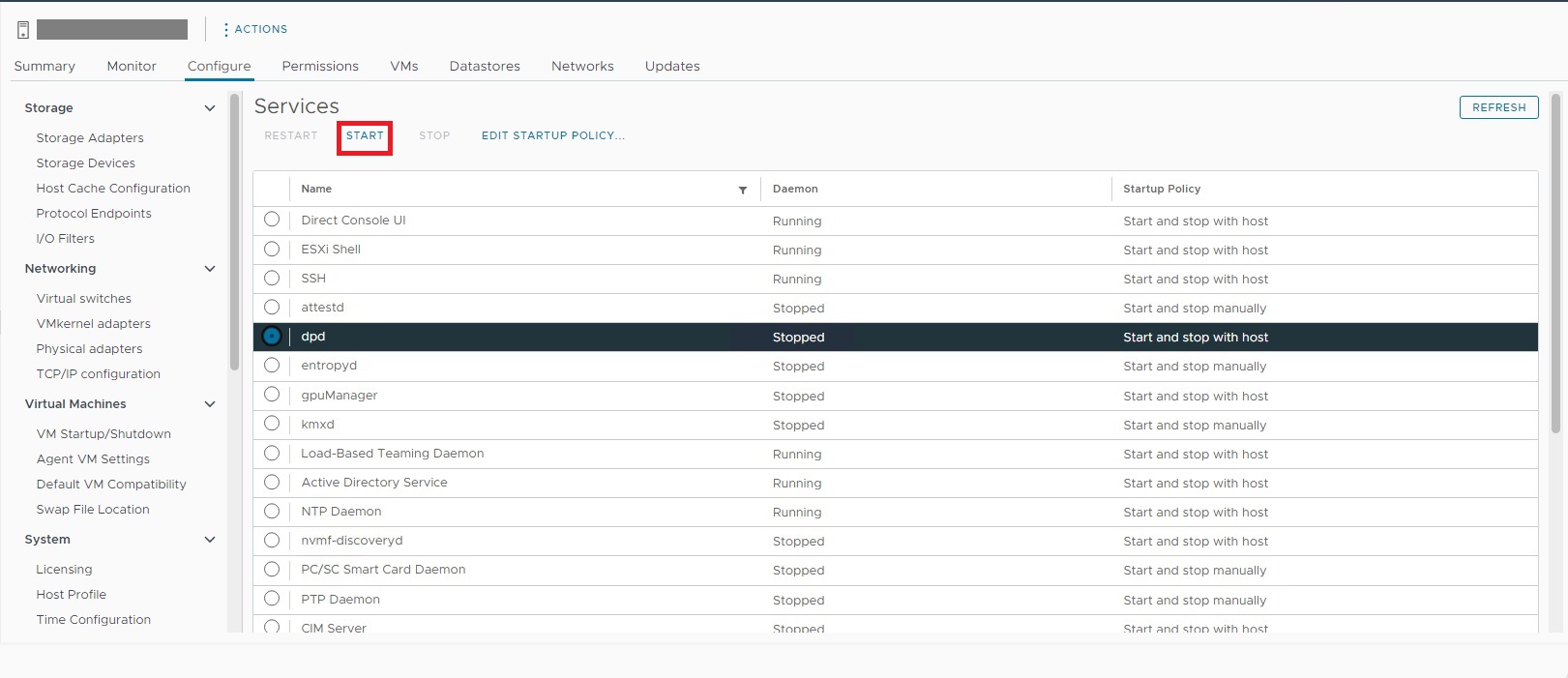
The DPD may also be started using the vSphere Web Client for the affected ESXi host under "Configure > Services":
If required, contact VMware Support to further investigate the DPD showing a Stopped state.
Article Properties
Article Number: 000223337
Article Type: Solution
Last Modified: 21 Nov 2025
Version: 2
Find answers to your questions from other Dell users
Support Services
Check if your device is covered by Support Services.