PowerVault ME5:使用「全選」核取方塊時發生磁碟群組建立錯誤
Summary: 使用 ME5 使用者介面建立線性 RAID 陣列時,若選取所有可用的磁碟,可能會導致子群組無法正確填入。所有 RAID 層級都會發生此問題。
This article applies to
This article does not apply to
This article is not tied to any specific product.
Not all product versions are identified in this article.
Symptoms
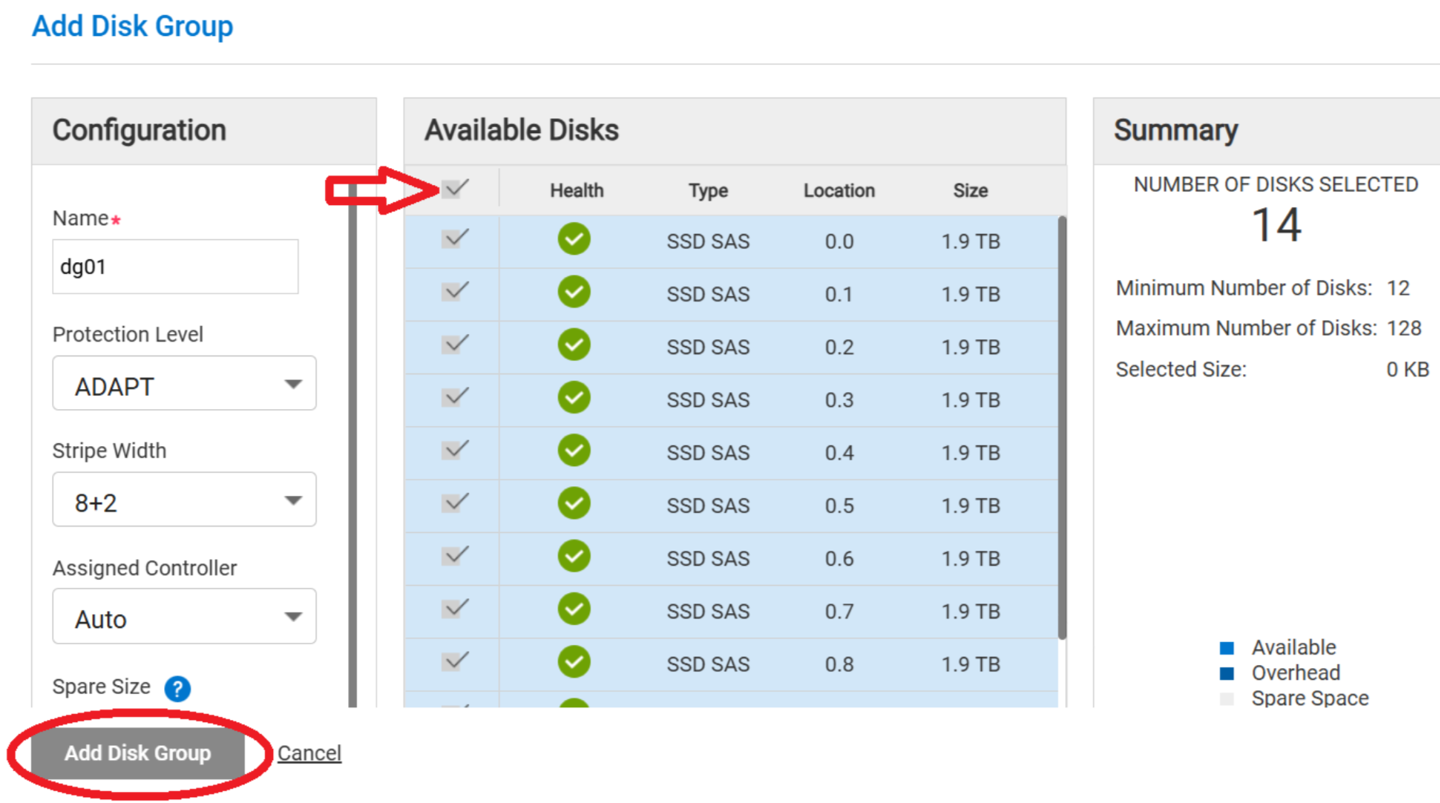
在線性建立磁碟群組期間,使用可用磁碟頂端的全選核取方塊選項,不會在選取新增磁碟群組按鈕的情況下建立磁碟群組。
圖 1:
Cause
韌體代碼版本 5.1.2.1.1 及更早版本
Resolution
Dell 工程部門正在設法解決。
有可用的因應措施:
- 選取所有可用的磁碟
- 按一下一個磁碟以清除其選取範圍
- 重新選取在步驟 2 中按到的磁碟
- 繼續建立磁碟群組
此問題涉及所有磁碟群組類型。
我們計劃在 2025 年 9 月至 10 月期間發佈韌體更新,以解決此問題。
在修正可用之前,使用者可以使用上述因應措施,成功建立磁碟群組。
Affected Products
ME Series, PowerVault ME5012, PowerVault ME5024, PowerVault ME5084Article Properties
Article Number: 000280682
Article Type: Solution
Last Modified: 07 Mar 2025
Version: 2
Find answers to your questions from other Dell users
Support Services
Check if your device is covered by Support Services.