Avamar: Deployment KB: Invalid Package Application Parameter while logging into Avamar Installation Manager
Summary: Logging in to the Avamar Installation Manager fails reporting "Invalid Package Applicable parameter" when the correct password is used.
This article applies to
This article does not apply to
This article is not tied to any specific product.
Not all product versions are identified in this article.
Symptoms
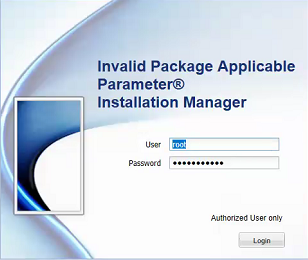
Logging in to the Avamar Installation Manager fails reporting "Invalid Package Applicable parameter" when the correct password is used:
Cause
The exact cause is unknown, but a workaround is provided in the resolution section below.
Resolution
1. Using PuTTY, establish an SSH session to the Avamar Utility Node.
2. Log in as admin.
3. Run the following command to restart the avinstaller service:
avinstaller.pl --restart
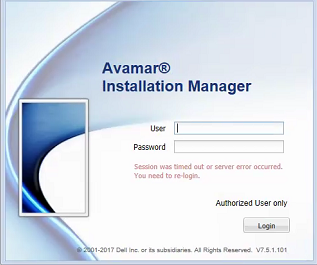
4. Once the service has restated, refresh the web browser:
Affected Products
AvamarProducts
AvamarArticle Properties
Article Number: 000048112
Article Type: Solution
Last Modified: 20 Aug 2026
Version: 5
Find answers to your questions from other Dell users
Support Services
Check if your device is covered by Support Services.