Powerscale OneFS: 非システム ゾーンでHTTPファイル アクセスを行うと、403 forbiddenエラーが返されます。
Summary: システム ゾーン以外のIPへのHTTPファイル アクセスを使用すると、システム ゾーンのアクセスが正常に動作しているのに、「403 Forbidden error」が表示されます。
This article applies to
This article does not apply to
This article is not tied to any specific product.
Not all product versions are identified in this article.
Symptoms
システム ゾーン以外のIPへのHTTPファイル アクセスを使用すると、システム ゾーンのアクセスが正常に動作しているのに、「403 Forbidden error」が表示されます。 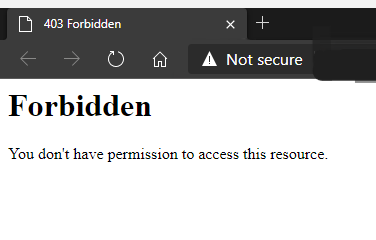
このナレッジベース記事は、HTTPファイル アクセスにのみ適用され、OneFS WebUIの問題には関係しません。
Cause
デフォルトでは、HTTPファイル アクセスはシステム ゾーンでのみ許可されます。
Resolution
非システム ゾーンへのアクセスを許可するには、次の値を変更する必要があります。
現在の値(デフォルトではfalse)を表示するには、次のようにします。
# isi_gconfig -t http-config http_multi_zone
値をtrueに設定します。
# isi_gconfig -t http-config http_multi_zone=true
システム以外のゾーンIPにアクセスしようとしたときに、HTTPファイル アクセスが機能するようになりました。
注:ブラウザーのキャッシュをクリアする必要がある場合があります。
Affected Products
PowerScale OneFSArticle Properties
Article Number: 000231970
Article Type: Solution
Last Modified: 30 Dec 2025
Version: 2
Find answers to your questions from other Dell users
Support Services
Check if your device is covered by Support Services.