Powerscale OneFS:非系統區域中的 HTTP 檔案訪問返回 403 禁止錯誤。
Summary: 使用 HTTP 檔案存取非系統區域 IP 時,您會收到「403 禁止存取錯誤」,而系統區域中的存取如預期運作。
This article applies to
This article does not apply to
This article is not tied to any specific product.
Not all product versions are identified in this article.
Symptoms
使用 HTTP 檔案存取非系統區域 IP 時,您會收到「403 禁止存取錯誤」,而系統區域中的存取如預期運作。 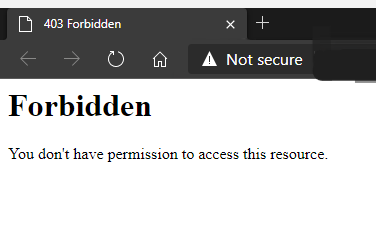
本知識文章僅適用於 HTTP 檔案存取,與 OneFS WebUI 的任何問題無關。
Cause
依預設,僅允許在系統區域中存取 HTTP 檔案。
Resolution
若要允許存取非系統區域,必須變更以下值。
要查看預設情況下為 false 的當前值,請執行以下操作:
# isi_gconfig -t http-config http_multi_zone
將值設為 true:
# isi_gconfig -t http-config http_multi_zone=true
嘗試存取非系統區域 IP 時,HTTP 檔案存取現在應該可正常運作。
注意:可能需要清除瀏覽器快取。
Affected Products
PowerScale OneFSArticle Properties
Article Number: 000231970
Article Type: Solution
Last Modified: 30 Dec 2025
Version: 2
Find answers to your questions from other Dell users
Support Services
Check if your device is covered by Support Services.