Connectrix SANnav: How to access CLI through SANnav
Summary: Through SANnav, run Fabric OS commands on one or more switches without logging in to a CLI terminal. For example, to use this feature to run "show" commands on the switch.
This article applies to
This article does not apply to
This article is not tied to any specific product.
Not all product versions are identified in this article.
Instructions
To run Fabric OS commands on a switch, you must have the following:
- Element Manager - Product Administration privilege with read/write permission
- Use care when running commands. Interactive commands cannot be run.
- The switch must be reachable from SANnav. If the switch status is Not Reachable, you cannot run switch commands from SANnav.
Procedure:
1. Click Inventory in the navigation bar, and then select Switches from the drop-down list.
Locate the switch in the table, click the down arrow in the right-most column, and select Run CLI Commands from the action menu.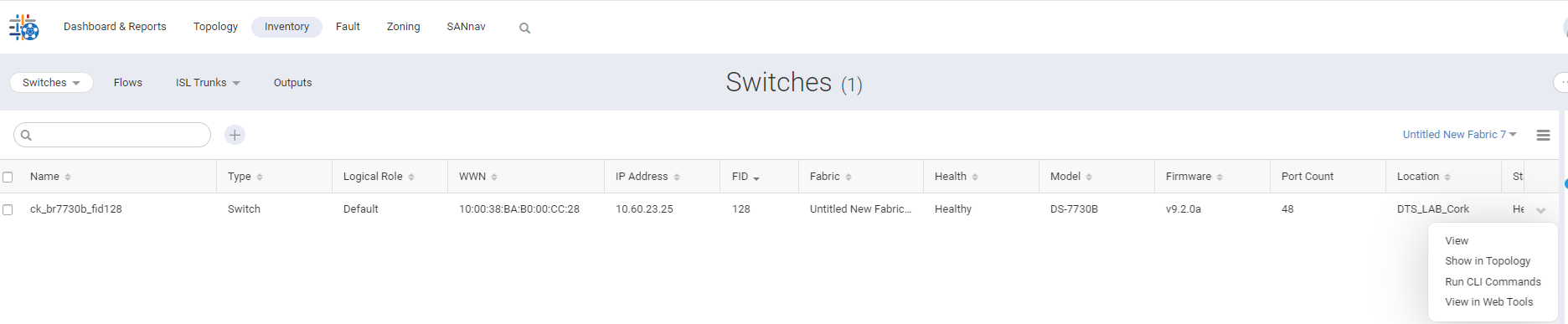
Alternatively, use the Bulk Select option to run the commands on multiple switches.
2. Click OK in the confirmation message.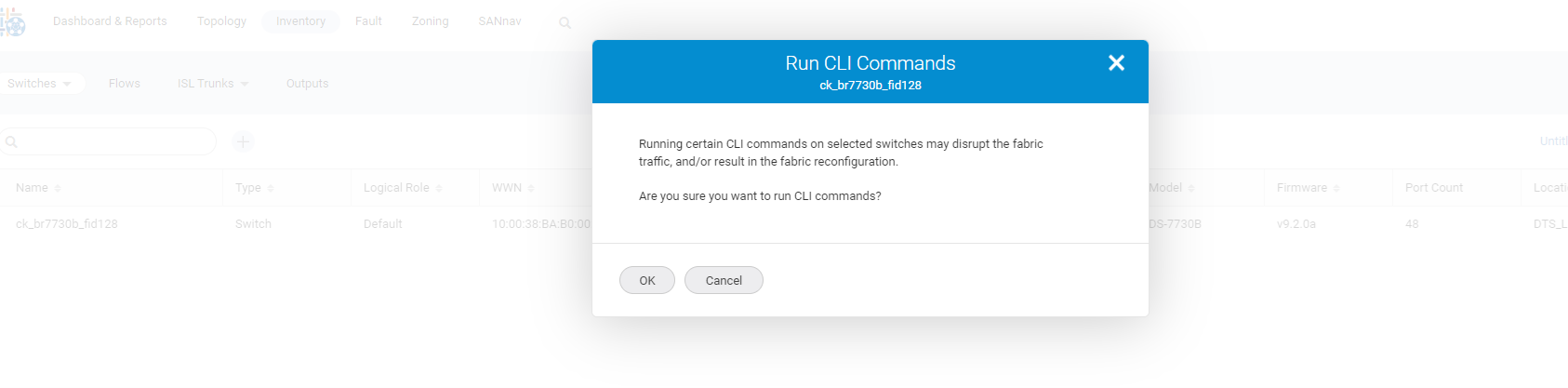
SANnav is not responsible for any disruptive commands that are run.
3. In the CLI Commands dialog, enter a name for the script, an optional description, and the list of commands, one per line. The name helps to identify the output later.
SANnav does not validate the syntax, so be sure that the commands are correct.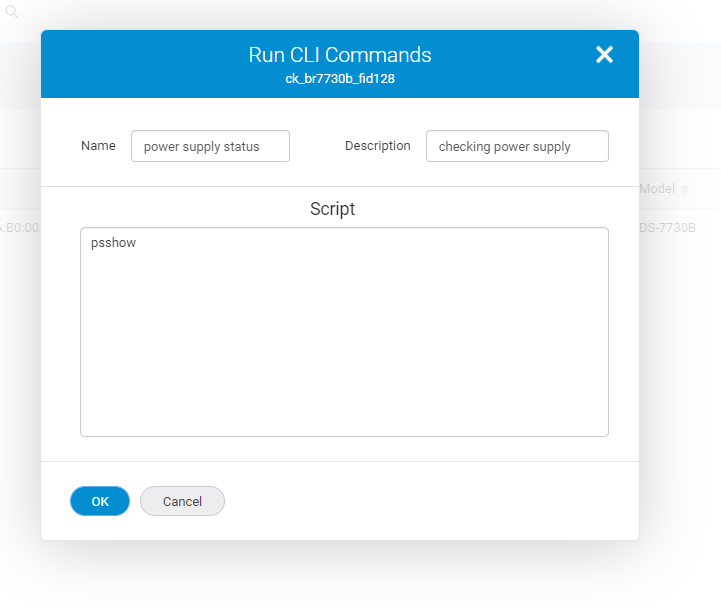
Click OK, and then click Done in the confirmation message.
4. To view the command output click Outputs in the subnavigation bar, and then select CLI Commands from the drop-down list on the right.
Locate the script using the name and timestamp, click the down arrow in the right-most column, and select View from the action menu.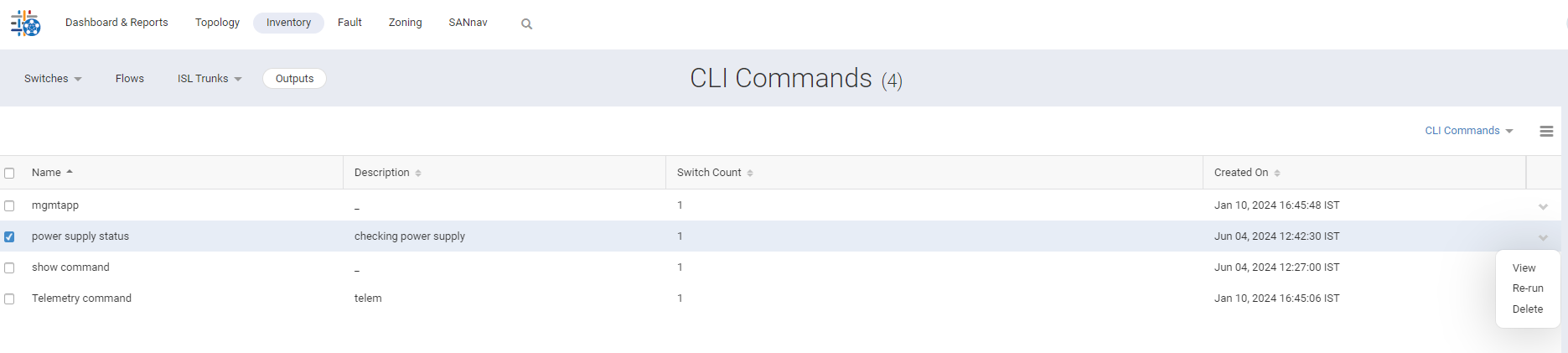
5.Output view is as below: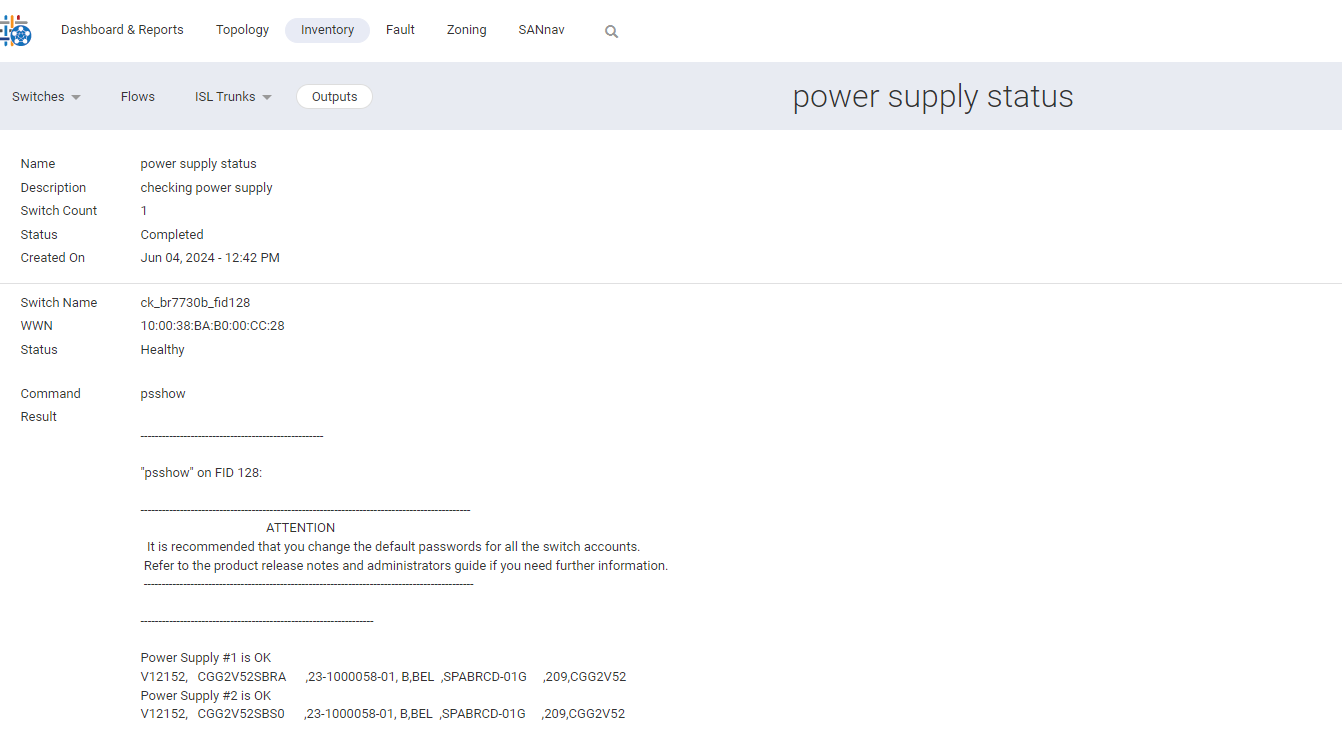
********************************************************************************************************************************
Note: SANnav does not validate the commands and does not warn if commands are disruptive or interactive.
SANnav does not format CLI response output.
Affected Products
Connectrix SANnavArticle Properties
Article Number: 000225674
Article Type: How To
Last Modified: 21 Nov 2025
Version: 3
Find answers to your questions from other Dell users
Support Services
Check if your device is covered by Support Services.