Dell EMC Unity:NDMPを有効にして構成する方法(ユーザー修正可能)
Summary: アレイでNDMPを構成する方法
This article applies to
This article does not apply to
This article is not tied to any specific product.
Not all product versions are identified in this article.
Instructions
Unisphere GUIから:
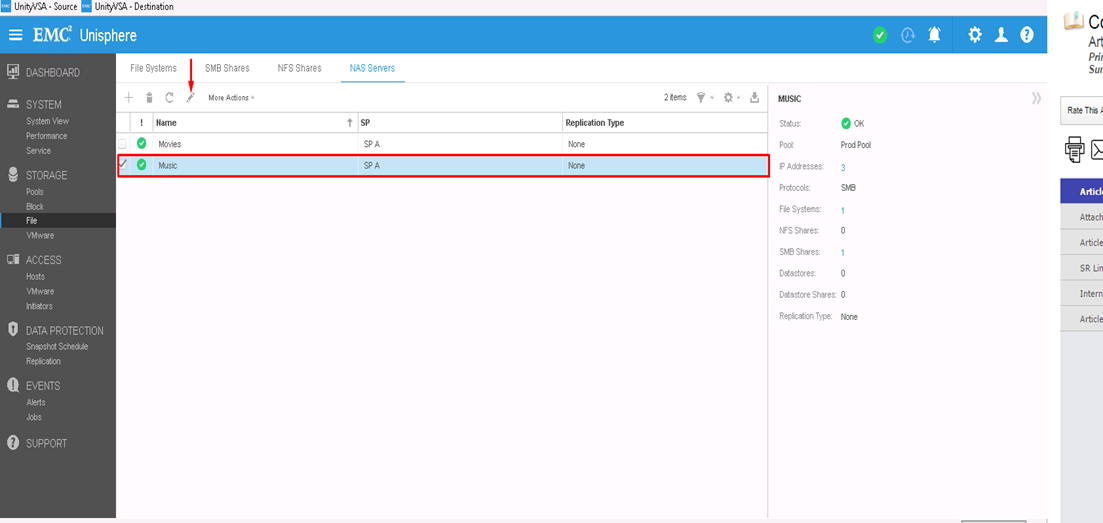
- まず、NDMPを構成するNASサーバーを選択し、編集アイコンをクリックして変更します
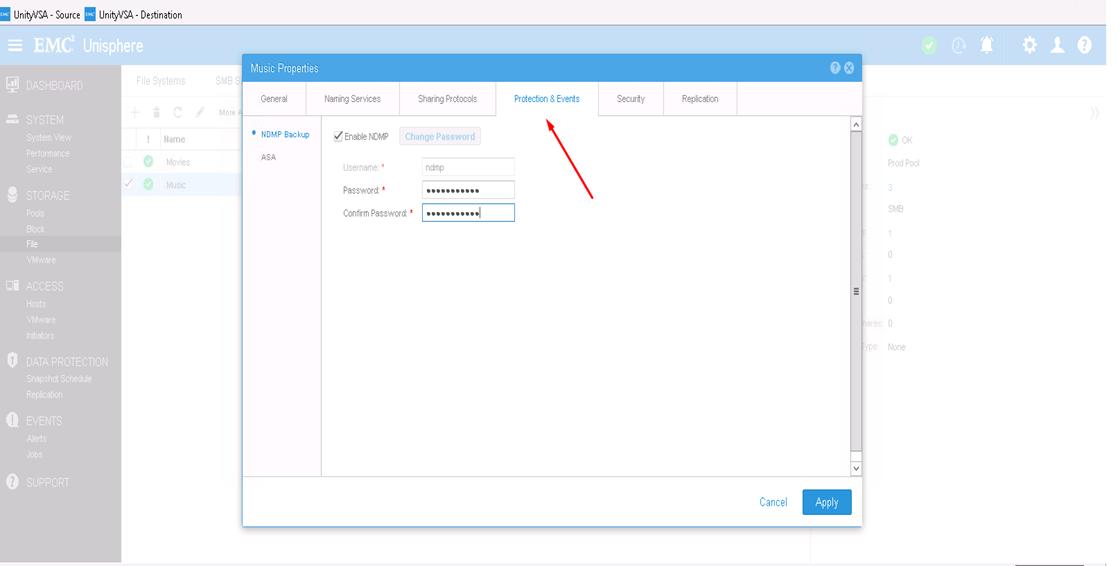
- [Protection & events]タブでは、定義したユーザー名とパスワードを使用してNDMPチェック ボックスを有効にできます
CLIから:
1) uemcli -d <array_ip> -u admin -p <admin_pwd> /net/nas/server show
を使用して、NASサーバーのリソースIDを確認します。uemcli -d <array_ip> -u admin -p <admin_pwd /net/nas/ndmp -server><nas_x> set enabled yes passwd ndmp_pwd
上記では、ユーザー名「ndmp」を使用してUnityでNDMPを有効にします。
バックアップ クライアントからは、NASサーバーのIPアドレス、ログイン ユーザーとしての「ndmp」、NDMPバックアップ用に構成されたパスワードを使用できます。
Affected Products
Dell EMC Unity FamilyProducts
Dell EMC Unity Family, VNXe1 Series, VNXe2 SeriesArticle Properties
Article Number: 000022637
Article Type: How To
Last Modified: 16 Oct 2025
Version: 3
Find answers to your questions from other Dell users
Support Services
Check if your device is covered by Support Services.