Data Domain:UIを使用したMTreeレプリケーションの構成
Summary: このKB記事では、UIを使用してMTreeレプリケーションを構成する方法について説明します。
This article applies to
This article does not apply to
This article is not tied to any specific product.
Not all product versions are identified in this article.
Instructions
UIを使用したMTreeレプリケーションの構成
目的
この記事では、UIを使用してMTreeレプリケーションを構成する方法について説明します。
対象
- すべてのData Domainシステム
- MTreeレプリケーション
解決策
-
同じ UI(Enterprise Manager)でソース システムとデスティネーション システムの両方を追加します。
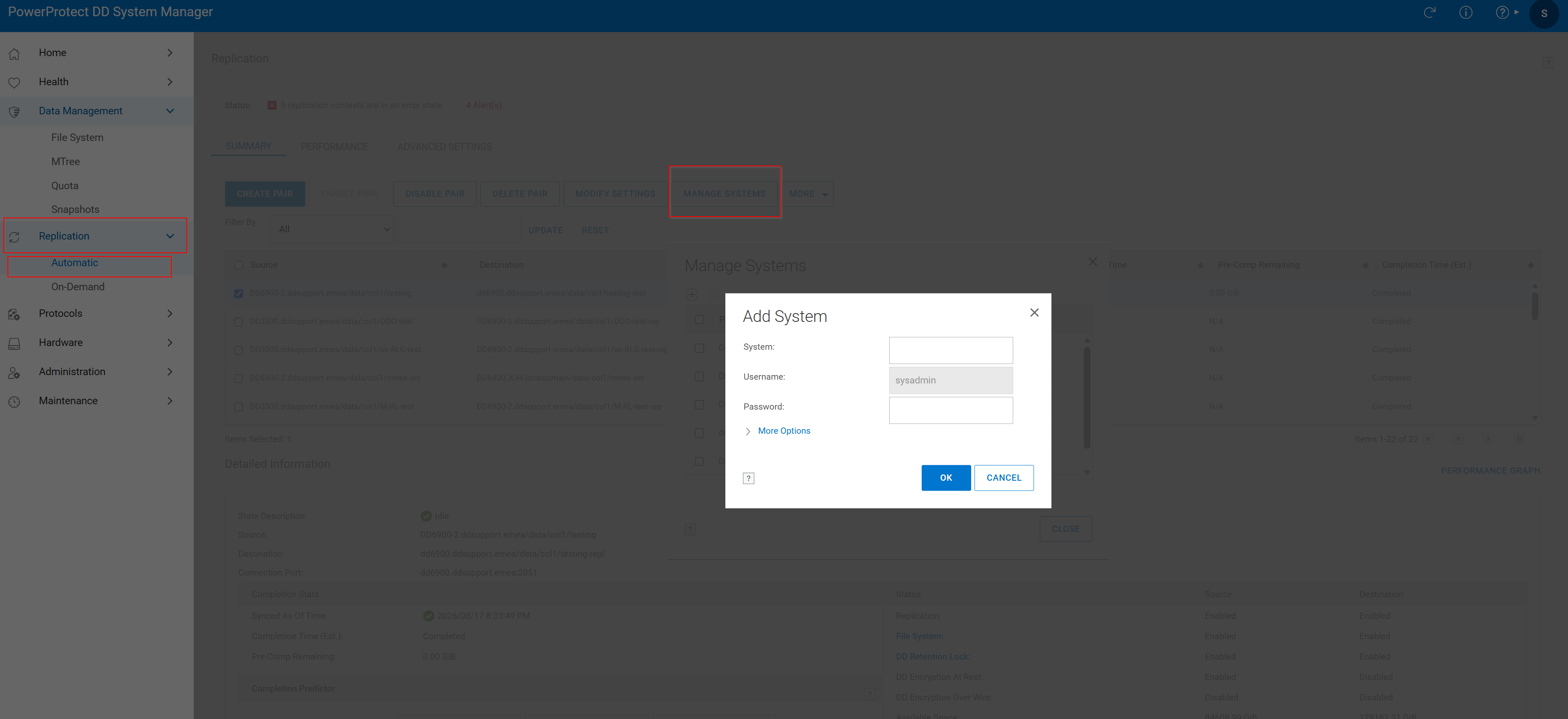 図 1.システムを追加する
2.レプリケーション ペアの作成
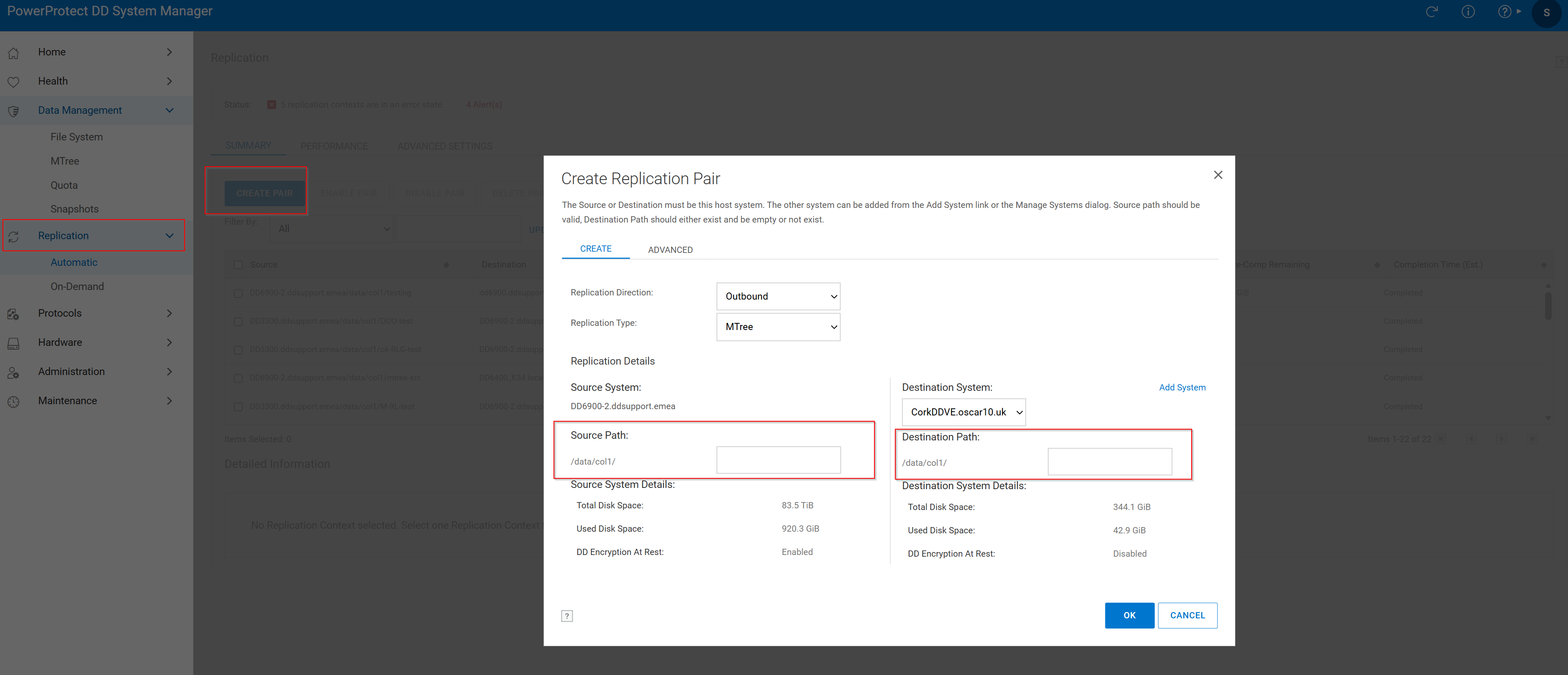 図2ソース パス > レプリケーション ペアを作成
- Replicationタブをクリックし、Create Pairをクリックします。
- Source SystemとSource Pathを選択します。Mtreeはすでにソースに存在する必要があります。
- デスティネーション システムとデスティネーション パスを選択します。デスティネーションMTreeは、すでに存在していない必要があります。すでに存在する場合は、次のナレッジベース記事を確認してください。
レプリケーションが正常に作成され、次のウィンドウが表示されます。
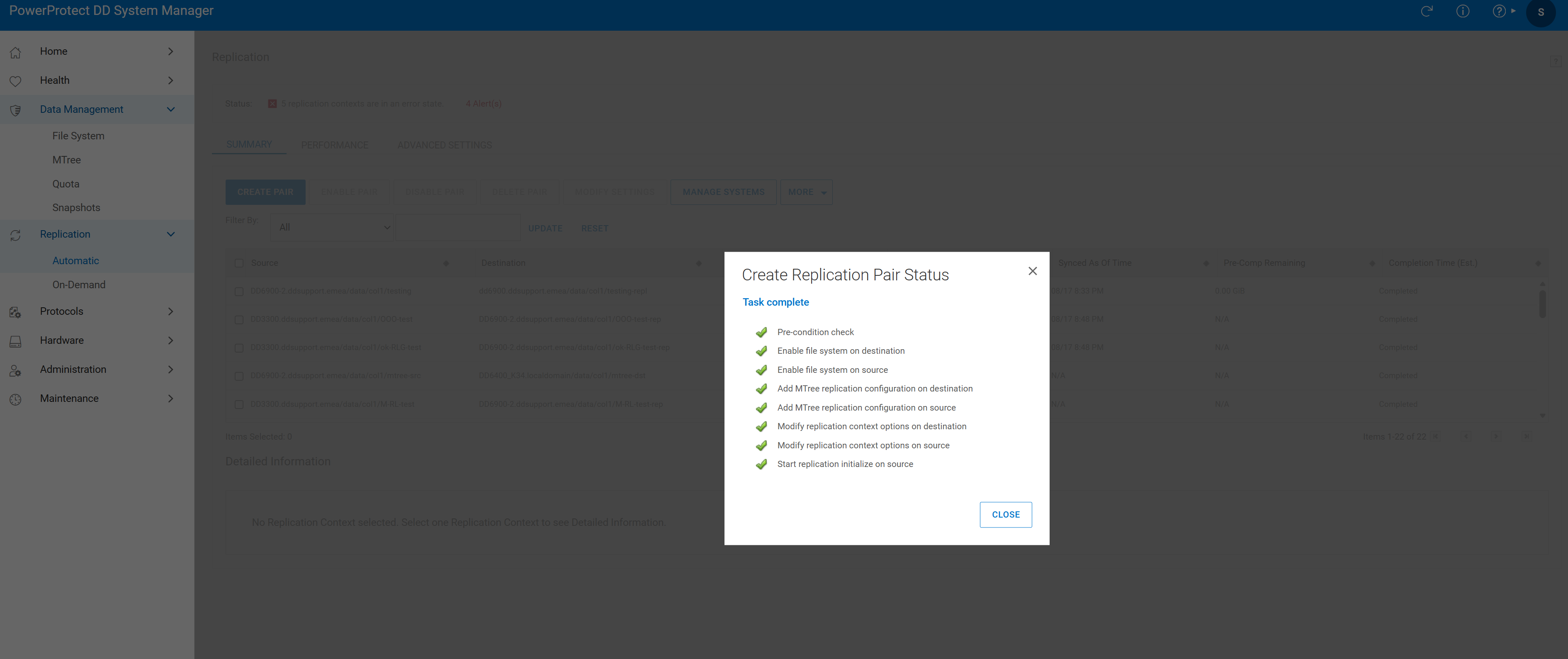 図3.タスク完了
- レプリケーション セッションを検証する。

図4.レプリケーションの検証
Additional Information
Affected Products
Data DomainProducts
Data DomainArticle Properties
Article Number: 000010996
Article Type: How To
Last Modified: 18 Aug 2026
Version: 7
Find answers to your questions from other Dell users
Support Services
Check if your device is covered by Support Services.