Dell VxRail: errore di stato dei processi multisistema intelligenti su CloudIQ
Summary: Questo articolo della Knowledge Base fornisce un elenco comune di messaggi di errore e soluzioni consigliate per le operazioni di controllo preliminare/download/aggiornamento di CloudIQ. ...
This article applies to
This article does not apply to
This article is not tied to any specific product.
Not all product versions are identified in this article.
Symptoms
preliminare/download/aggiornamento del cluster su CloudIQ; se l'operazione non riesce, passare a CloudIQ - > Admin - > Jobs
Selezionare un processo e visualizzarne i dettagli. Viene visualizzato il messaggio di errore dettagliato. Ad esempio: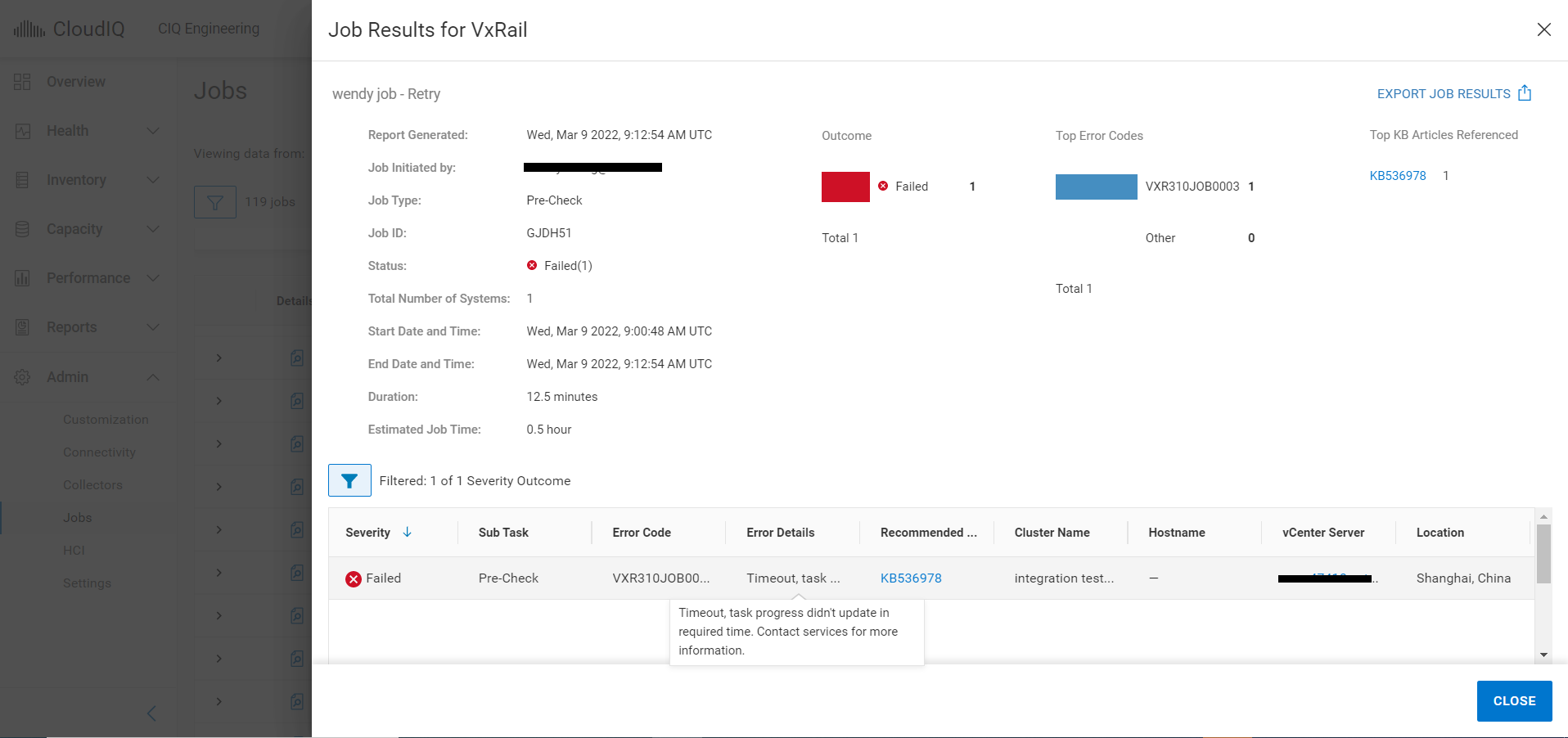
Di seguito è riportato un elenco comune di codici errore e dei relativi messaggi dettagliati.
| N. | Codice errore | Impatto | Dettagli dell'errore | |
| 1 | VXR310JOB0008 | Tutto | The job cannot be started at this time. Try again later. If this problem persists contact your support provider. | |
| 2 | VXR310SRS0001 | Tutto | The job cannot be started at this time. Try again later. If this problem persists contact your support provider. | |
| 3 | VXR310SRS0002 | Tutto | The job cannot be started at this time. Try again later. If this problem persists contact your support provider. | |
| 4 | VXR310JOB0007 | Aggiornamento | The job cannot be started at this time. Try again later. If this problem persists contact your support provider. | |
| 5 | VXR310JOB0003 | Tutto | The job did not complete within the due time. | |
| 6 | VXR310JOB0009 | Download | The job cannot be started at this time. Try again later. If this problem persists contact your support provider. | |
| 7 | VXR310JOB0005 | Tutto | The job cannot be started at this time. Try again later. If this problem persists contact your support provider. | |
| 8 | VXR310JOB0004 | Download | Download failed. File is not valid. | |
| 9 | VXR310JOB0002 | Tutto | The job cannot be started at this time. Try again later. If this problem persists contact your support provider. | |
| 10 | VXR310ADC0004 | Download | Download failed. Post-processing failed. | |
| 11 | VXR310ADC0003 | Aggiornamento | Unable to start the update. | |
| 12 | VXR310ADC0002 | Pre-Check | Unable to perform pre-check. | |
| 13 | VXR314ADC0006 | Aggiornamento | Intelligent multi-cluster system updates are not supported because the ADC component is not at the latest version. | |
| 14 | VXR314ADC0005 | Pre-Check | Intelligent multi-cluster system updates are not supported because the ADC component is not at the latest version. | |
| 15 | VXR314ADC0001 | Tutto | Intelligent multi-cluster system updates are not supported because the ADC component is not at the latest version. | |
| 16 | VXR104LCM0001 | Download | There is insufficient free space to update the cluster. | |
Cause
Gli errori 1 - 3 potrebbero essere causati da un problema di instabilità instabile tra CloudIQ e VxRail Manager. CloudIQ non è in grado di inviare il comando dell'operazione a VxRail Manager. Avrebbe un impatto su tutti i tipi di processi.
Gli errori 4 - 5 potrebbero essere causati dalla perdita di connettività sul lato VxRail Manager.
Altri errori possono essere causati da un problema dell'infrastruttura di backend CloudIQ o dell'ambiente VxRail.
Gli errori 4 - 5 potrebbero essere causati dalla perdita di connettività sul lato VxRail Manager.
Altri errori possono essere causati da un problema dell'infrastruttura di backend CloudIQ o dell'ambiente VxRail.
Resolution
Per gli errori #1-#3
Riprovare o ricreare il processo dopo alcuni minuti. Se l'errore persiste, contattare il supporto tecnico per assistenza.
Per gli errori #4-#5
Seguire la procedura riportata di seguito per verificare lo stato della connettività del gateway SRS.
1.Accedere alla GUI di gestione SRS tramite https://[SRS VE IP]:9443.
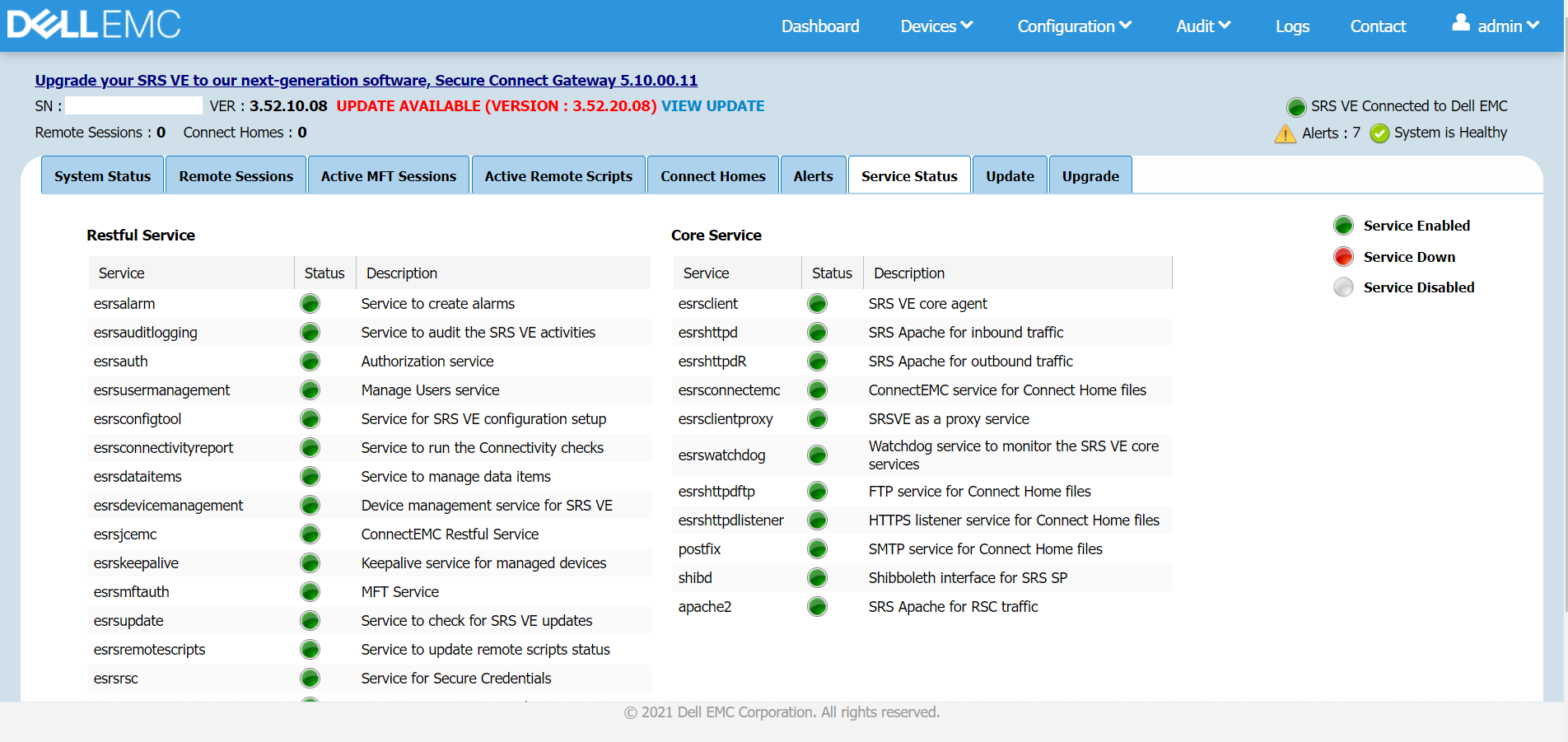
2.Cliccare su Dashboard -> Service Status, verificare che SRS VE sia connesso a Dell.
Tutti i servizi devono essere in esecuzione in uno stato valido. Riavviare SRS VE se un servizio è inattivo.
3.Testare la funzionalità MFT, cliccare su Configuration -> Connect Home
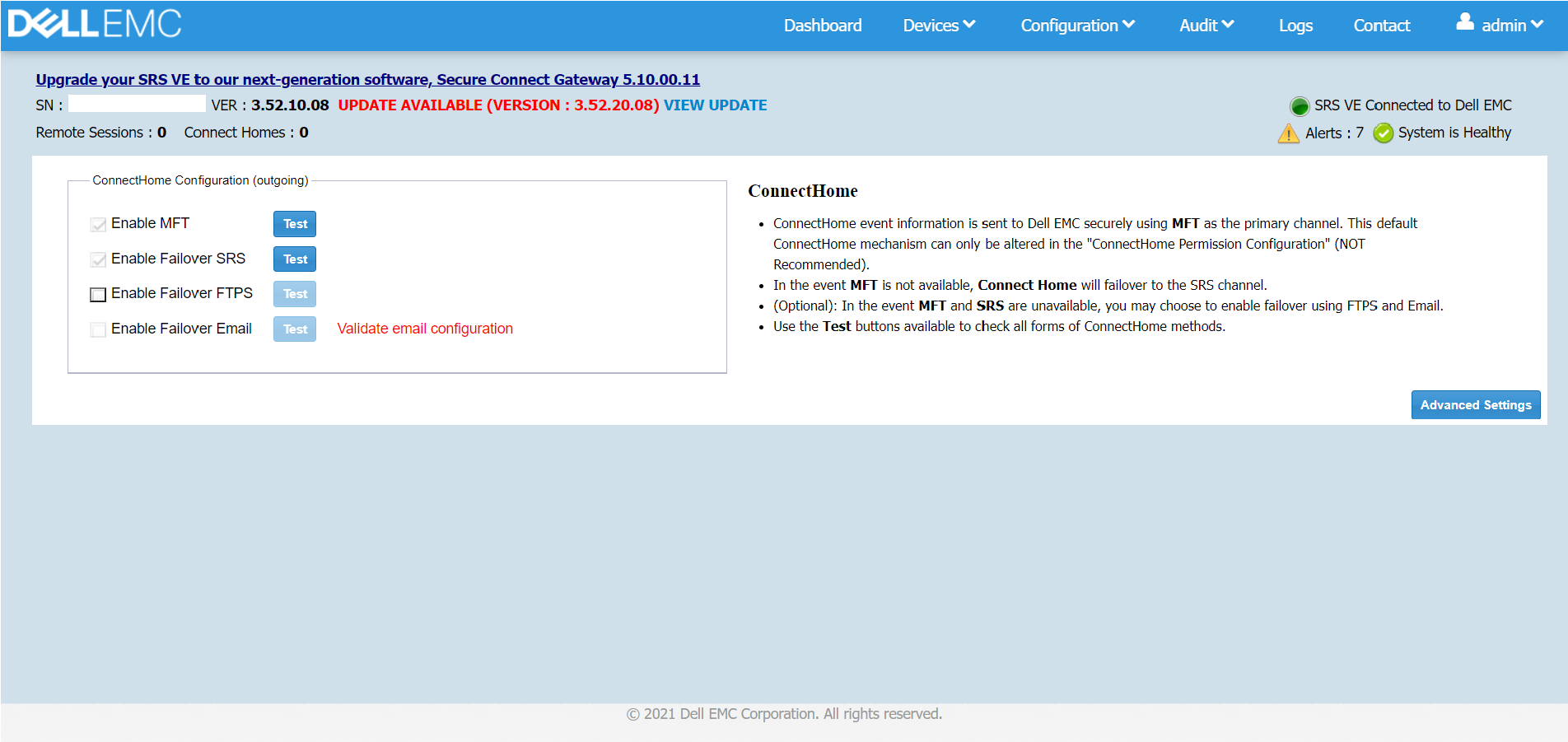
Selezionare la casella "Enable MFT" se non è selezionata, quindi cliccare su Test. Viene visualizzato il messaggio popup "Test connect home using MFT was successful"
4.Eseguire un controllo della rete, cliccare su Configuration -> Network, quindi su Run Test.
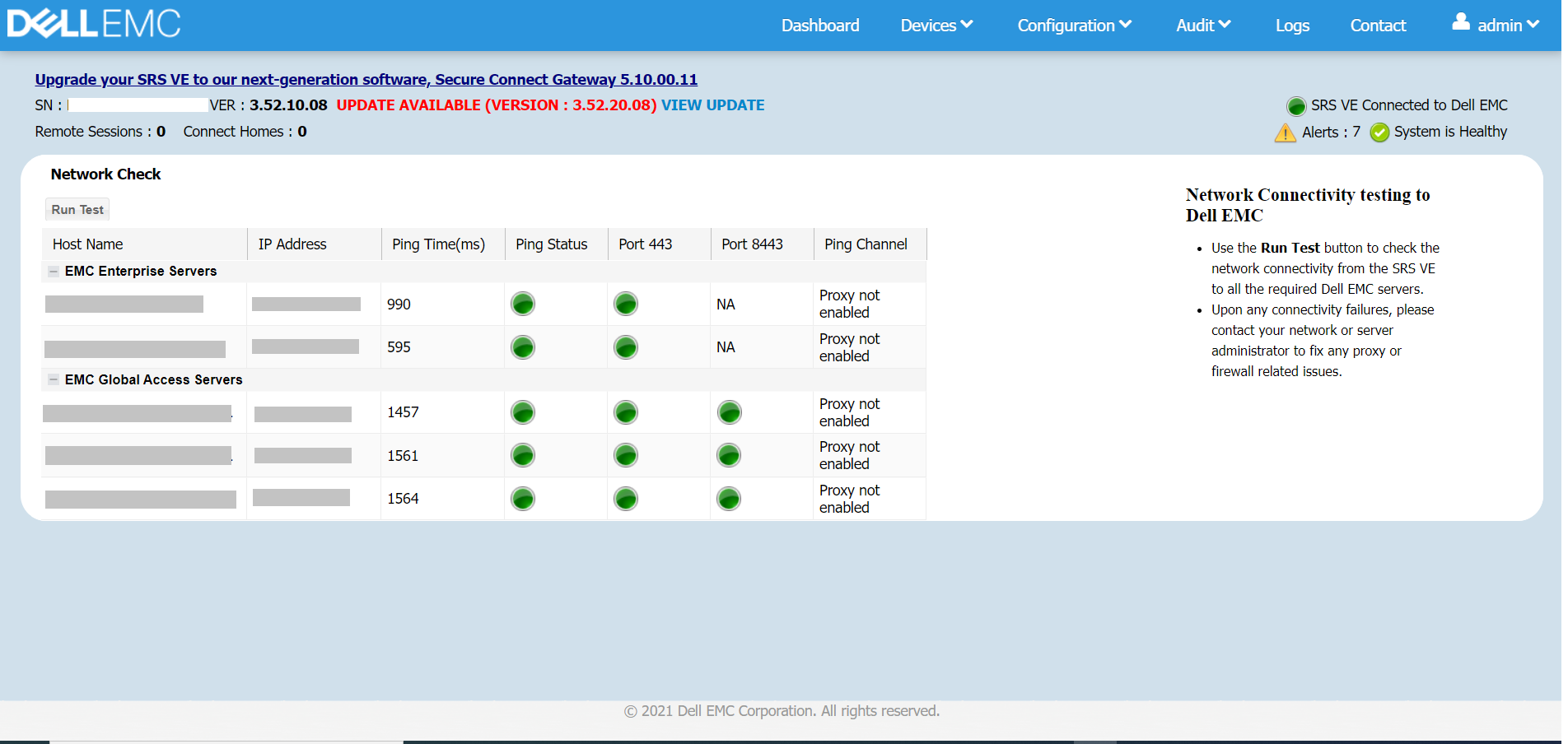
Verificare che le porte 443 e 8443 siano aperte e che SRS VE sia in grado di connettersi ai server EMC Enterprise ed EMC Global Access
5.Passare a CloudIQ e riprovare o ricreare il processo. Se l'errore persiste, contattare il supporto tecnico per assistenza.
Per altri errori
Contattare il supporto tecnico per assistenza.
Riprovare o ricreare il processo dopo alcuni minuti. Se l'errore persiste, contattare il supporto tecnico per assistenza.
Per gli errori #4-#5
Seguire la procedura riportata di seguito per verificare lo stato della connettività del gateway SRS.
1.Accedere alla GUI di gestione SRS tramite https://[SRS VE IP]:9443.
2.Cliccare su Dashboard -> Service Status, verificare che SRS VE sia connesso a Dell.
Tutti i servizi devono essere in esecuzione in uno stato valido. Riavviare SRS VE se un servizio è inattivo.
3.Testare la funzionalità MFT, cliccare su Configuration -> Connect Home
Selezionare la casella "Enable MFT" se non è selezionata, quindi cliccare su Test. Viene visualizzato il messaggio popup "Test connect home using MFT was successful"
4.Eseguire un controllo della rete, cliccare su Configuration -> Network, quindi su Run Test.
Verificare che le porte 443 e 8443 siano aperte e che SRS VE sia in grado di connettersi ai server EMC Enterprise ed EMC Global Access
5.Passare a CloudIQ e riprovare o ricreare il processo. Se l'errore persiste, contattare il supporto tecnico per assistenza.
Per altri errori
Contattare il supporto tecnico per assistenza.
Affected Products
CloudIQ, VxRail SoftwareArticle Properties
Article Number: 000197490
Article Type: Solution
Last Modified: 08 Jul 2025
Version: 11
Find answers to your questions from other Dell users
Support Services
Check if your device is covered by Support Services.