Dell Unity: Kenmerken van proxyservers bewerken
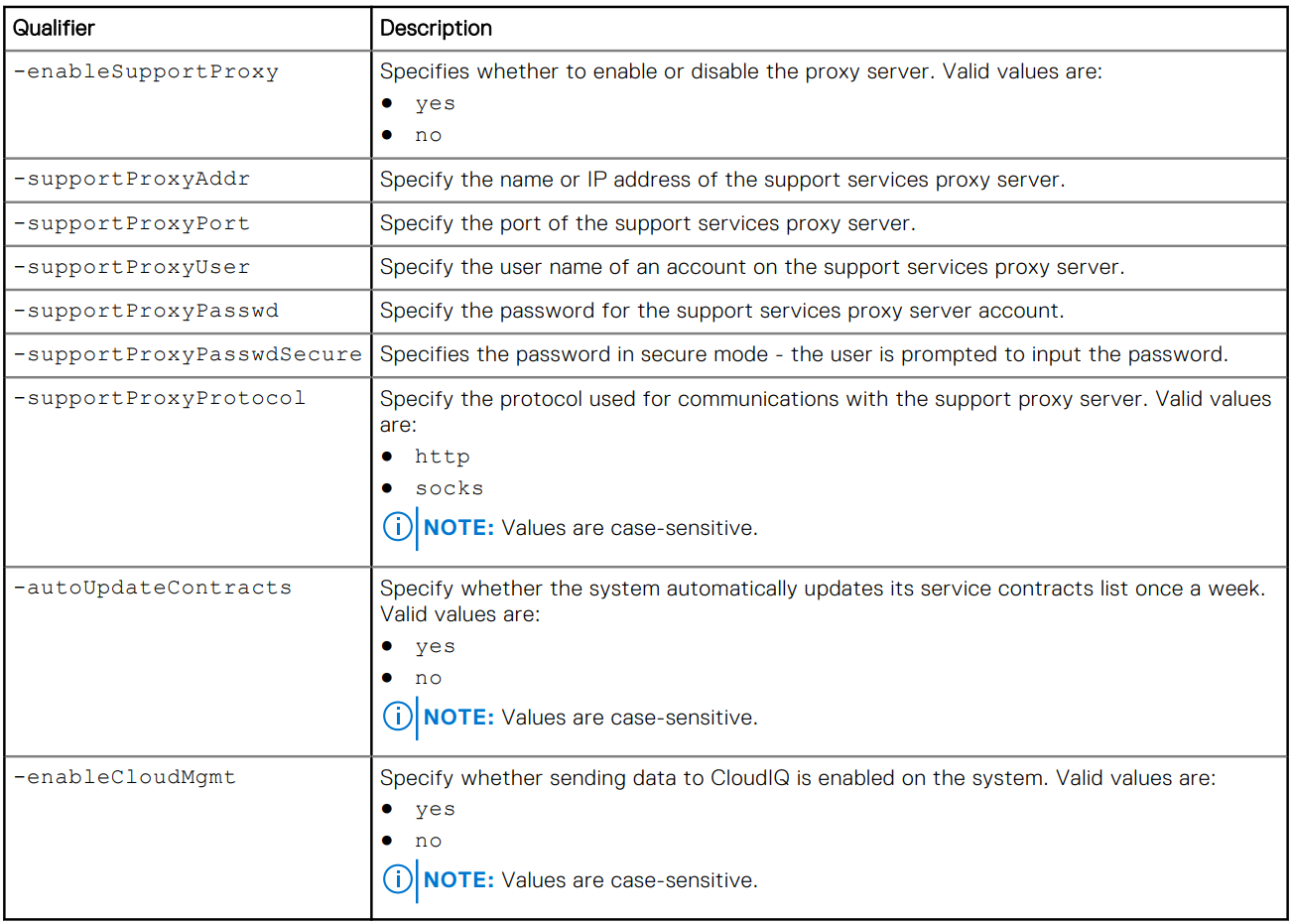
Summary: In dit artikel wordt uitgelegd hoe u supportconfiguratiekenmerken voor proxyservers kunt wijzigen.
This article applies to
This article does not apply to
This article is not tied to any specific product.
Not all product versions are identified in this article.
Instructions
Indeling
/sys/support/config set [-enableSupportProxy {yes | no }] [-supportProxyAddr <value>]
[-supportProxyPort <value>] [-supportProxyUser <value> {-supportProxyPasswd <value> |-
supportProxyPasswdSecure}] [-supportProxyProtocol {http | socks}] [-autoUpdateContracts
{yes | no}] [-enableCloudMgmt {yes | no}]
Voorbeeld

Additional Information
Het wachtwoord van de proxyserver is niet zichtbaar in de array-backend of de logboeken. Het wachtwoord wordt verwijderd uit de array omdat het is gekoppeld aan de database-entry van de proxyserver. Dit betekent dat wanneer de database-vermelding wordt verwijderd, ook het wachtwoord wordt verwijderd.
Affected Products
Dell EMC Unity, Dell EMC Unity Family |Dell EMC Unity All Flash, Dell EMC Unity HybridArticle Properties
Article Number: 000009793
Article Type: How To
Last Modified: 03 Nov 2025
Version: 4
Find answers to your questions from other Dell users
Support Services
Check if your device is covered by Support Services.