Dell Unity: Come modificare gli attributi del server proxy
Summary: Questo articolo illustra come modificare gli attributi di configurazione del supporto per i server proxy.
This article applies to
This article does not apply to
This article is not tied to any specific product.
Not all product versions are identified in this article.
Instructions
Formato
/sys/support/config set [-enableSupportProxy {yes | no }] [-supportProxyAddr <value>]
[-supportProxyPort <value>] [-supportProxyUser <value> {-supportProxyPasswd <value> |-
supportProxyPasswdSecure}] [-supportProxyProtocol {http | socks}] [-autoUpdateContracts
{yes | no}] [-enableCloudMgmt {yes | no}]
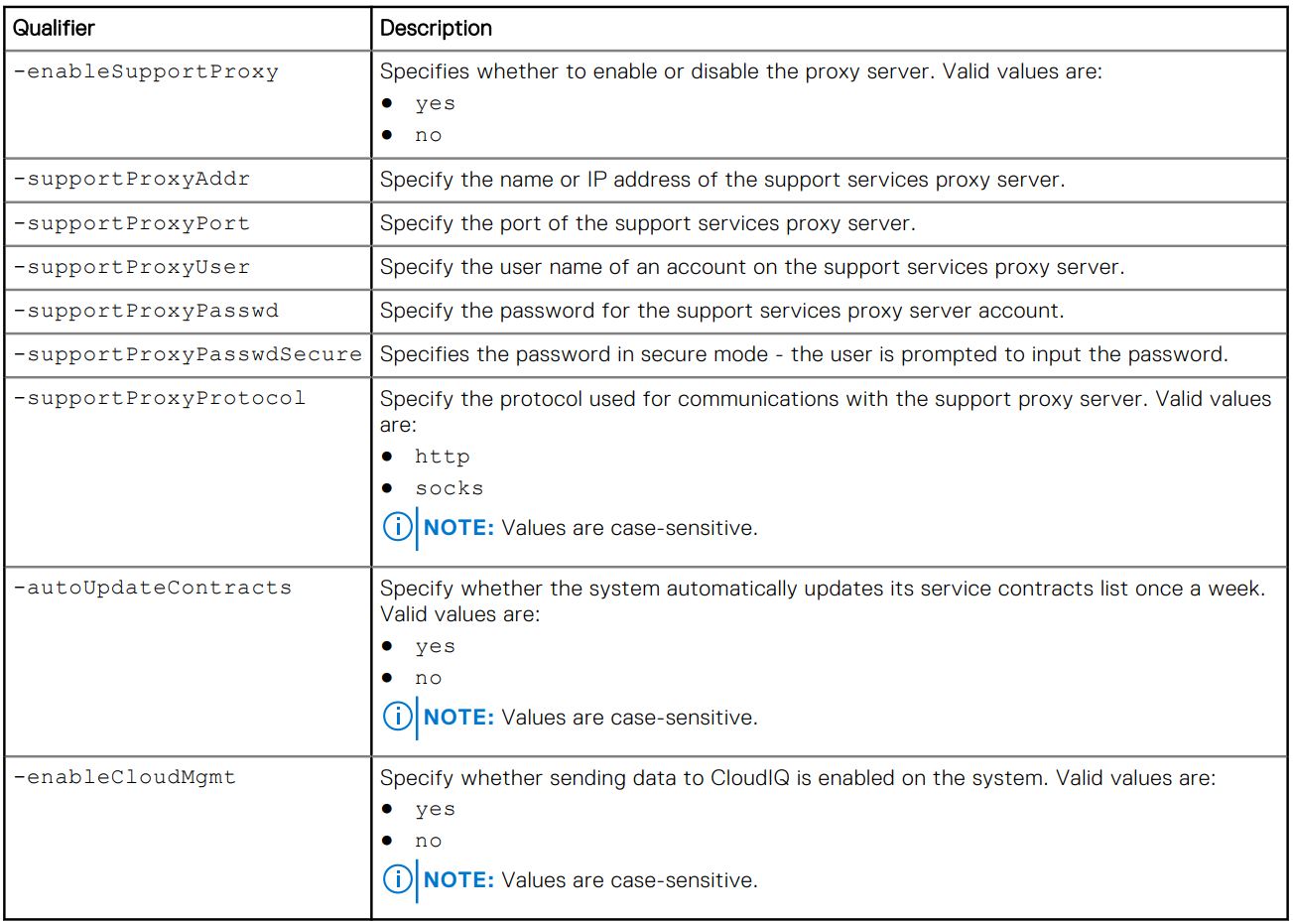
Esempio

Additional Information
La password del server proxy non è visibile nel back-end dell'array o nei registri. La password viene rimossa dall'array perché è associata alla voce del database del server proxy. Ciò significa che quando la voce del database viene rimossa, viene rimossa anche la password.
Affected Products
Dell EMC Unity, Dell EMC Unity Family |Dell EMC Unity All Flash, Dell EMC Unity HybridArticle Properties
Article Number: 000009793
Article Type: How To
Last Modified: 03 Nov 2025
Version: 4
Find answers to your questions from other Dell users
Support Services
Check if your device is covered by Support Services.