Dell Unity:プロキシ サーバー属性を編集する方法
Summary: この記事では、プロキシ サーバーのサポート構成属性を変更する方法について説明します。
This article applies to
This article does not apply to
This article is not tied to any specific product.
Not all product versions are identified in this article.
Instructions
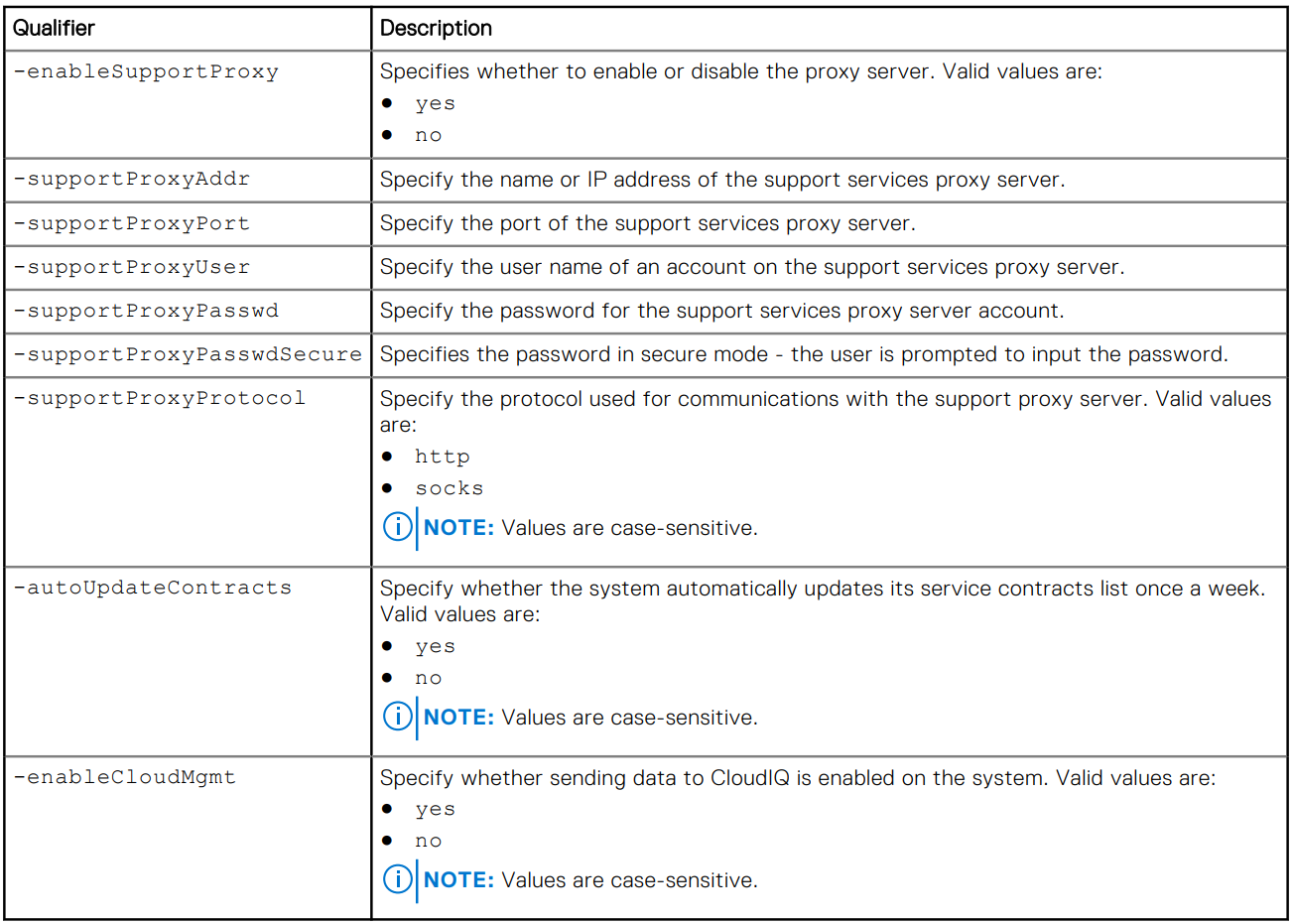
形式
/sys/support/config set [-enableSupportProxy {yes | no }] [-supportProxyAddr <value>]
[-supportProxyPort <value>] [-supportProxyUser <value> {-supportProxyPasswd <value> |-
supportProxyPasswdSecure}] [-supportProxyProtocol {http | socks}] [-autoUpdateContracts
{yes | no}] [-enableCloudMgmt {yes | no}]
例

Additional Information
プロキシ サーバーのパスワードは、アレイ バックエンドまたはログに表示されません。パスワードはプロキシ サーバーのデータベース エントリーに関連付けられているため、アレイから削除されます。つまり、データベース エントリーが削除されると、パスワードも削除されます。
Affected Products
Dell EMC Unity, Dell EMC Unity Family |Dell EMC Unity All Flash, Dell EMC Unity HybridArticle Properties
Article Number: 000009793
Article Type: How To
Last Modified: 03 Nov 2025
Version: 4
Find answers to your questions from other Dell users
Support Services
Check if your device is covered by Support Services.