Dell Unity: 프록시 서버 속성을 편집하는 방법
Summary: 이 문서에서는 프록시 서버의 지원 구성 특성을 변경하는 방법에 대해 설명합니다.
This article applies to
This article does not apply to
This article is not tied to any specific product.
Not all product versions are identified in this article.
Instructions
포맷
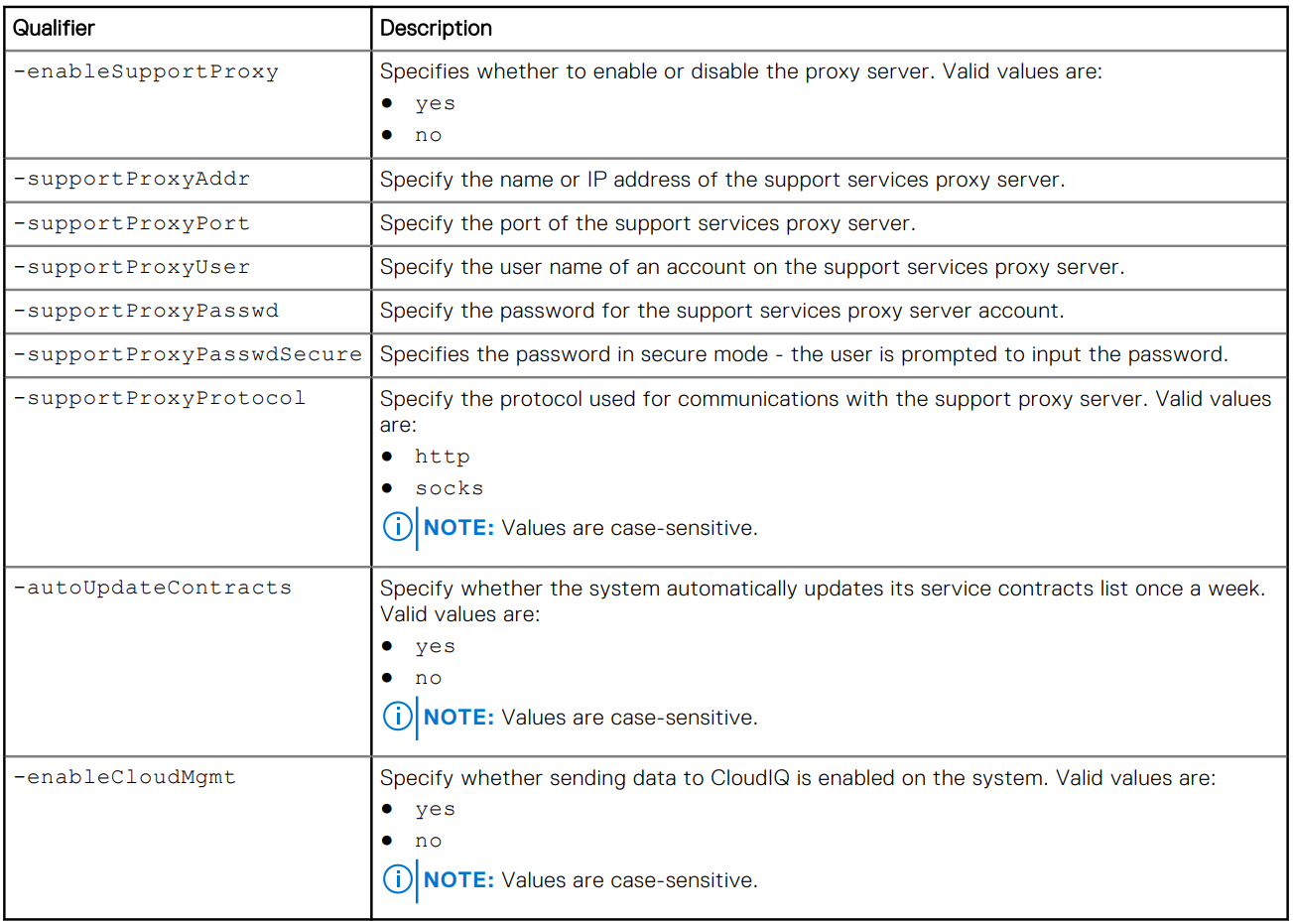
/sys/support/config set [-enableSupportProxy {yes | no }] [-supportProxyAddr <value>]
[-supportProxyPort <value>] [-supportProxyUser <value> {-supportProxyPasswd <value> |-
supportProxyPasswdSecure}] [-supportProxyProtocol {http | socks}] [-autoUpdateContracts
{yes | no}] [-enableCloudMgmt {yes | no}]
예제

Additional Information
프록시 서버 암호는 어레이 백엔드 또는 로그에 표시되지 않습니다. 암호는 프록시 서버 데이터베이스 항목에 연결되어 있으므로 어레이에서 제거됩니다. 즉, 데이터베이스 항목이 제거되면 암호도 제거됩니다.
Affected Products
Dell EMC Unity, Dell EMC Unity Family |Dell EMC Unity All Flash, Dell EMC Unity HybridArticle Properties
Article Number: 000009793
Article Type: How To
Last Modified: 03 Nov 2025
Version: 4
Find answers to your questions from other Dell users
Support Services
Check if your device is covered by Support Services.