Dell Unity: Slik redigerer du proxy-serverattributter
Summary: Denne artikkelen forklarer hvordan du endrer støttekonfigurasjonsattributter for proxy-servere.
This article applies to
This article does not apply to
This article is not tied to any specific product.
Not all product versions are identified in this article.
Instructions
Format
/sys/support/config set [-enableSupportProxy {yes | no }] [-supportProxyAddr <value>]
[-supportProxyPort <value>] [-supportProxyUser <value> {-supportProxyPasswd <value> |-
supportProxyPasswdSecure}] [-supportProxyProtocol {http | socks}] [-autoUpdateContracts
{yes | no}] [-enableCloudMgmt {yes | no}]
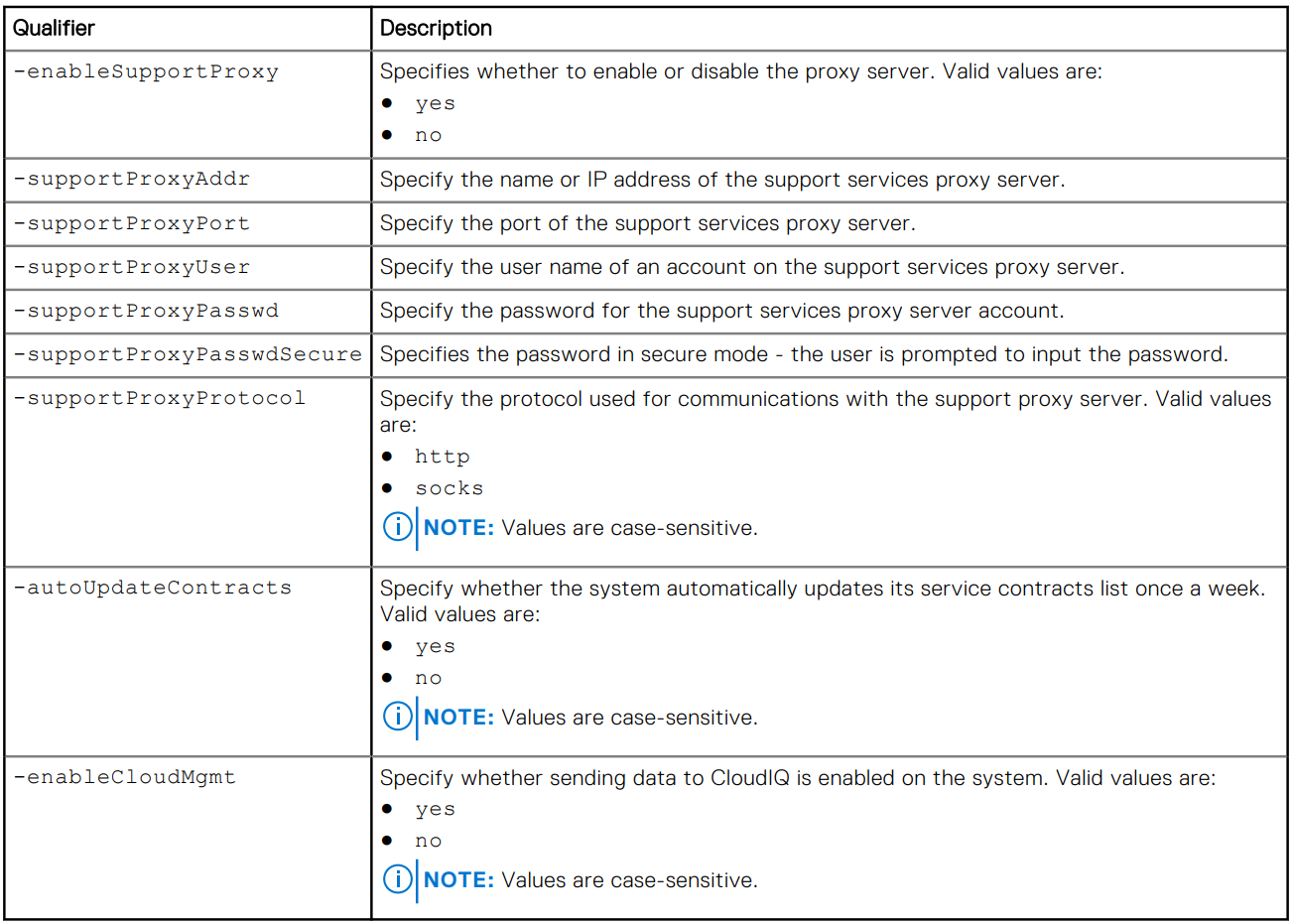
Eksempel

Additional Information
Proxy-serverpassordet er ikke synlig i array-backend eller loggene. Passordet fjernes fra matrisen fordi det er knyttet til databaseoppføringen for proxy-serveren. Dette betyr at når databaseoppføringen fjernes, fjernes også passordet.
Affected Products
Dell EMC Unity, Dell EMC Unity Family |Dell EMC Unity All Flash, Dell EMC Unity HybridArticle Properties
Article Number: 000009793
Article Type: How To
Last Modified: 03 Nov 2025
Version: 4
Find answers to your questions from other Dell users
Support Services
Check if your device is covered by Support Services.