Dell Unity: Så här redigerar du proxyserverattribut
Summary: Den här artikeln beskriver hur du ändrar supportkonfigurationsattribut för proxyservrar.
This article applies to
This article does not apply to
This article is not tied to any specific product.
Not all product versions are identified in this article.
Instructions
Format
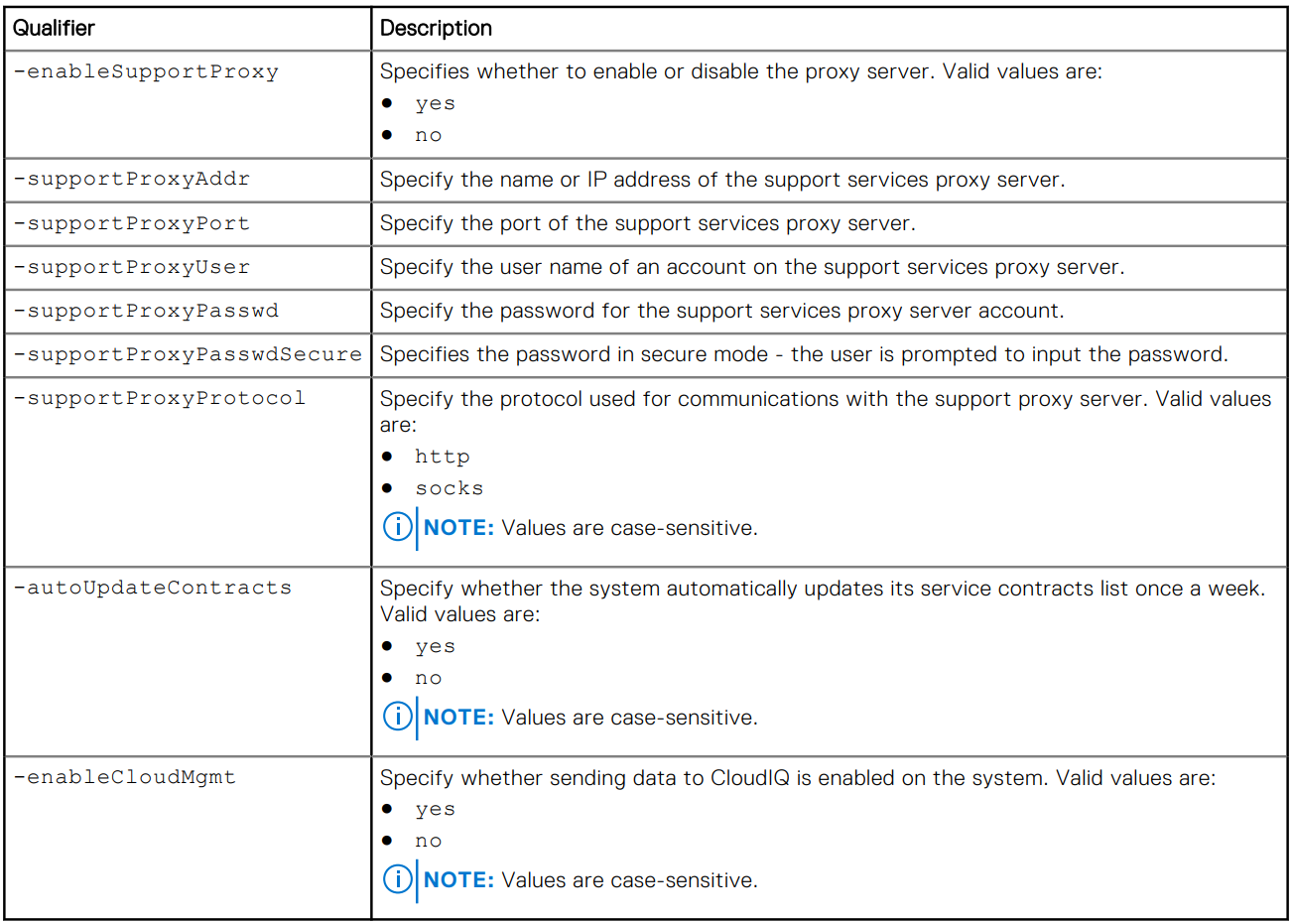
/sys/support/config set [-enableSupportProxy {yes | no }] [-supportProxyAddr <value>]
[-supportProxyPort <value>] [-supportProxyUser <value> {-supportProxyPasswd <value> |-
supportProxyPasswdSecure}] [-supportProxyProtocol {http | socks}] [-autoUpdateContracts
{yes | no}] [-enableCloudMgmt {yes | no}]
Exempel

Additional Information
Proxyserverlösenordet visas inte i disksystemets serverdel eller i loggarna. Lösenordet tas bort från disksystemet eftersom det är associerat med proxyserverns databaspost. Det innebär att när databasposten tas bort tas även lösenordet bort.
Affected Products
Dell EMC Unity, Dell EMC Unity Family |Dell EMC Unity All Flash, Dell EMC Unity HybridArticle Properties
Article Number: 000009793
Article Type: How To
Last Modified: 03 Nov 2025
Version: 4
Find answers to your questions from other Dell users
Support Services
Check if your device is covered by Support Services.