Dell Unity: Proxy Sunucusu Özniteliklerini Düzenleme
Summary: Bu makalede, proxy sunucuları için destek yapılandırması özniteliklerinin nasıl değiştirileceği açıklanmaktadır.
This article applies to
This article does not apply to
This article is not tied to any specific product.
Not all product versions are identified in this article.
Instructions
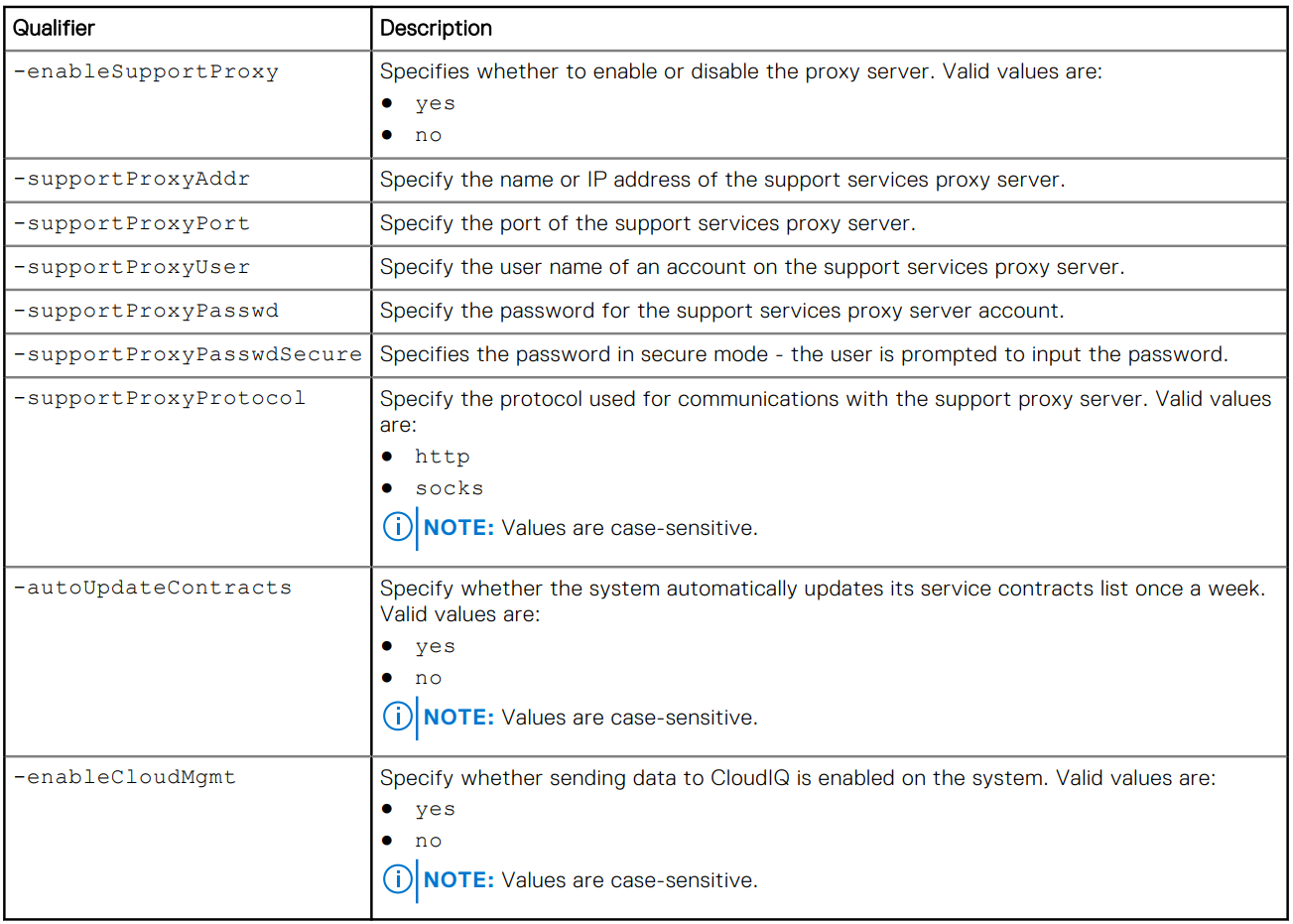
Biçim
/sys/support/config set [-enableSupportProxy {yes | no }] [-supportProxyAddr <value>]
[-supportProxyPort <value>] [-supportProxyUser <value> {-supportProxyPasswd <value> |-
supportProxyPasswdSecure}] [-supportProxyProtocol {http | socks}] [-autoUpdateContracts
{yes | no}] [-enableCloudMgmt {yes | no}]
Örnek

Additional Information
Proxy sunucu parolası, dizi arka ucunda veya günlüklerde görünmez. Parola, proxy sunucu veri tabanı girişiyle ilişkili olduğundan diziden kaldırılır. Bu, veritabanı girişi kaldırıldığında parolanın da kaldırılacağı anlamına gelir.
Affected Products
Dell EMC Unity, Dell EMC Unity Family |Dell EMC Unity All Flash, Dell EMC Unity HybridArticle Properties
Article Number: 000009793
Article Type: How To
Last Modified: 03 Nov 2025
Version: 4
Find answers to your questions from other Dell users
Support Services
Check if your device is covered by Support Services.