Avamar: Hyper-V backups failing with "Failed to resolve DD Server name to an IP address."
Summary: Knowledge base (KB) article that provides resolution to Hyper-V backups that are failing due to incompatible plug-in version.
Symptoms
Hyper-V backups may fail with errors similar to the following:
2021-03-29 21:00:52 avhypervvss Error <41537>: Failed to retrieve 'HyperVBackupHistoryInfo.xml' from previous backup (6).
2021-03-29 21:00:52 avhypervvss Error <41538>: Avtar returned error(s): 'avtar Error <10541>: Failed to resolve Data Domain Server name "DELL.EMC.COM" to an IP address. Data Domain login FAILED
avtar Error <10512>: Problem logging into the DDR server index:1
avtar Error <5195>: Path ".system_info\HyperVBackupHistoryInfo.xml" not found in backup. (Exception looking up '.system_info\HyperVBackupHistoryInfo.xml': Unable to set location information in direlem_iter for '00000001')
'
2021-03-29 21:00:52 avhypervvss Error <41735>: Failed to validate all the targets against their backup history. Failed to initialize backup history.
2021-03-29 21:00:52 avhypervvss Error <41588>: Failed to backup targets. Unable to validate targets.
2021-03-29 21:00:52 avhypervvss Error <41662>: Failed to validate and expand the targets.
2021-03-29 21:00:52 avhypervvss Error <41659>: Backup did not complete successfully
Cause
The version of the avtar.exe binary is incompatible with the Data Domain operating system (DDOS) version on the Data Domain server.
Resolution
Upgrade the Avamar Windows client software and Hyper-V plug-in with the latest version available in the Downloads section of the Avamar server's web page.
Example:
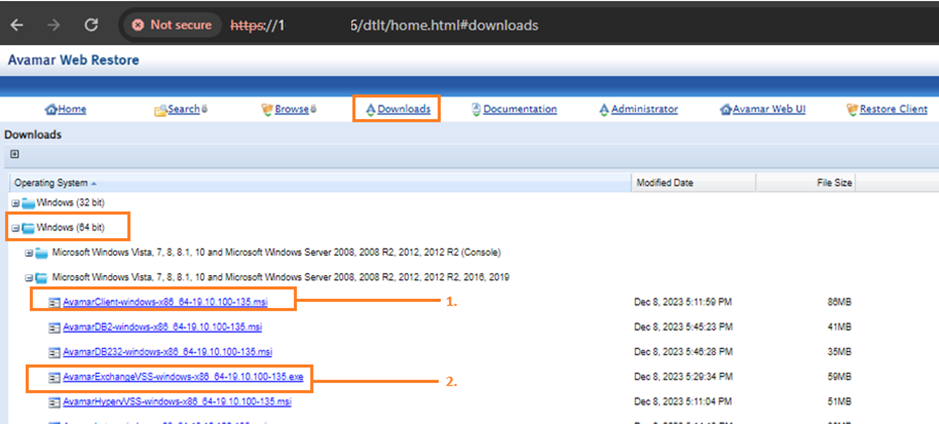
If the plug-in version is already at the latest available version on the Avamar server, then upgrade the client Downloads page to a newer version. The following KB articles detail the steps to download the "client downloads" package and install it on the Avamar server:
Avamar: How to download the latest Avamar Client update packages from the server
Additional Information
The following DELL KB article provides the list of Avamar software and the DDOS versions that they are compatible with:
Avamar and DDboost support matrix