CloudLink:CloudLink SSL Web 憑證即將到期
Summary: CloudLink SSL Web 憑證即將到期。
This article applies to
This article does not apply to
This article is not tied to any specific product.
Not all product versions are identified in this article.
Symptoms
CloudLink SSL Web 憑證即將到期。
依預設,CloudLink Center 使用自我簽署憑證。連線至 CloudLink Center 時,網頁瀏覽器可能會顯示數個安全性警告。顯示這些警告的原因是自我簽署憑證的可信度等級與受信任認證機構 (CA) 發出和簽署的憑證等級不相同。
Cause
SSL 憑證日期設定為到期。
若要停止顯示這些警告,請取得已由受信任的 CA 簽署 CloudLink 的憑證,並上傳至 CloudLink Center。
您可以上傳外部產生的憑證和私密金鑰,或為 CloudLink Center 產生的私密金鑰產生憑證簽署要求。
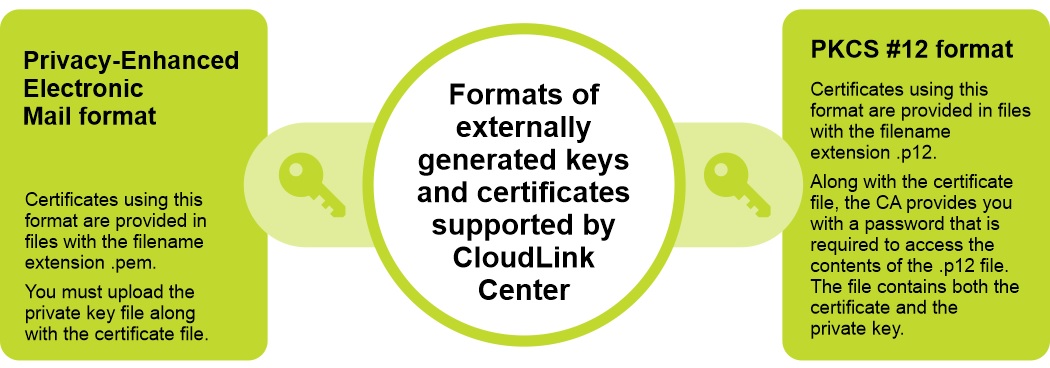
CloudLink 支援兩種格式的外部產生的金鑰和憑證:
Privacy-Enhanced Electronic Mail format and PKCS #12 format.
Resolution
若要解決此問題,請將新的 SSL 憑證上傳至 CloudLink 裝置。
步驟:
注意:上傳新憑證和選用的私密金鑰時,Web 伺服器會重新開機,並終止連線。上傳為 CloudLink Center 簽署的憑證後,請驗證主體、指紋和結束日期,以確保這是想要的憑證。
步驟:
- 登入 CloudLink Center。
- 按一下伺服器 > SSL > 上傳。隨即會顯示「上傳 Web SSL 憑證」。
- 在「上傳 Web SSL 憑證」對話方塊中,輸入下列資訊:
- 從「憑證格式」清單中,選取所需的憑證格式。
- 在「憑證」方塊中,按一下以選取憑證。
- 在「金鑰」方塊中,按一下以選取金鑰。
- 按一下上傳。
Affected Products
CloudLinkArticle Properties
Article Number: 000199912
Article Type: Solution
Last Modified: 05 Sept 2025
Version: 7
Find answers to your questions from other Dell users
Support Services
Check if your device is covered by Support Services.