Non-Intel NVMe SSDs are Not Detected in the BIOS
Summary: Non-Intel NVMe SSDs are not detected in the Precision 3650 Tower BIOS Device Configuration (F12 when installing Windows for RAID support)
Symptoms
If a non-Intel NVMe is installed in the M.2 SSD Slot-1, it may not be detected in the BIOS Device Configuration to build a RAID array. The device information is not displayed in Device Configuration (F12) → Intel(R) Rapid Storage Technology. (Figure 1.) The issue only occurs when installing a non-Intel NVMe SSD in M.2 SSD Slot-1.
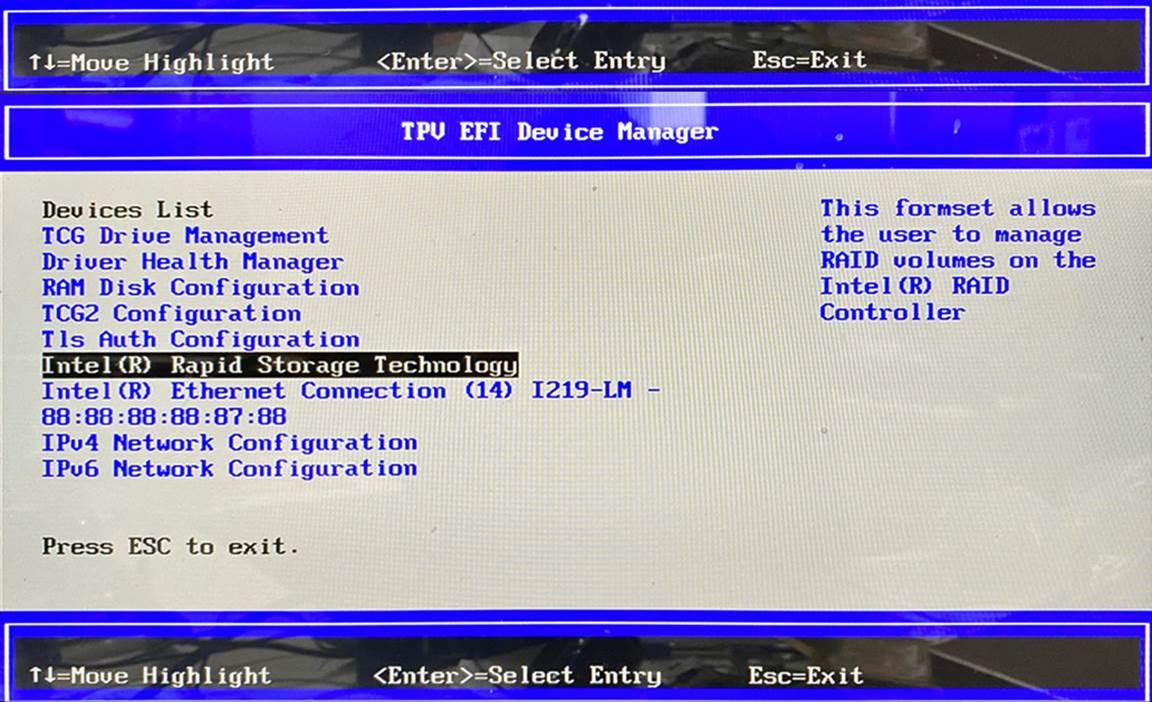
Figure 1. - Configuring RAID in the Device Configuration page of the BIOS
Cause
The Intel RST driver does not support third-party NVMe drives attached to the Rocket Lake-S PCIe 4.0 direct to CPU M.2 slot (Slot 1.) This is the RKL-S plan of record.
Resolution
This is a limitation of the Intel design. RAID arrays cannot be configured with a third-party non-Intel SSD installed in M.2 SSD Slot 1.
Options to configure the Precision 3650 Tower for RAID are as follows:
- Install an Intel NVMe SSD into M.2 SSD Slot-1.
- Install this third-party NVMe SSD to other slots (M.2 SSD slot-2 or slot-3 which the Intel RST Technology supports.)