E2E 連線能力 - 如何手動將裝置資料匯出至 A1
Summary: 概觀: 在重新部署的情況下,客戶可能會遇到無法存取 SCG UI,而且無法從「裝置管理」頁面匯出裝置資料的情況。但是,仍可透過 CLI 使用下面概述的程序,手動匯出裝置資料
This article applies to
This article does not apply to
This article is not tied to any specific product.
Not all product versions are identified in this article.
Instructions
指示:
- 使用 SSH 用戶端 (例如 PuTTY) 以根登入資料登入 SCG。
- 執行下列命令以存取裝置清單:
-
docker exec -it esrsde-app bash
psql -d vapp -U postgres
 select * from device_management;
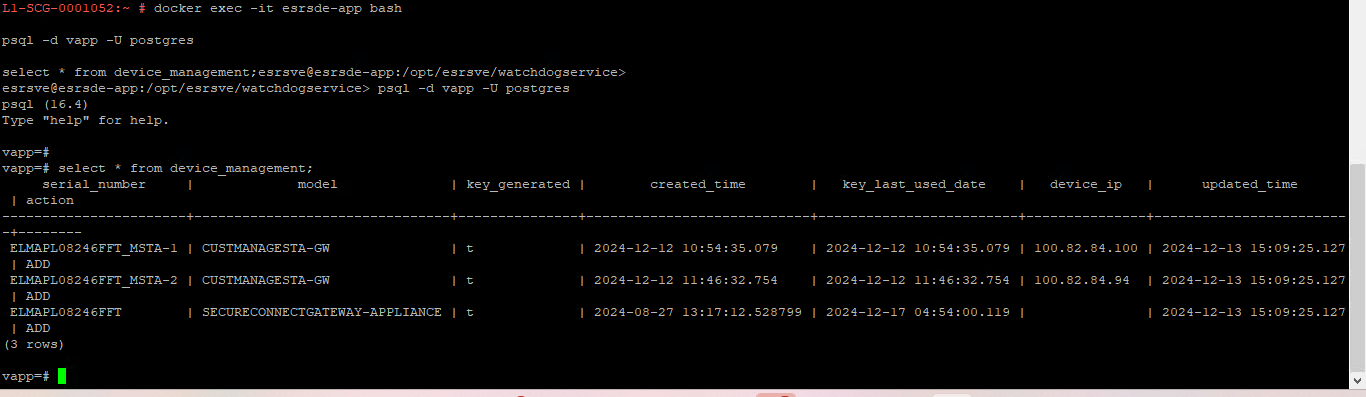
- 執行以下命令將裝置清單匯出到 .CSV 檔案:
-
COPY device_management TO '/tmp/devices.csv' DELIMITER ',' CSV HEADER;
exit
exit
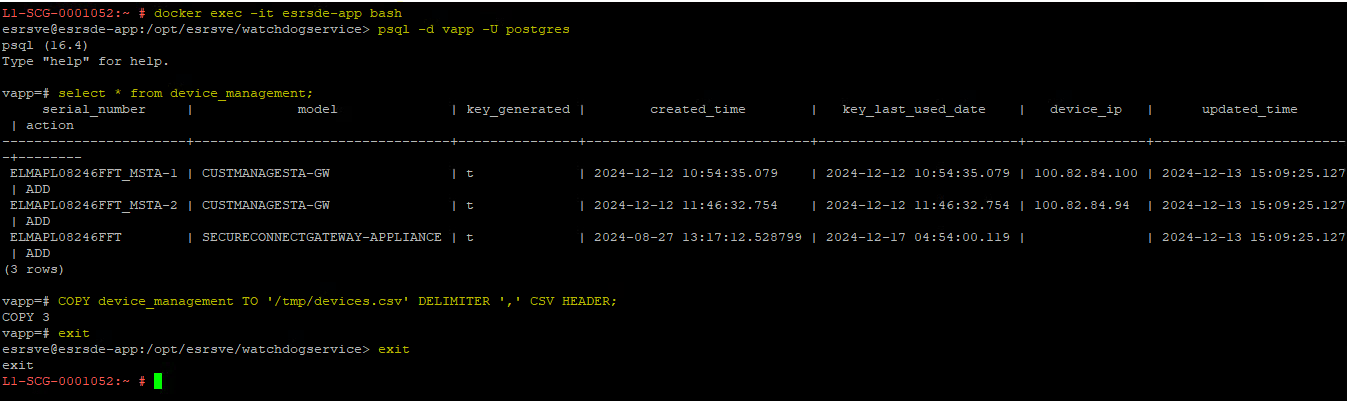
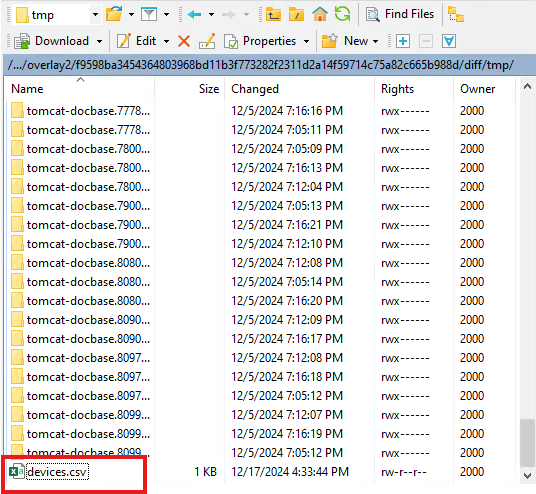
- 裝置資料現在儲存在 .名為 devices.csv 的 CSV 檔案。若要在 Docker 容器中尋找此檔案,請執行下列命令:
-
find /var -type f -iname devices.csv

- 複製從上一個命令返回的檔案路徑。然後,使用檔案傳輸用戶端 (例如 WinSCP 或 FileZilla) 連線至 SCG。將檔案路徑貼到位址列中,或在 WinSCP 中使用「開啟目錄」選項。
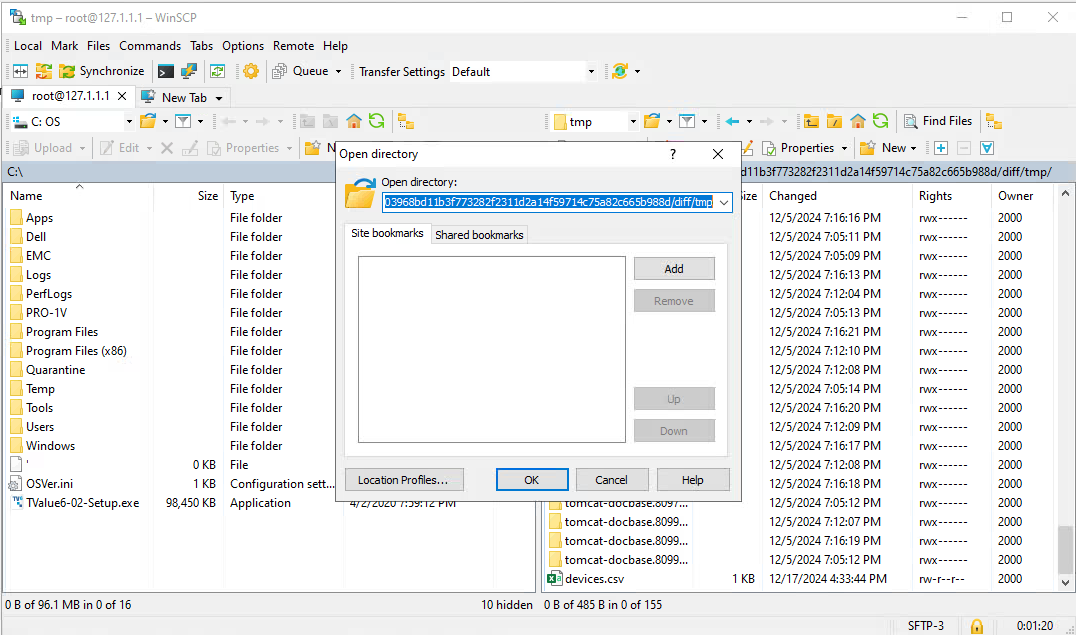
- 找到devices.csv檔並將其複製到本地電腦。
Affected Products
Secure Connect Gateway - Virtual EditionArticle Properties
Article Number: 000273682
Article Type: How To
Last Modified: 29 Mar 2025
Version: 2
Find answers to your questions from other Dell users
Support Services
Check if your device is covered by Support Services.