安裝作業系統後,Ubuntu 預設音訊輸入已靜音
Summary: 本文提供 Latitude 3340/3440/3540 的相關資訊 安裝作業系統後,Ubuntu 的預設音訊輸入會靜音。
This article applies to
This article does not apply to
This article is not tied to any specific product.
Not all product versions are identified in this article.
Symptoms
Ubuntu 的預設音訊輸入已靜音
終端使用者在安裝 Ubuntu 作業系統後第一次使用音訊輸入功能 (如麥克風),將不會有音訊輸入,因為在設定中已將聲音輸入音量設為靜音。
受影響的平台:
- Latitude 3340
- Latitude 3440
- Latitude 3540
Cause
Resolution
方法 1
透過系統設定調整 音訊輸入音量 → 聲音→輸入音量。
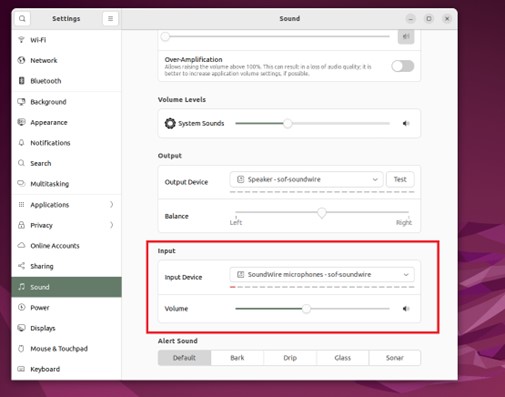
圖1 - 聲音設定
方法 2
透過應用程式中的設定調整 音訊輸入音量 (例如縮放)。
修復
當有線上更新可用時,升級 Ubuntu。
注意:這兩種方法都需要網路連線
方法 1
- 在 Ubuntu 上開啟終端機
- 執行下列命令:
sudo apt update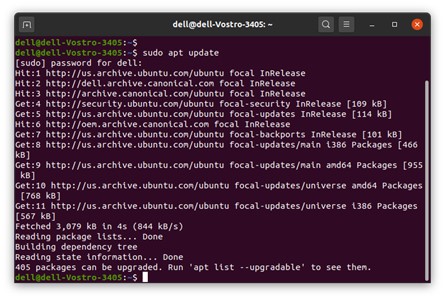
- 執行下列命令:
sudo apt upgrade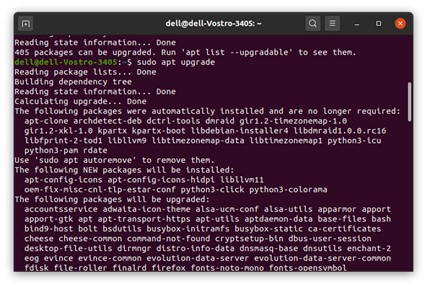
- 重新開 機電腦
方法 2
- 線上更新可用後,自動 系統更新通知 就會出現在桌面上。或開啟 「軟體更新程式」
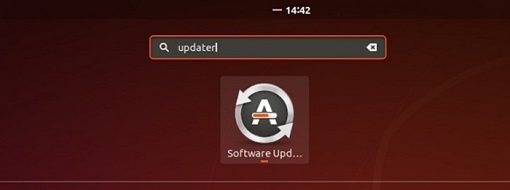
- 按一下 立即安裝 以下載並安裝更新。
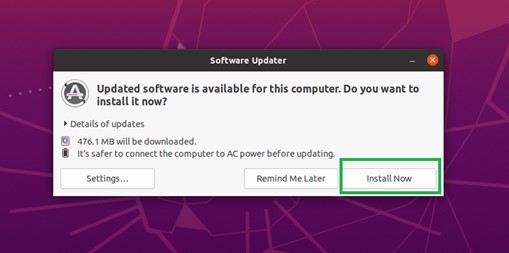
- 重新開 機電腦
此解決方案是將捕獲開關預設值設置為打開。計劃原廠安裝 (FI) 削減在 5 月塊。
Affected Products
Latitude 3340, Latitude 3440Products
Latitude 3540Article Properties
Article Number: 000211167
Article Type: Solution
Last Modified: 16 Apr 2025
Version: 3
Find answers to your questions from other Dell users
Support Services
Check if your device is covered by Support Services.