Dell Unity:通过 Unisphere 上传 OE 映像时出现未知错误
Summary: 在传输过程中,由于网络不稳定,UnityOS 映像上传可能会失败。本文档介绍症状、可能的原因和解决步骤。
This article applies to
This article does not apply to
This article is not tied to any specific product.
Not all product versions are identified in this article.
Symptoms
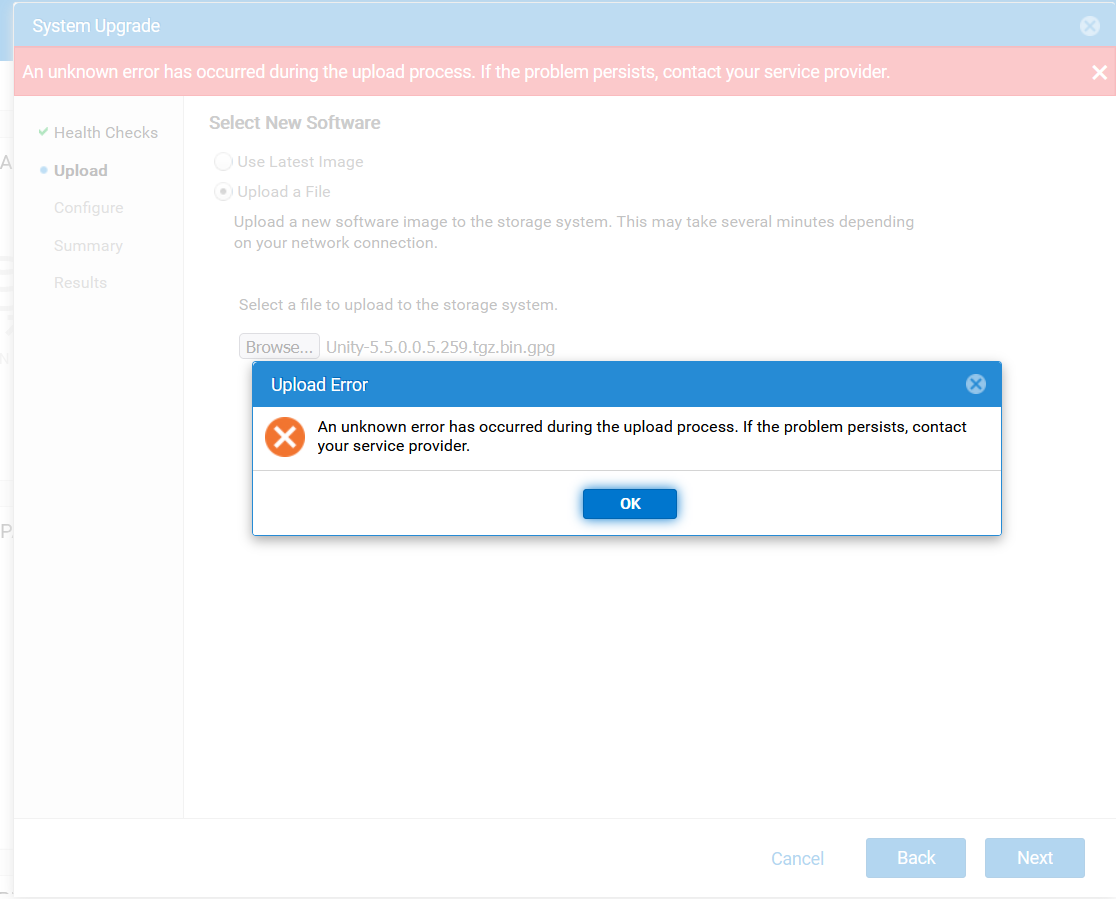
- 通过 Unisphere (UI) 上载 UnityOS 映像失败,并显示以下错误:
- 上传过程中发生未知错误。如果问题仍然存在,请与服务提供商联系。
- 后续尝试失败,并显示错误代码
0x7d13165管理此进程:- 系统正在处理升级映像上传,暂时无法执行此作,请稍后重试。”
- 在故障处理期间,UEMCLI 和 UI 会话间歇性断开连接。
- 由于会话断开连接,通过 WinSCP 上传 UnityOS 映像也会失败。
Cause
由于客户端系统与 Unity 阵列之间的网络连接不稳定,可能会出现这些问题。
Resolution
- 确保用于升级的客户端系统具有稳定可靠的网络连接。
- 从稳定的网络环境重新连接到 Unity UI,然后重试上传。
- 上传完成后,继续执行升级过程。
Additional Information
故障处理:
- 验证目录中是否有足够的空间。
- 检查较旧的升级映像是否阻止上传新的 UnityOS 映像。
- 验证升级文件的校验和是否正确,如 Dell Unity:升级上传的文件格式不正确(错误代码:0x6000cc4)(用户可纠正)
- 使用 UEMCLI 上传日志,详见 Dell Unity:如何升级 Unity作环境 (OE)(用户可纠正)
Affected Products
Dell EMC Unity, Dell Unity 450F DC, Dell Unity 300, Dell Unity 300 DC, Dell Unity 350F DC, Dell Unity 400 DC, Dell EMC Unity Family |Dell EMC Unity All Flash, Dell EMC Unity Hybrid, Dell Unity Operating Environment (OE)Article Properties
Article Number: 000412686
Article Type: Solution
Last Modified: 29 Jan 2026
Version: 3
Find answers to your questions from other Dell users
Support Services
Check if your device is covered by Support Services.