NetWorker:NMC UIで「アプリケーションを起動できません」
Summary: NetWorker管理コンソール(NMC)UIの起動に失敗します。生成されたエラー: "システムへの無制限のアクセスを要求する署名されていないアプリケーション。Unsigned resource comtsk.jar.」
This article applies to
This article does not apply to
This article is not tied to any specific product.
Not all product versions are identified in this article.
Symptoms
- NetWorker Management Console (NMC)を起動すると、ユーザー インターフェイスに「
Unable to launch application."
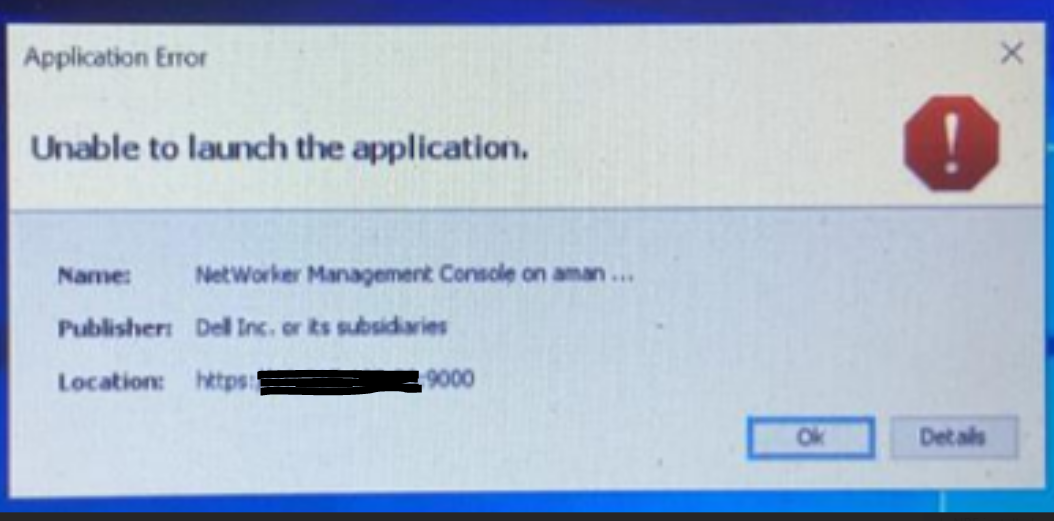
- [Details]タブには、次のエラーが報告されます。
Error: Unsigned application requesting unrestricted access to system
Unsigned resource https://<NMC server>:9000/LGTOnmc/java/comtsk.jar
![Java - [More Information]](https://supportkb.dell.com/img/ka0Do0000013BmQIAU/ka0Do0000013BmQIAU_ja_2.jpeg)
Cause
Java 8 Update 131リリース以降、MD5withRSAまたはMD5withDSAアルゴリズムで署名されたアプリケーションは、署名されていないものとして扱われます。
Resolution
1.NREインストール セキュリティ パスの下にあるjava.securityファイルを編集します。
NREの場合、ファイルへのフル パスは C:\Program Files\NRE\java\<jre version>\lib\security\java.security.
2.で始まる行をコメント アウトします。 "jdk.jar," 以下の例のように-。
# jdk.jar.disabledAlgorithms=MD2, MD5, RSA keySize < 1024, \
#     DSA keySize < 1024, include jdk.disabled.namedCurves
3.変更を保存します。
4.NMC UIを起動します。
Affected Products
NetWorker, NetWorker Management ConsoleProducts
NetWorker Family, NetWorker SeriesArticle Properties
Article Number: 000210820
Article Type: Solution
Last Modified: 02 Mar 2026
Version: 3
Find answers to your questions from other Dell users
Support Services
Check if your device is covered by Support Services.