Dell Unity: File system utilization threshold
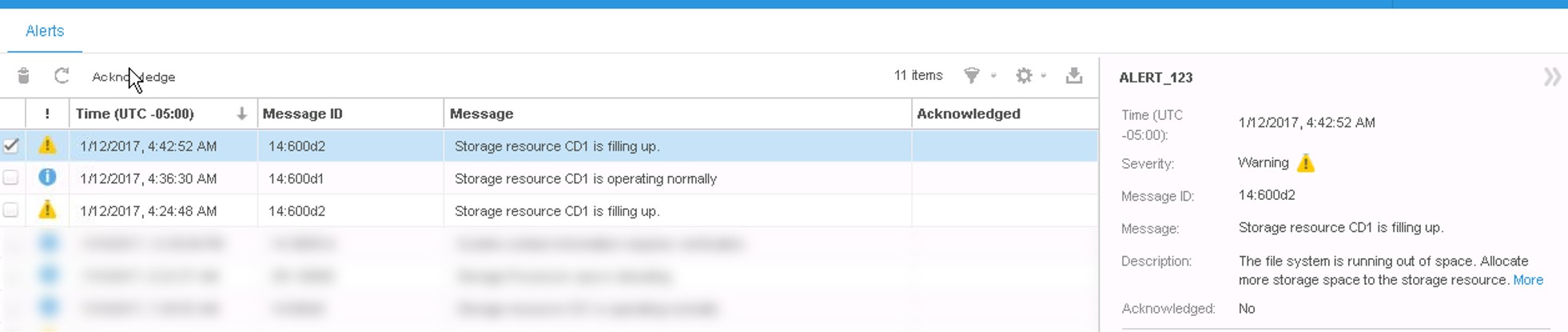
Summary: The Unity displays a warning that file system is filling up when reaching 75% (User Correctable)
This article applies to
This article does not apply to
This article is not tied to any specific product.
Not all product versions are identified in this article.
Symptoms
The system is designed to show alerts regarding the File system utilization upon reaching 75% and 95%.
The errors are as below:
75%: "The file system is running out of space. Allocate more storage space to the storage resource."
95%: "The file system has run out of space. Allocate more storage space to the storage resource."
When the file system is emptied or more space is allocated a notification is displayed in the alerts tab:
The storage resource is operating normally. No action required.
Customer must change this threshold.
Cause
In the Alerts tab:
Resolution
This 75% threshold cannot be changed. The threshold for a pool can be managed and changed, but this value does not affect the file systems.
Affected Products
Dell EMC Unity FamilyProducts
Dell EMC Unity FamilyArticle Properties
Article Number: 000052403
Article Type: Solution
Last Modified: 19 Sept 2025
Version: 4
Find answers to your questions from other Dell users
Support Services
Check if your device is covered by Support Services.