SourceOne Email Management: SourceOne Database Upgrade fails when using a non standard SQL Server port
Summary: SourceOne Database Upgrade fails when using a non standard SQL Server port
This article applies to
This article does not apply to
This article is not tied to any specific product.
Not all product versions are identified in this article.
Symptoms
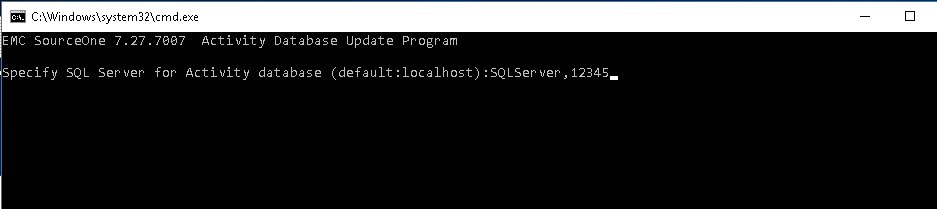
During the upgrade of any SourceOne database, when specifying a non-standard SQL port using a comma (,) in the command window, the command window will immediately close:
Cause
Command batches use any combination of space, comma, semicolon, tab, and equal to delimit parameters.
Resolution
To resolve the issue, use double quotes around the SQLServer,PortNumber.
For example:
"SQLServerName,12345"

Affected Products
SourceOne Email ManagementProducts
SourceOne, SourceOne Discovery Manager, SourceOne Email ManagementArticle Properties
Article Number: 000055978
Article Type: Solution
Last Modified: 17 Apr 2026
Version: 6
Find answers to your questions from other Dell users
Support Services
Check if your device is covered by Support Services.