VxRail: Perform Standalone ESXi Express Patch Upgrade Before VxRail SimShip Version Released
Summary: How to apply the ESXi Express Patch in VxRail using the package downloaded from Broadcom's portal.
Instructions
Dell’s state-of-the-art automated pipeline helps to validate and support vSphere updates as quickly as possible. However, some security-related Express Patches from vSphere are so critical that you may not want to wait for Dell validation to complete. In this case, you can use the Broadcom provided Express Patch package to update your VxRail cluster using the VxRail workflow.
You can download an applicable patch (such as VMware-ESXi-8.0U3e-24674464-depot.zip) from the Broadcom portal
Detailed Steps:
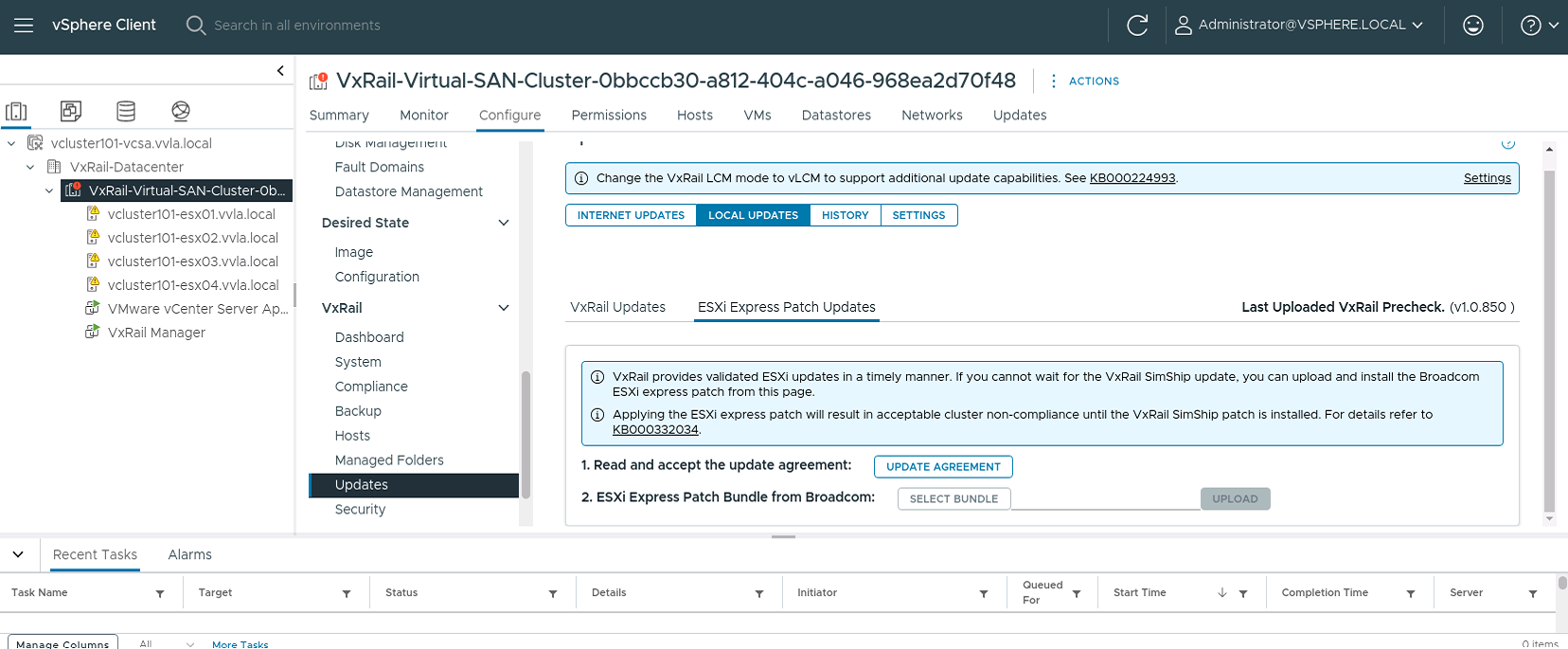
- Upload the ESXi bundle from VxRail → Updates → LOCAL UPDATES → ESXi Express Patch Updates.
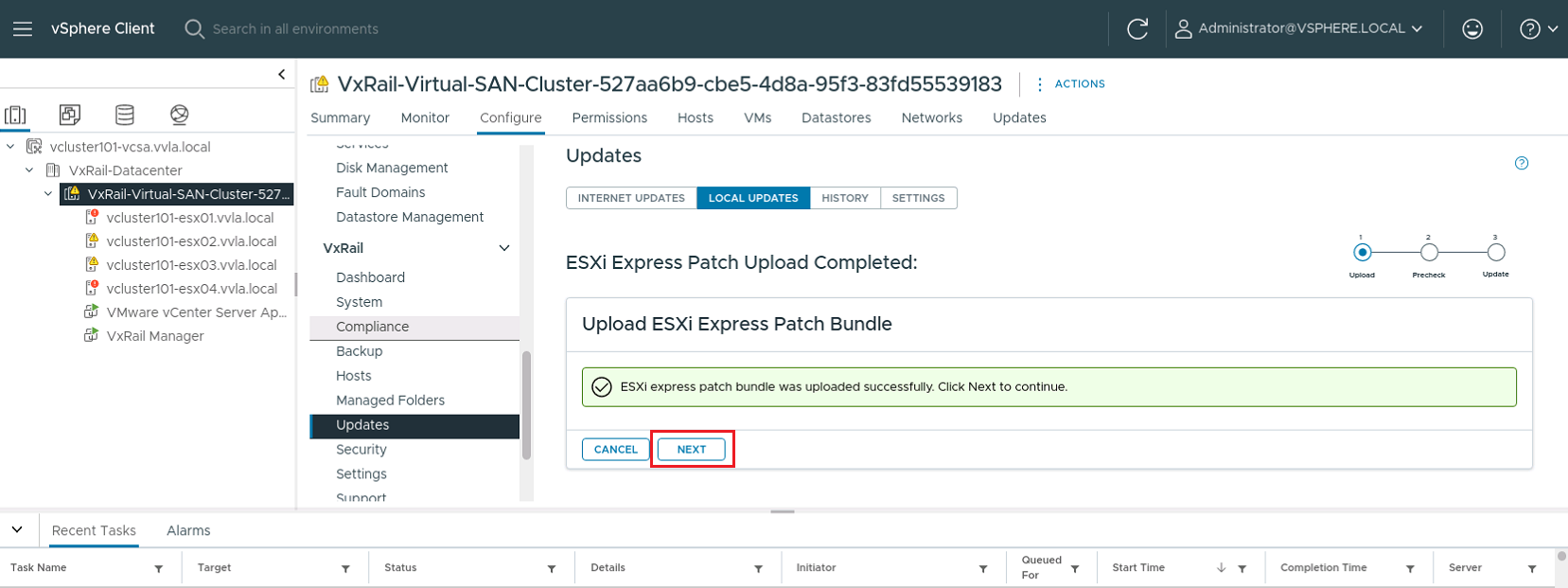
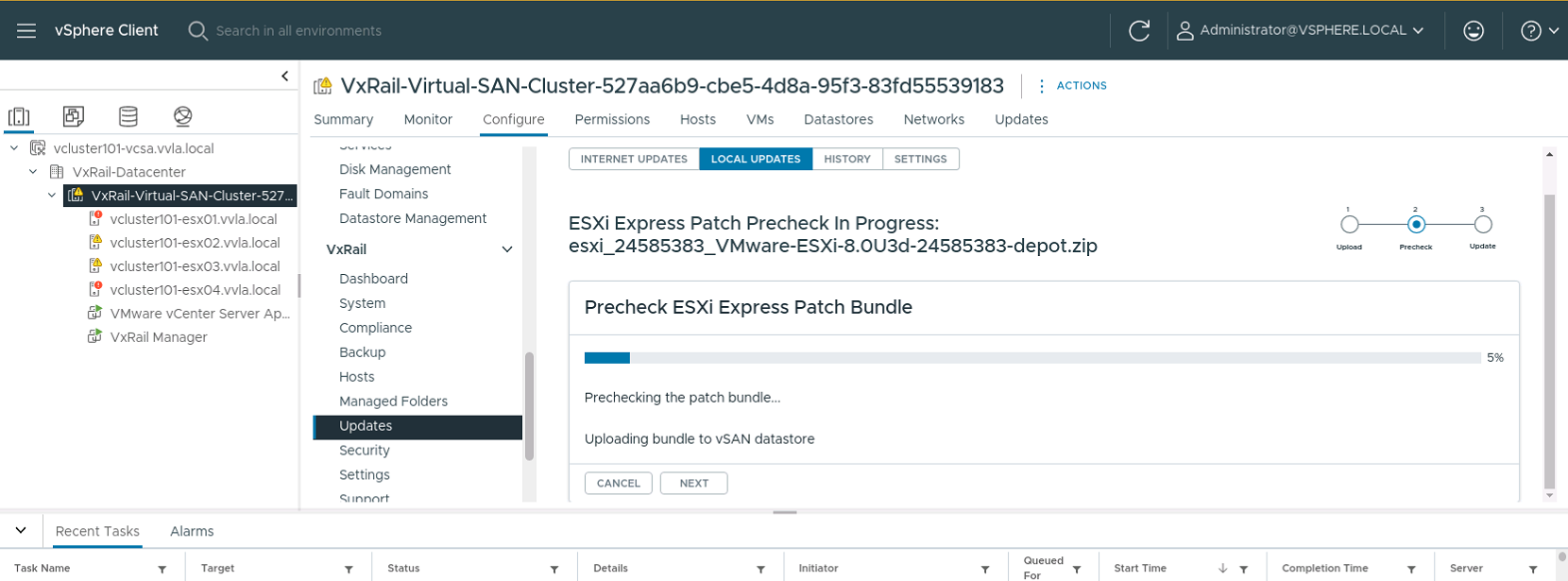
- Click NEXT to start precheck.
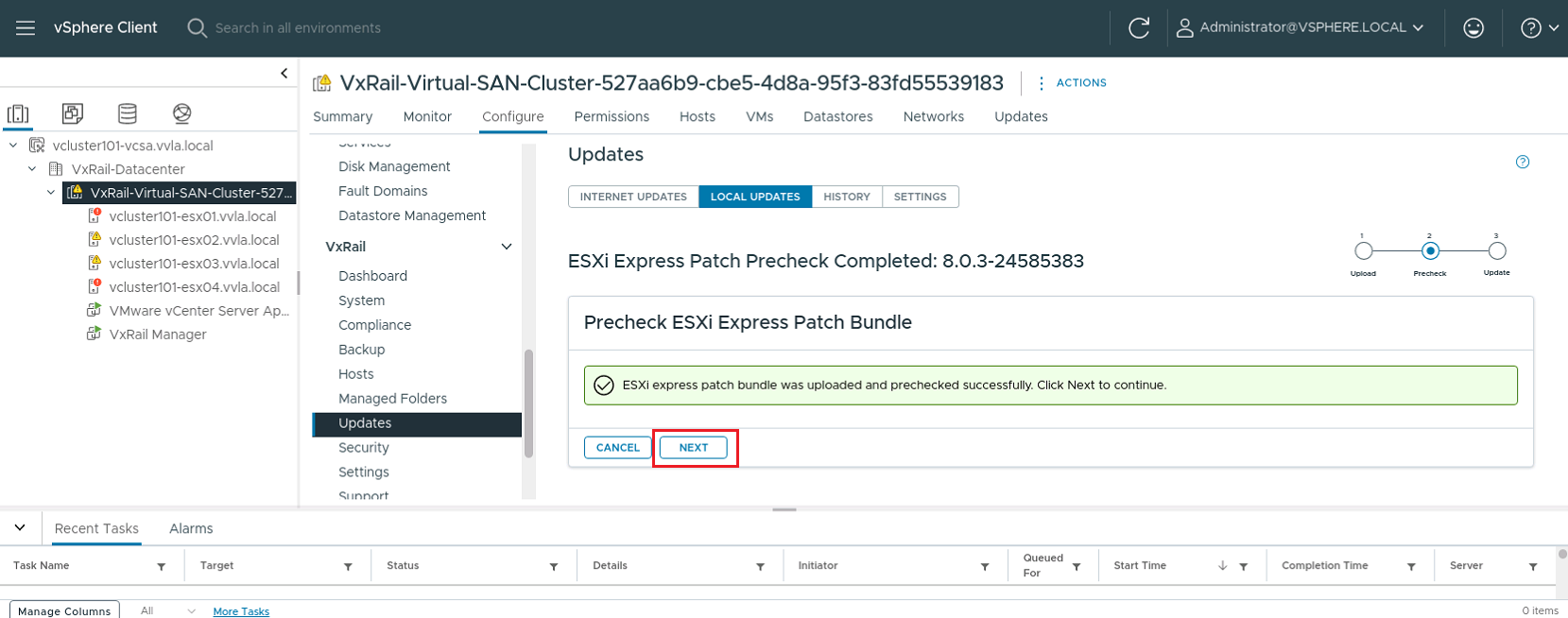
- Click NEXT to go to the Wizard Page, enter the required information, and start the upgrade.
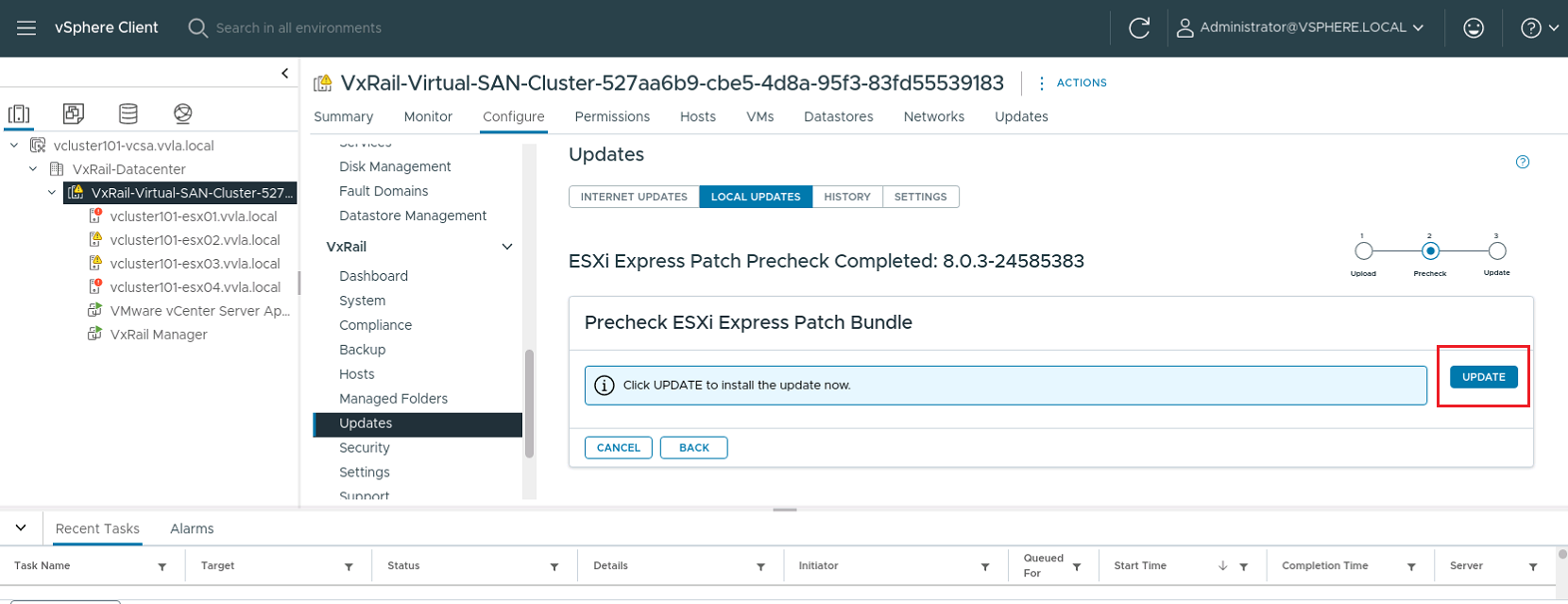
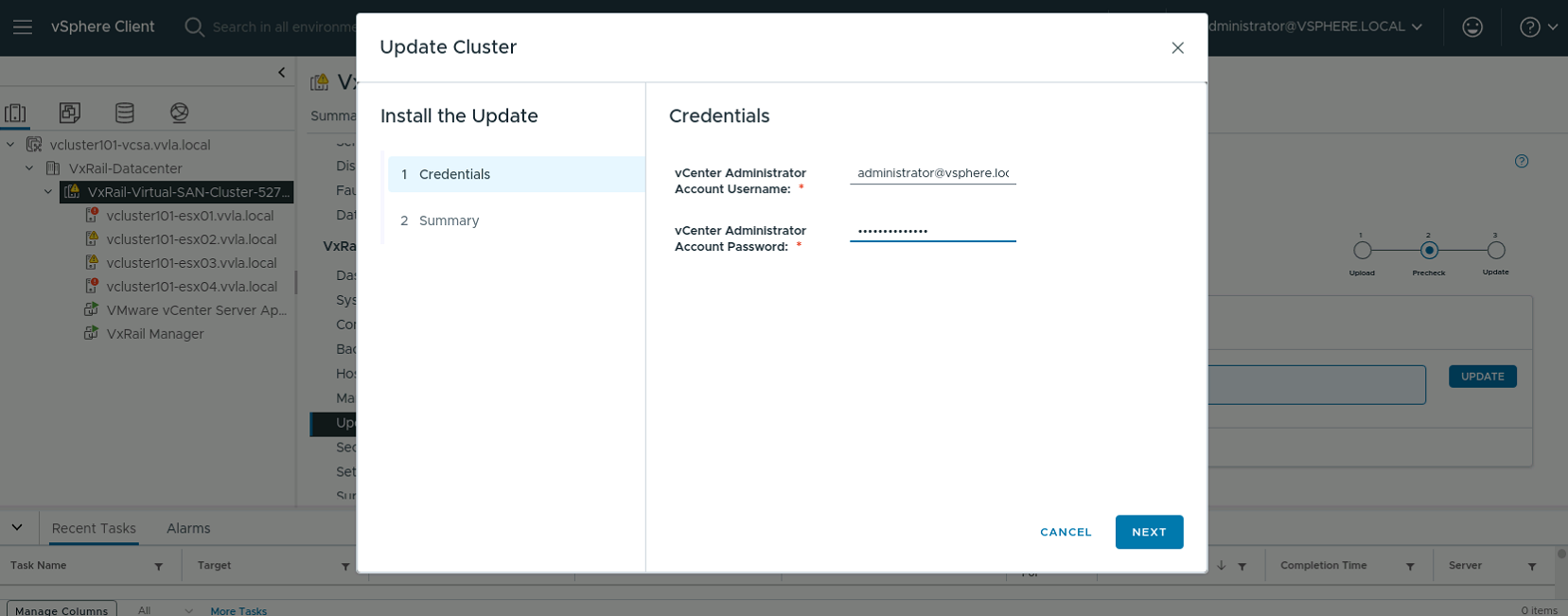
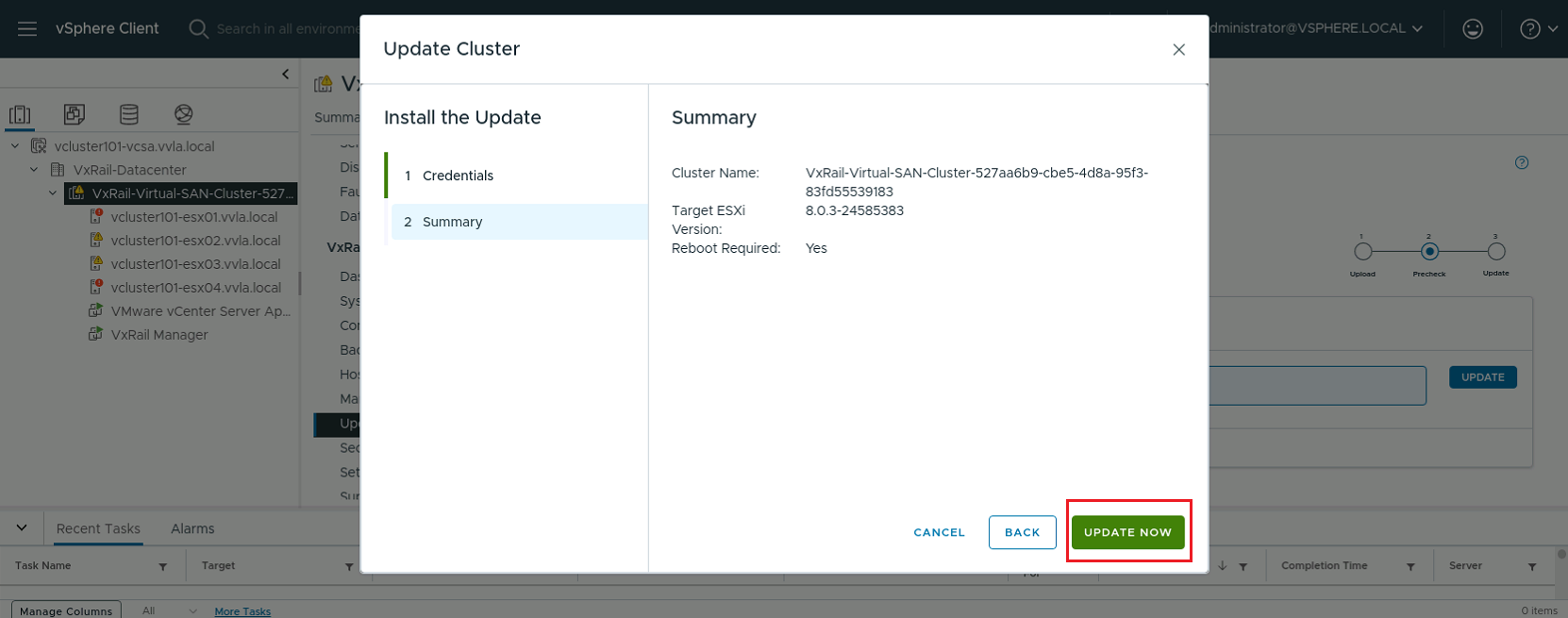
- After the upgrade is completed, you see a screen confirming the successful upgrade.
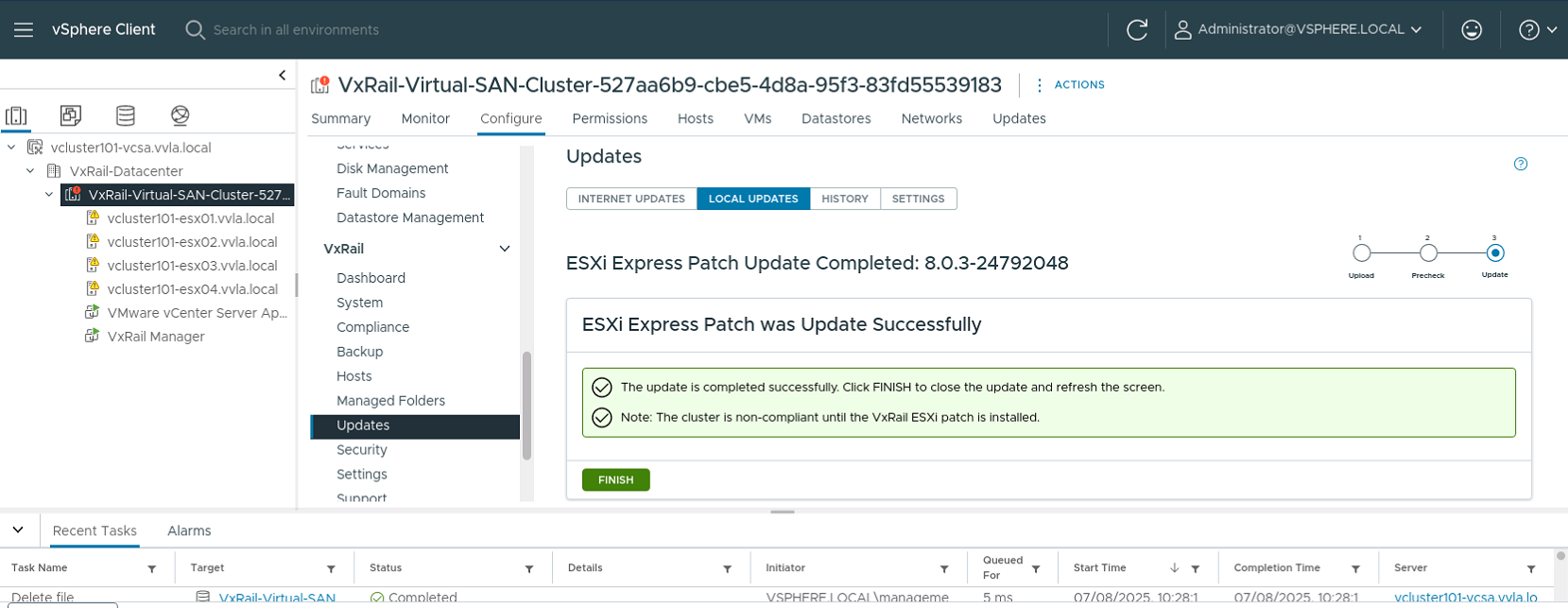
Important things to note
- This feature should be used only for applying ESXi Express Patches (EP), and it should not be used for non-EP updates like regular quarterly patches or feature updates. For regular VxRail updates, use the VxRail update workflow.
- For stretched clusters, this feature does not support shared witness nodes outside of the cluster. You should manually apply the express patch to the shared witness.
- During the noncompliance state if you want to expand the cluster by adding a node, the node must be added with the previous version (before express patch) of ESXi version. After the node is added, you can use the 0-day ESXi Express patch update feature to bring the node to the same state as rest of the cluster.
Additional Information
This feature is introduced from VxRail release 8.0.361, it does not support express patches for vCenter Servers. If you want to apply Express Patch for VxRail-managed vCenter Server, see article VxRail: Apply vCenter Express Patch to VxRail managed vCenter servers.