크기를 조정할 때 Alienware Command Center 6.10.15 창의 크기가 올바르게 조정되지 않음
Summary: AWCC(Alienware Command Center) 6.10.15에서 크기 조정된 창 크기에 대해 알아봅니다.
This article applies to
This article does not apply to
This article is not tied to any specific product.
Not all product versions are identified in this article.
Symptoms
창 크기를 조정할 때 AWCC 사용자 인터페이스의 크기가 올바르게 조정되지 않을 수 있습니다. 응용 프로그램이 전체 화면 모드로 시작되지만 창 크기를 줄이면 화면이 비례적으로 조정되지 않습니다.
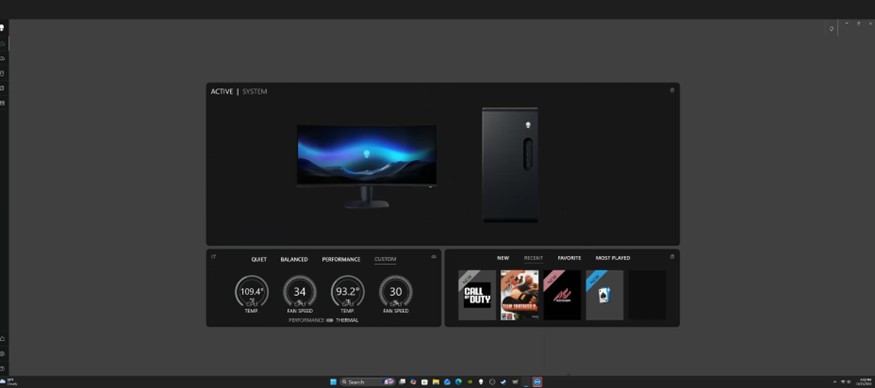
영향을 받는 애플리케이션:
- AWCC(Alienware Command Center) 버전 6.10.15
Cause
일부 텍스트 요소가 겹치고 그래픽 크기가 제대로 조정되지 않습니다.
Resolution
참고: 업데이트를 시작하기 전에 다음을 수행하십시오.
- 모든 개인 데이터를 백업합니다. 자세한 내용은 백업 및 복구를 참조하십시오.
- 노트북에서 업데이트가 실행 중인 경우 AC 어댑터를 연결합니다.
- 데스크탑에서 업데이트가 실행 중인 경우 전원이 연결되어 있는지 확인합니다.
컴퓨터에서 AWCC를 버전 6.13.8 이상으로 업데이트하면 문제가 해결됩니다. AWCC를 다운로드하고 설치하려면 드라이버 업데이트 가이드를 참조하십시오.
Affected Products
Alienware Command CenterArticle Properties
Article Number: 000394009
Article Type: Solution
Last Modified: 24 May 2026
Version: 5
Find answers to your questions from other Dell users
Support Services
Check if your device is covered by Support Services.