Dell Unity: Aktivieren und Deaktivieren von SSH
Summary: In diesem Artikel werden mehrere Möglichkeiten zum Aktivieren und Deaktivieren von SSH auf Dell Unity-Arrays beschrieben.
This article applies to
This article does not apply to
This article is not tied to any specific product.
Not all product versions are identified in this article.
Instructions
METHODE 1: Von Unisphere (UI) – wenn sich das Array im Normalmodus befindet
So aktivieren Sie:
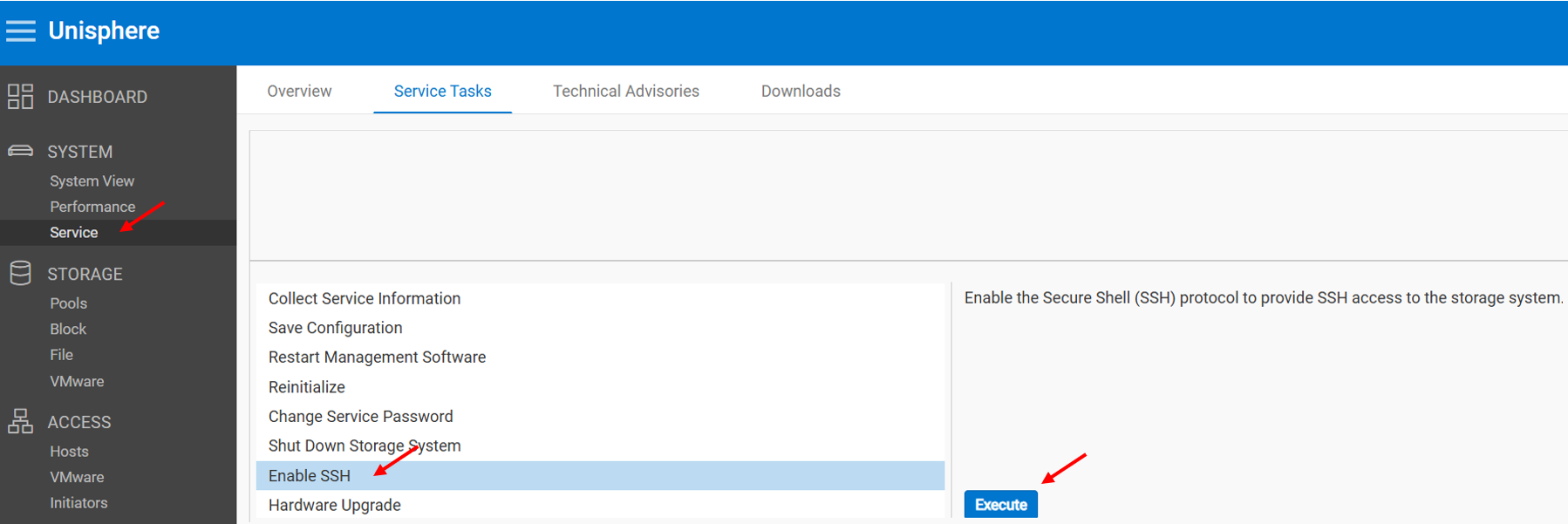
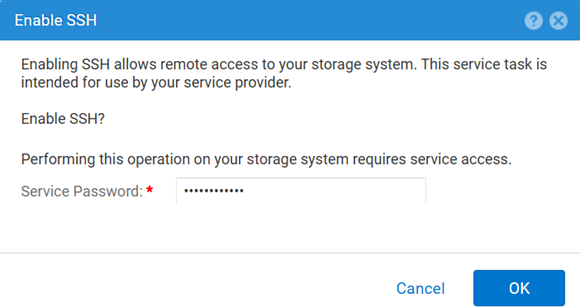
So deaktivieren Sie:
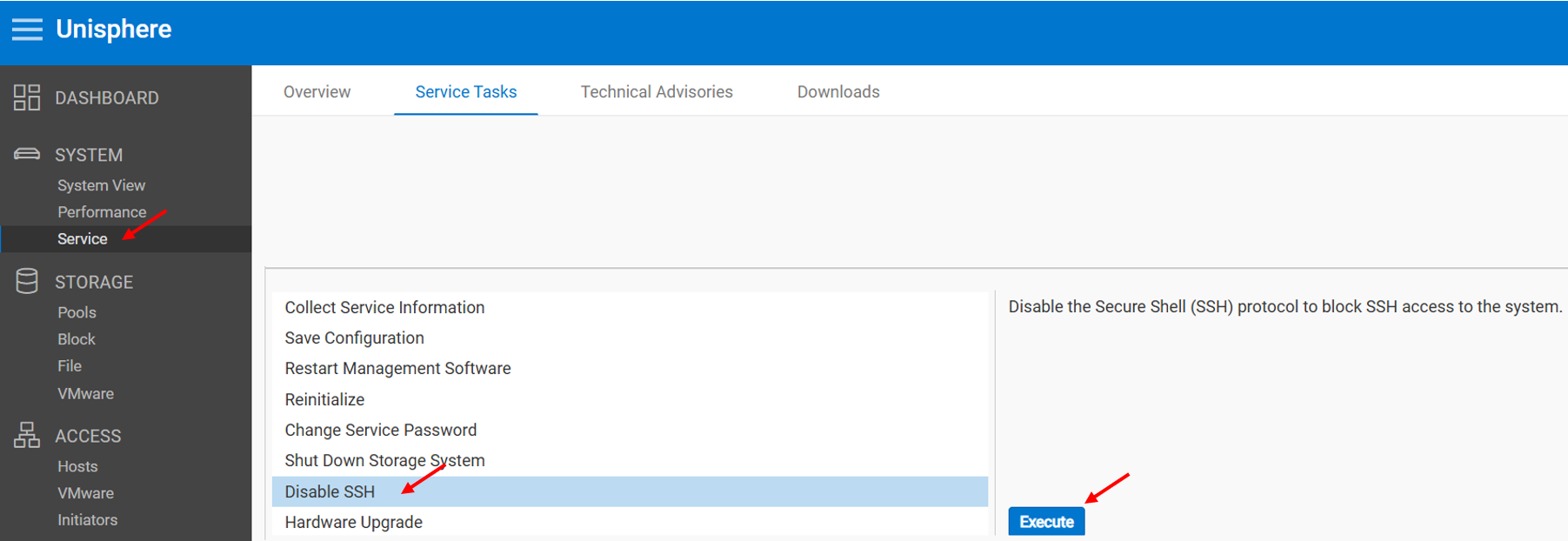
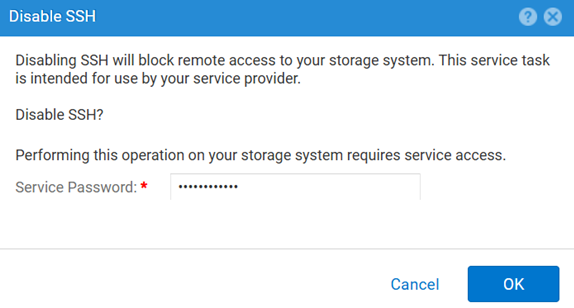
METHODE 2: UEMCLI
So zeigen Sie die SSH-Einstellung an:
uemcli.exe -d <MGMT IP> -u admin -securePassword /service/ssh showSo aktivieren Sie SSH:
uemcli.exe -d <MGMT IP> -u admin -securePassword /service/ssh set -enabled yesSo deaktivieren Sie SSH:
uemcli.exe -d <MGMT IP> -u admin -securePassword /service/ssh set -enabled noMETHODE 3: Mit einem IPMI Verbindung
So zeigen Sie die SSH Status:
svc_ssh -sSo aktivieren Sie SSHverwalten:
svc_ssh -eSo deaktivieren Sie SSHverwalten:
svc_ssh -d
METHODE 4: Über Unisphere-Service (UI): Wenn sich das Array im Servicemodus befindet
1. Öffnen Sie einen Browser.
2. Gehen Sie zu https://<management_IP>/service.html
3. Verwenden Sie den Befehl admin -Zugangsdaten an.
4. Über dieses Menü SSH aktiviert werden.
Additional Information
Weitere hilfreiche Artikel zur Behebung von SSH-bezogenen Problemen:
Affected Products
Dell EMC Unity, Dell Unity 450F DC, Dell Unity 300, Dell Unity 300 DC, Dell EMC Unity 300F, Dell EMC Unity 350F, Dell Unity 350F DC, Dell EMC Unity XT 380, Dell EMC Unity XT 380F, Dell EMC Unity 400, Dell Unity 400 DC, Dell EMC Unity 400F
, Dell EMC Unity 450F, Dell EMC Unity XT 480, Dell EMC Unity XT 480F, Dell EMC Unity 500, Dell EMC Unity 500F, Dell EMC Unity 550F, Dell EMC Unity 600, Dell EMC Unity 600F, Dell EMC Unity 650F, Dell EMC Unity XT 680, Dell EMC Unity XT 680F, Dell EMC Unity XT 880, Dell EMC Unity XT 880F, Dell EMC Unity Family |Dell EMC Unity All Flash, Dell EMC Unity Hybrid
...
Products
Dell Command | ConfigureArticle Properties
Article Number: 000446216
Article Type: How To
Last Modified: 15 Apr 2026
Version: 1
Find answers to your questions from other Dell users
Support Services
Check if your device is covered by Support Services.