Dell Unity: Come abilitare e disabilitare SSH
Summary: Questo articolo descrive diversi modi per abilitare e disabilitare SSH sugli array Dell Unity.
This article applies to
This article does not apply to
This article is not tied to any specific product.
Not all product versions are identified in this article.
Instructions
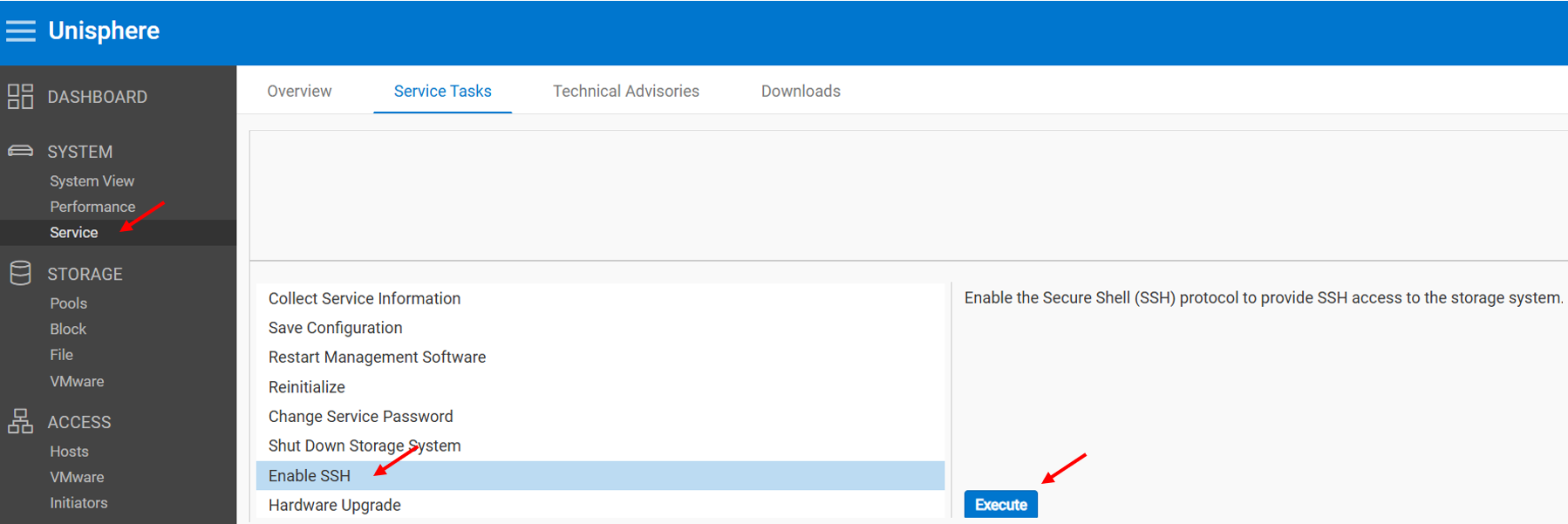
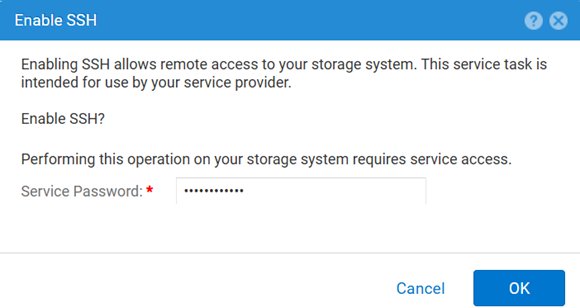
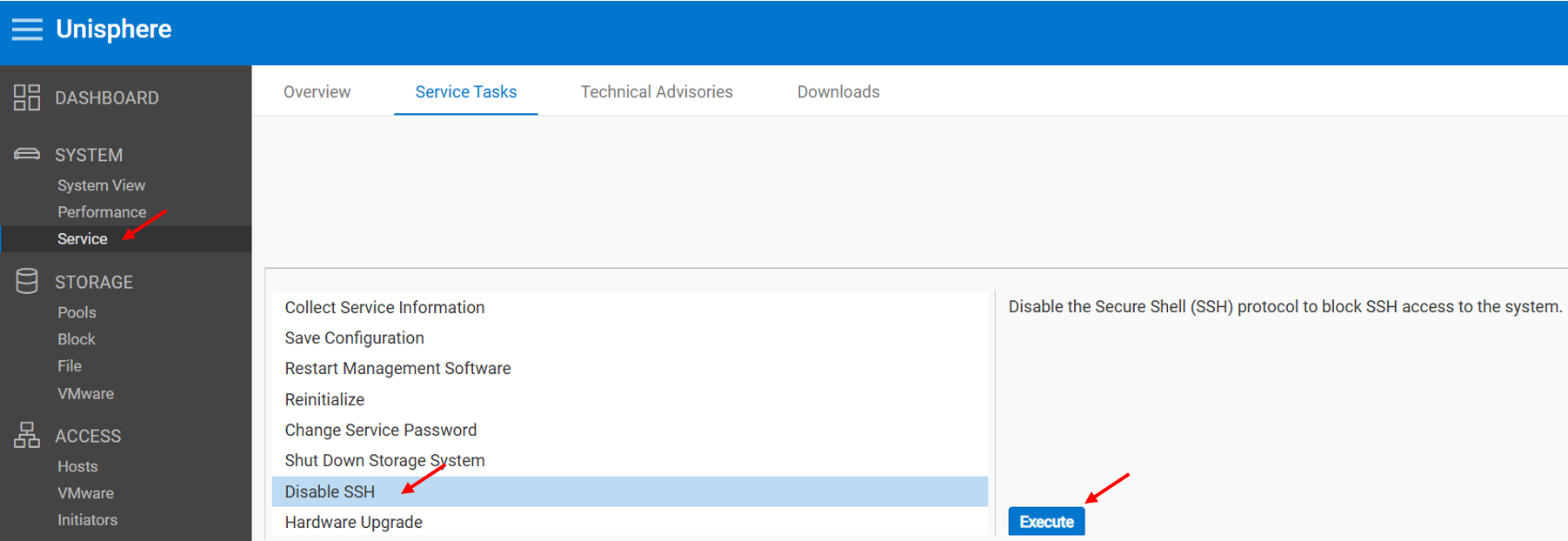
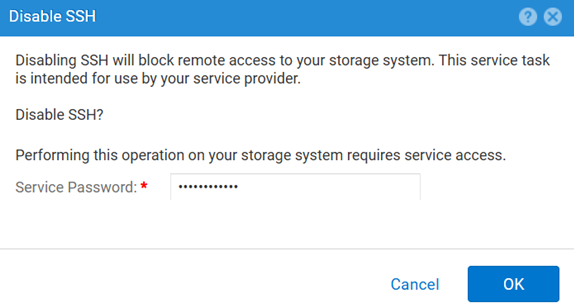
METODO 1: Da Unisphere (interfaccia utente): quando l'array è in modalità normale
Per abilitare:
Per disabilitare:
METODO 2: UEMCLI
Per visualizzare l'impostazione SSH:
uemcli.exe -d <MGMT IP> -u admin -securePassword /service/ssh showPer abilitare SSH:
uemcli.exe -d <MGMT IP> -u admin -securePassword /service/ssh set -enabled yesPer disabilitare SSH:
uemcli.exe -d <MGMT IP> -u admin -securePassword /service/ssh set -enabled noMETODO 3: Con un IPMI Connection (Connessione)
Per visualizzare la finestra di dialogo SSH Stato:
svc_ssh -sPer abilitare SSH:
svc_ssh -ePer disabilitare SSH:
svc_ssh -d
METODO 4: Dal servizio Unisphere (UI): quando l'array è in modalità di servizio
1. Aprire un browser.
2. Accedere al https://<management_IP>/service.html
3. Utilizzare il comando admin .
4. Da questo menu SSH può essere abilitato.
Additional Information
Altri articoli utili per la risoluzione dei problemi relativi a SSH:
Affected Products
Dell EMC Unity, Dell Unity 450F DC, Dell Unity 300, Dell Unity 300 DC, Dell EMC Unity 300F, Dell EMC Unity 350F, Dell Unity 350F DC, Dell EMC Unity XT 380, Dell EMC Unity XT 380F, Dell EMC Unity 400, Dell Unity 400 DC, Dell EMC Unity 400F
, Dell EMC Unity 450F, Dell EMC Unity XT 480, Dell EMC Unity XT 480F, Dell EMC Unity 500, Dell EMC Unity 500F, Dell EMC Unity 550F, Dell EMC Unity 600, Dell EMC Unity 600F, Dell EMC Unity 650F, Dell EMC Unity XT 680, Dell EMC Unity XT 680F, Dell EMC Unity XT 880, Dell EMC Unity XT 880F, Dell EMC Unity Family |Dell EMC Unity All Flash, Dell EMC Unity Hybrid
...
Products
Dell Command | ConfigureArticle Properties
Article Number: 000446216
Article Type: How To
Last Modified: 15 Apr 2026
Version: 1
Find answers to your questions from other Dell users
Support Services
Check if your device is covered by Support Services.