安裝時資料科學軟體應用程式停止回應
Summary: 有關 Ubuntu 24.04 中資料科學軟體 (DSS) 應用程式安裝問題的資訊。
This article applies to
This article does not apply to
This article is not tied to any specific product.
Not all product versions are identified in this article.
Symptoms
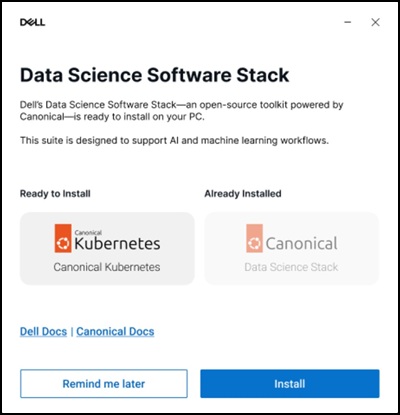
當您安裝 DSS 應用程式時,它會在「等待 GPU 運算子驗證通過...」上停止回應。螢幕超過 48 小時。連線至網際網路並按一下「安裝」以設定 Dell Data Science 軟體堆疊後,就會發生這種情況。

受影響的系統:
- Precision 5860 直立式
- Precision 7875 直立式
- Precision 7960 機架式
- Precision 7960 直立式
- Dell Pro Max Micro FCM2250
- Dell Pro Max 薄型FCS1250
- Dell Pro Max 直立式 T2 FCT2250
受影響的作業系統:
- Ubuntu 24.04
Cause
中國地區的網路限制會限制存取 Snap Store,並導致無法成功下載 DSS 應用程式。
Resolution
建議使用虛擬私人網路 (VPN),以確保下載成功完成。連線至 VPN 後,按一下 DSS 應用程式中的「安裝」選項。
Affected Products
Dell Pro Max Micro FCM2250, Dell Pro Max Slim FCS1250, Dell Pro Max Tower T2 FCT2250, Precision 5860 Tower, Precision 7960 Rack, Precision 7875 Tower, Precision 7960 TowerArticle Properties
Article Number: 000453914
Article Type: Solution
Last Modified: 02 Jul 2026
Version: 2
Find answers to your questions from other Dell users
Support Services
Check if your device is covered by Support Services.