数据科学软件应用程序在安装时停止响应
Summary: 有关 Ubuntu 24.04 中数据科学软件 (DSS) 应用程序的安装问题的信息。
This article applies to
This article does not apply to
This article is not tied to any specific product.
Not all product versions are identified in this article.
Symptoms
当您安装 DSS 应用程序时,它会停止响应“正在等待 GPU 操作员验证通过...”屏幕超过 48 小时。在连接到互联网并单击“Install”以设置 Dell Data Science 软件堆栈后,会发生这种情况。
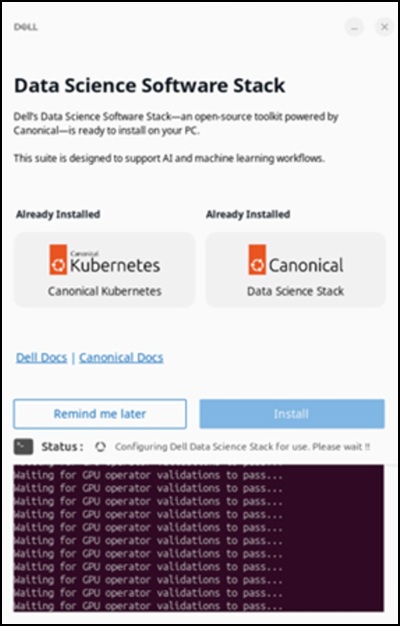
受影响系统:
- Precision 5860 塔式机
- Precision 7875 塔式机
- Precision 7960 机架
- Precision 7960 塔式机
- 戴尔 Pro Max 微型FCM2250
- 戴尔 Pro Max 轻薄FCS1250
- 戴尔 Pro Max 塔式 T2 FCT2250
受影响的操作系统:
- Ubuntu 24.04
Cause
中国地区的网络限制会限制对 Snap Store 的访问,并阻止成功下载 DSS 应用程序。
Resolution
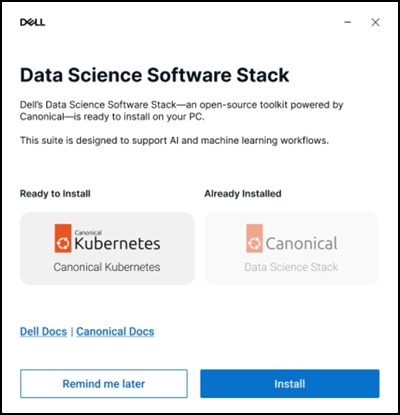
建议使用虚拟专用网络 (VPN) 以确保下载成功完成。连接到 VPN 后,单击 DSS 应用程序中的“安装”选项。
Affected Products
Dell Pro Max Micro FCM2250, Dell Pro Max Slim FCS1250, Dell Pro Max Tower T2 FCT2250, Precision 5860 Tower, Precision 7960 Rack, Precision 7875 Tower, Precision 7960 TowerArticle Properties
Article Number: 000453914
Article Type: Solution
Last Modified: 02 Jul 2026
Version: 2
Find answers to your questions from other Dell users
Support Services
Check if your device is covered by Support Services.