PowerFlex:如何在基于 Debian 的服务器(Debian、Ubuntu 或 Proxmox)上安装 SDC
Summary: 以下过程说明如何在基于 Debian 的服务器上手动安装外部 SDC。 以下过程中的步骤与 Debian 和 Ubuntu 操作系统相关,包括 Proxmox 虚拟环境。
This article applies to
This article does not apply to
This article is not tied to any specific product.
Not all product versions are identified in this article.
Instructions
检索 SDC 软件。
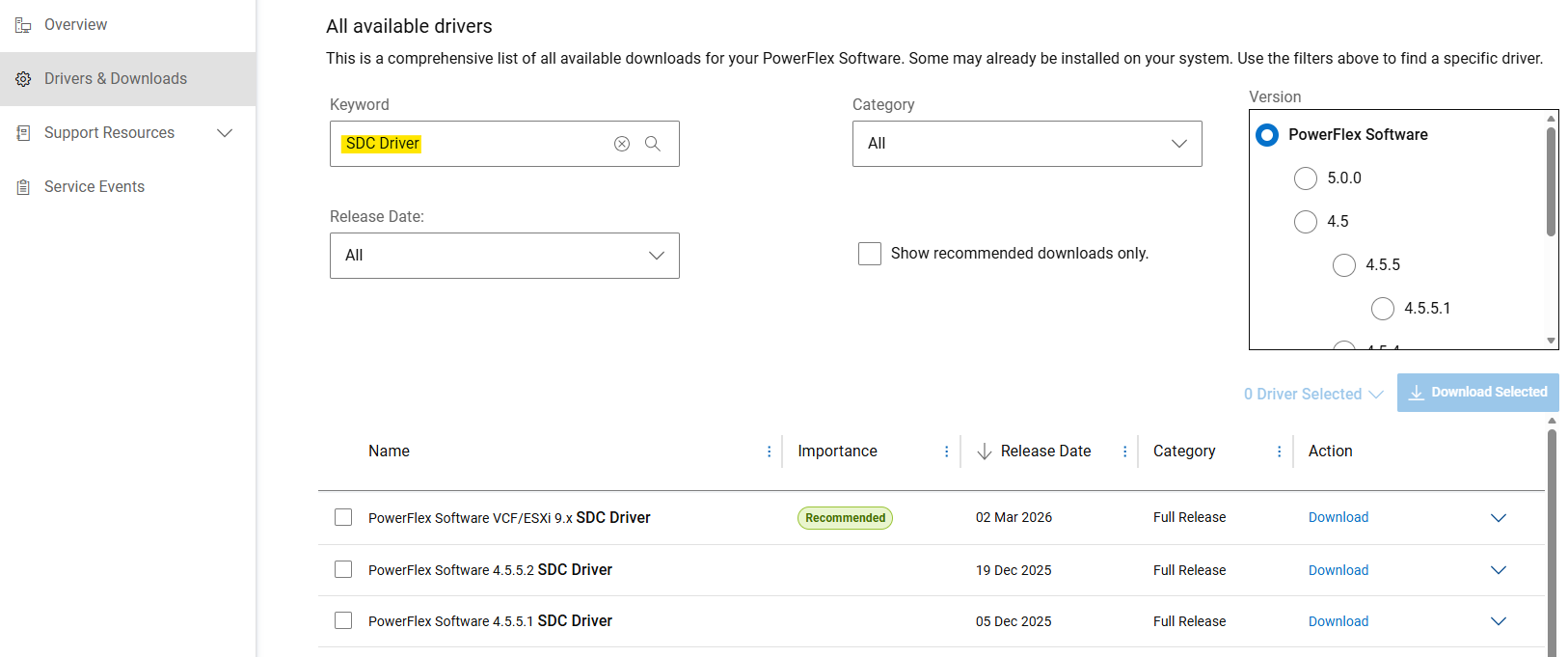
- 从戴尔支持站点获取用于手动安装的 SDC 驱动程序
- 在“驱动程序和下载”部分,搜索“SDC 驱动程序”作为关键字。
- 下载”
PowerFlex_*_SDCs_for_manual_install.zip“文件,该文件与要安装的 PowerFlex 版本匹配。
(SDC 向后和向前兼容 PowerFlex 系统版本。请参阅发行说明)
解压基于 Debian 的软件包 (.deb)
PowerFlex 组件包作为 .tar 文件,用于基于 Debian 的操作系统。在安装之前,请 .deb 必须使用提供的解压包 siob_extract 实用:
- 提取 SDC
.zip您的特定操作系统版本的文件(从”PowerFlex_*_SDCs_for_manual_install.zip“存档) - 检查完整性(md5 或 sha256)并扩充 SDC
.zipfile - 解压缩”
EMC-ScaleIO-sdc-*" .tarfile - 解压
.deb打包方式siob_extract实用程序
# Extract SDC for Debian 12 (bookworm) / Proxmox VE 8.x
unzip PowerFlex_*_SDCs_for_manual_install.zip "*Debian12_SDC.*"

# Check integrity & inflate zip file
cd PowerFlex_*_SDCs_for_manual_install/
sha256sum PowerFlex_*_Debian12_SDC.zip
cat PowerFlex_*_Debian12_SDC.sha256
unzip PowerFlex_*_Debian12_SDC.zip

# Extract .deb package (using `siob_extract` utility)
cd PowerFlex_*_Debian12_SDC/
tar -xvf EMC-ScaleIO-sdc-*.Debian12.x86_64.tar
chmod +x siob_extract
./siob_extract EMC-ScaleIO-sdc-*.Debian12.x86_64.siob
ls EMC-ScaleIO-sdc-*.Debian12.x86_64.deb对于其他操作系统版本,请使用:”*Debian13_SDC*“或”*Ubuntu24.04_SDC*”
在服务器上安装 SDC 并将其连接到 PowerFlex。
- 收集 PowerFlex 系统(或所有 MDM 管理器 IP)的 MDM 虚拟 IP 地址
- 安装 SDC 软件包
- 验证驱动程序是否已加载
MDM_IP="<MDM_IP1>,<MDM_IP2>,..." dpkg -i EMC-ScaleIO-sdc-*.deb
systemctl status scini.service
如果 scini.service 无法启动,”scini“驱动程序可能与您的内核版本不兼容。在这种情况下,请参阅如何配置 driver_sync (可能需要登录戴尔支持才能查看本文)或按需编译。此外 ,在 SDC 上使用安全启动 也有一些限制,并且需要执行额外的步骤。
请参阅文档以了解建议的部署后任务或将卷映射到 SDC。
Affected Products
PowerFlex rack, PowerFlex Appliance, PowerFlex custom node, ScaleIO, PowerFlex SoftwareArticle Properties
Article Number: 000462918
Article Type: How To
Last Modified: 12 Jun 2026
Version: 3
Find answers to your questions from other Dell users
Support Services
Check if your device is covered by Support Services.