IDPA: How to Expand Storage on DP4400
Summary: This article explains how to expand storage on the DP4400 Integrated Data Protection Appliance (IDPA).
This article applies to
This article does not apply to
This article is not tied to any specific product.
Not all product versions are identified in this article.
Instructions
This article explains how to expand storage capacity on the DP4400 Integrated Data Protection Appliance (IDPA).
No additional Hardware is required for the capacity upgrade of DP4400; upgrade controlled by ELMS Licensing.
Ensure that the Capacity Upgrade License is valid and appropriate for the required upgrade.
The capacity upgrade is performed directly from the Appliance Configuration Manager (ACM) dashboard.
- Log in to the ACM Dashboard
-
https://<ACM hostname or IP>:8543/dataprotection/#/dashboard
-
- Select 'Expand Storage' from the 'Protection Storage' option button on the ACM Dashboard
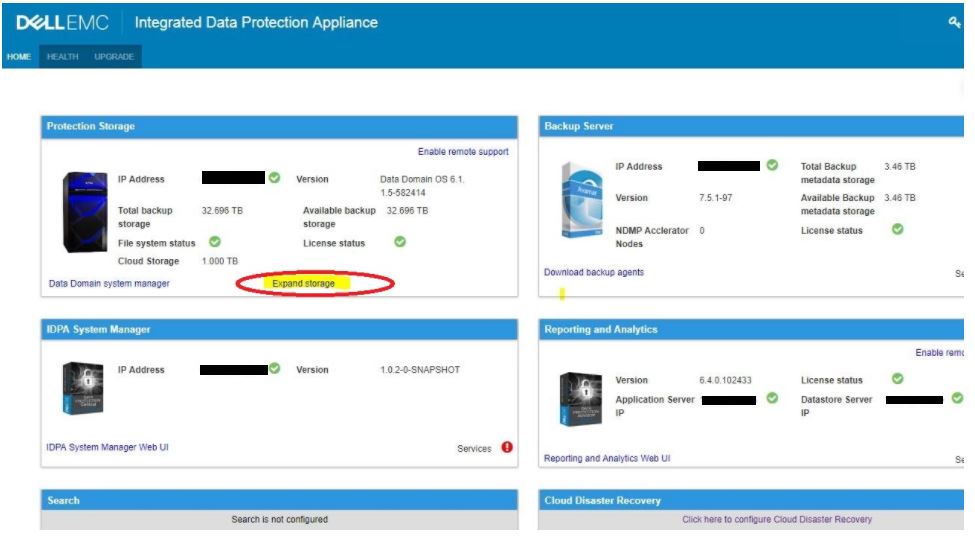
OR (depending on installed version)
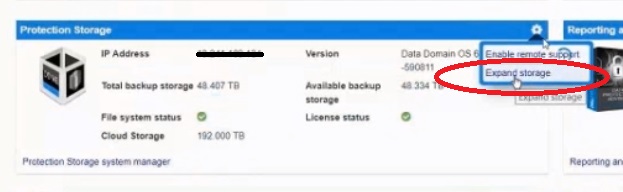
- 'License upgrade' Window is opened
- Browse to the stored ELMS license file and click 'Expand'
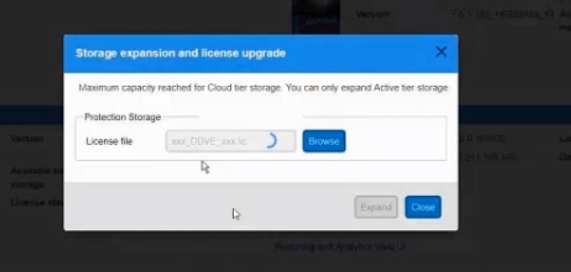
- This commits the requested capacity upgrade.
- Progress/Status/Errors are reported in the 'Storage Expansion' window
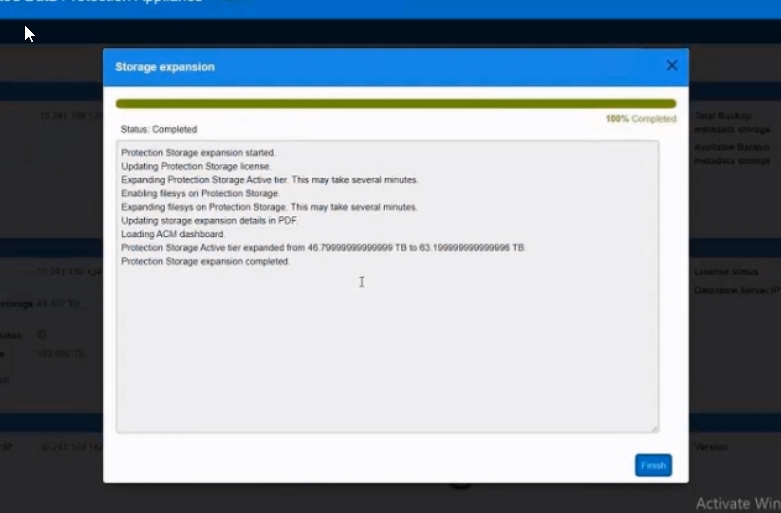
- Click 'Finish' once upgrade is completed.
Additional Information
Capacity upgrade options:
Refer to this video:
- Available in 12 TB Increments 24 TB, 36 TB, 48 TB, 60 TB, 72 TB, 84 TB, 96 TB
- Any capacity point can be ordered from the factory
- Can be upgraded to any supported capacity point in the field
- Upgrades only require license enablement (ELMS License)
- Cloud Tier and Cloud DR are optional purchases which can be enabled in Factory or Field upgradable
Maximum expansion capacities
Active tier can be expanded to 96 TB.
Cloud tier can be expanded to 192 TB.
Refer to this video:
Affected Products
PowerProtect DP4400, Integrated Data Protection Appliance Family, Integrated Data Protection Appliance SoftwareArticle Properties
Article Number: 000010659
Article Type: How To
Last Modified: 17 Apr 2026
Version: 10
Find answers to your questions from other Dell users
Support Services
Check if your device is covered by Support Services.