PowerMax 的 Unisphere PDF 圖表 報告僅以表格格式顯示資料,不顯示圖表。
Summary: PowerMax 的 Unisphere FE 連接埠 PDF 圖表報告 % 忙碌僅以表格格式顯示資料 - 沒有圖形。
This article applies to
This article does not apply to
This article is not tied to any specific product.
Not all product versions are identified in this article.
Symptoms
PowerMax 的 Unisphere v9.2.3.11
執行 FE 連接埠指標 (例如主機 MB/秒) 的圖表報告時,圖形會顯示在 Unisphere 中。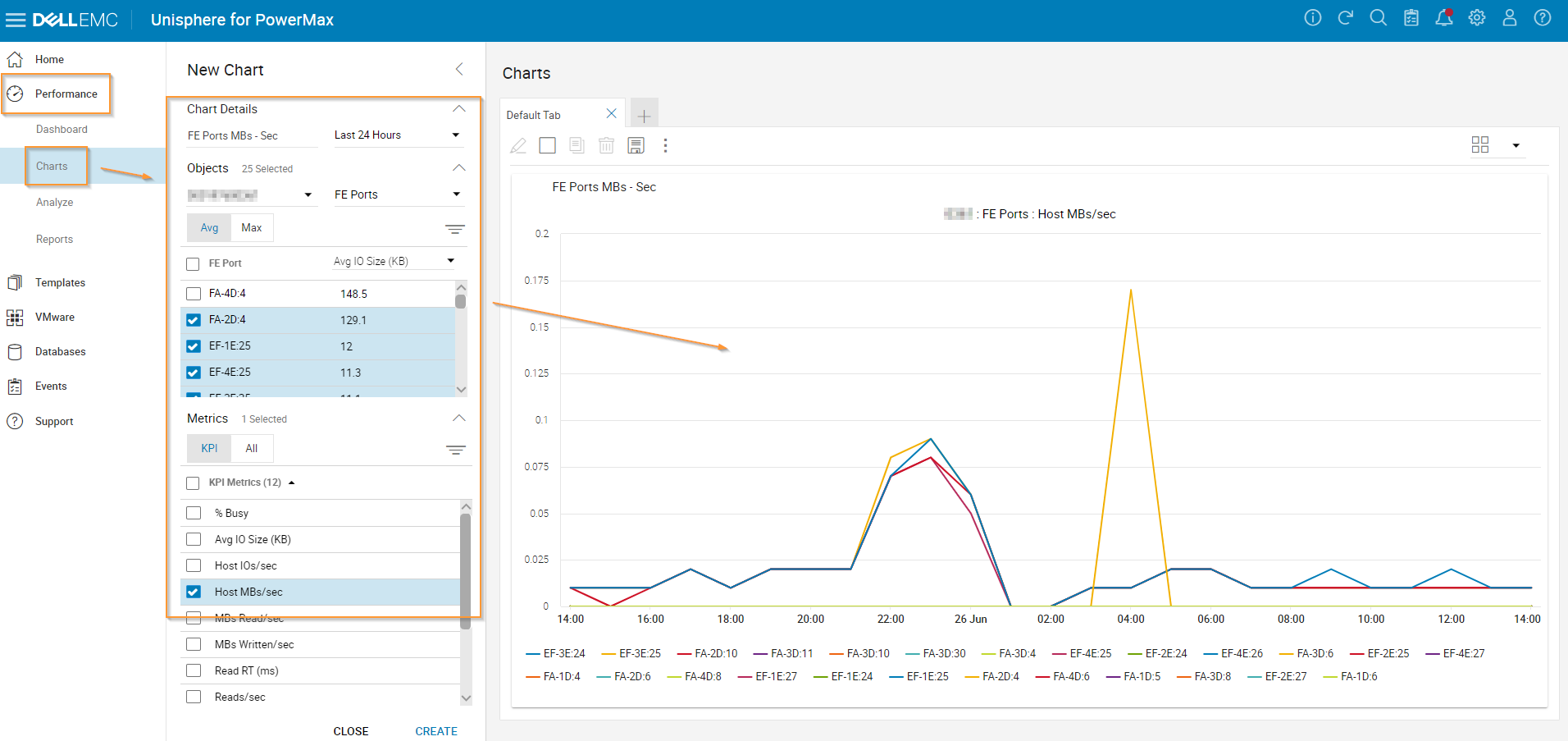
但是,當生成“PDF 圖表報告”時,它以表格格式顯示數據 - 不存在圖形。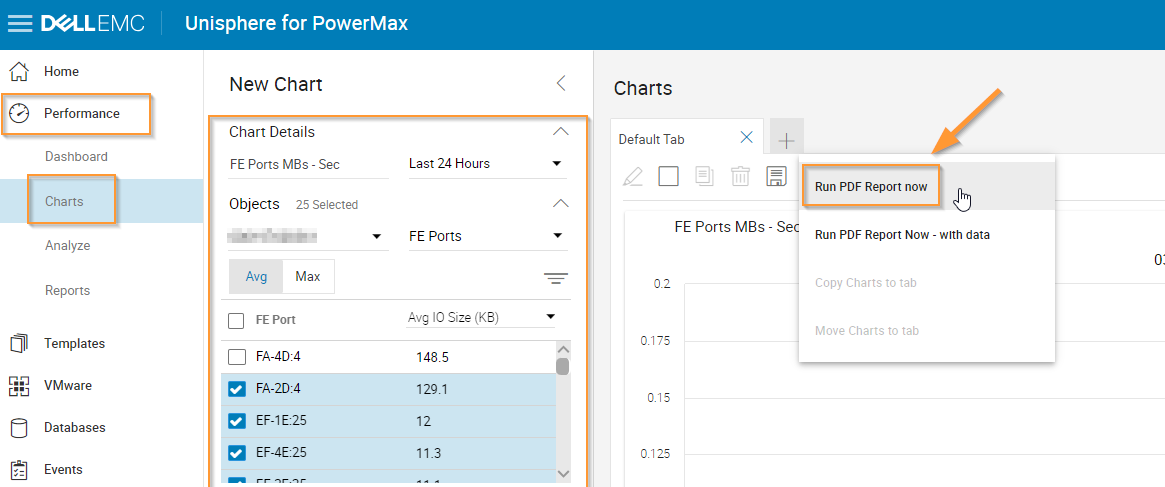
請參閱以下 PDF 報告範例: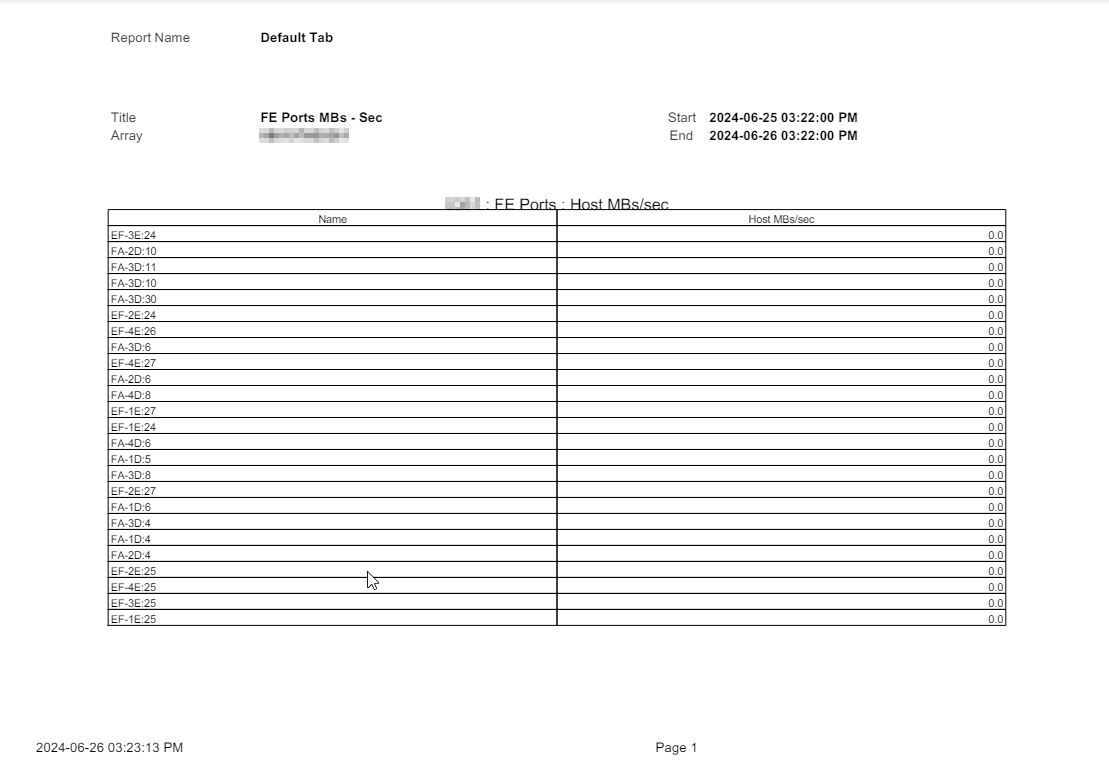
Cause
這是預期的行為。
對於 Unisphere 中的每個圖表 PDF 報告,如果 PDF 匯出需要圖表報告,則可選擇的最大衡量指標物件數為 24,無論是埠組、存儲組、遮罩檢視等
如果選擇的衡量指標物件數量大於 24,則 PDF 報告中不會顯示任何圖表。 只是表格數據。
對於 Unisphere 中的每個圖表 PDF 報告,如果 PDF 匯出需要圖表報告,則可選擇的最大衡量指標物件數為 24,無論是埠組、存儲組、遮罩檢視等
如果選擇的衡量指標物件數量大於 24,則 PDF 報告中不會顯示任何圖表。 只是表格數據。
Resolution
為圖表報告選擇 24 個或更少的指標物件:
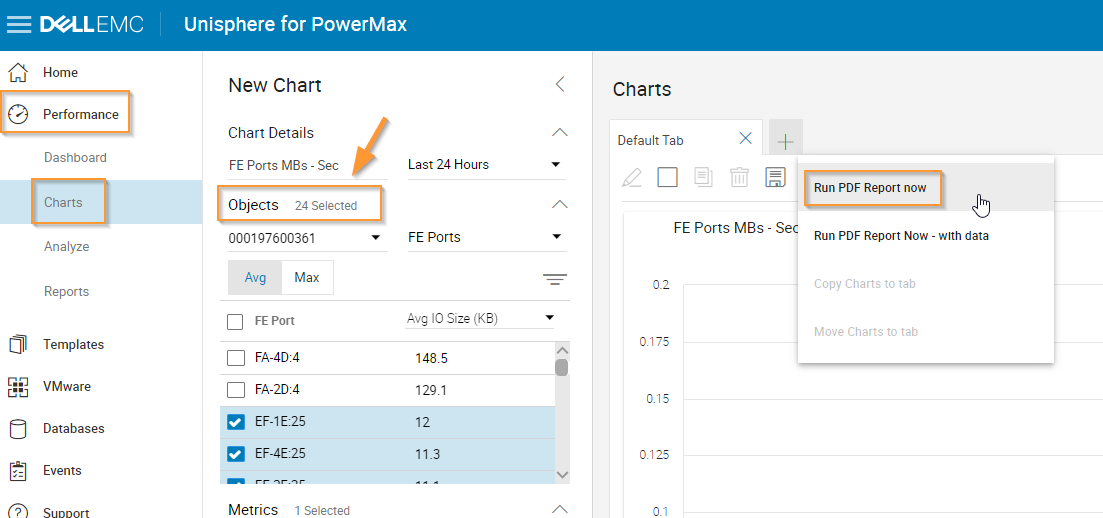
請參閱以下範例報告:
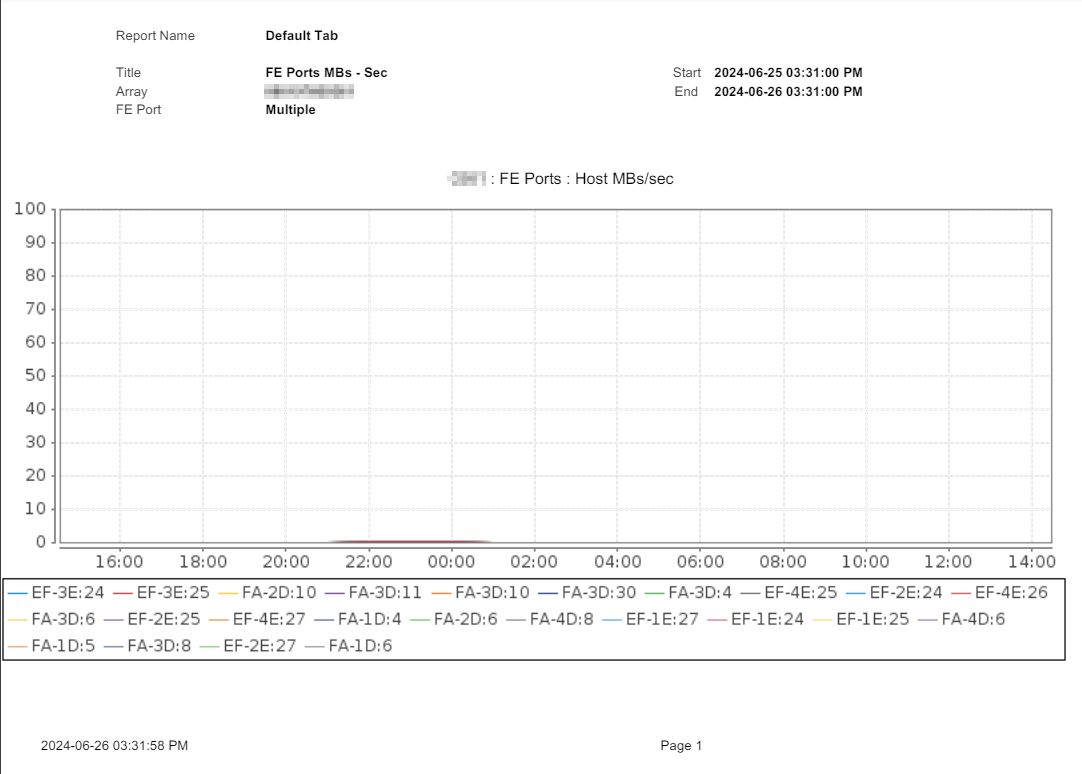
請參閱以下範例報告:
Affected Products
Unisphere for PowerMaxArticle Properties
Article Number: 000226409
Article Type: Solution
Last Modified: 13 Sept 2024
Version: 2
Find answers to your questions from other Dell users
Support Services
Check if your device is covered by Support Services.