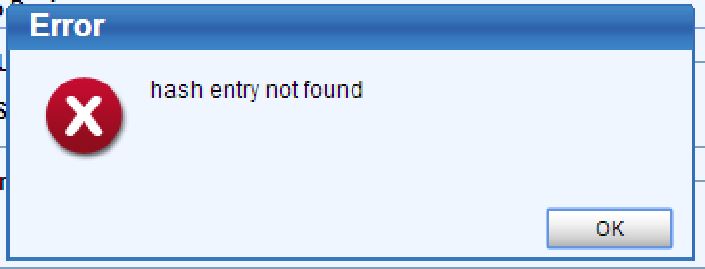
VTL: GUI displays the error "hash entry not found"
Summary: On the GUI, when browsing or modifying the VTL configuration, a popup displays the error "hash entry not found". Some CLI commands are impacted.
This article applies to
This article does not apply to
This article is not tied to any specific product.
Not all product versions are identified in this article.
Symptoms
The next popup appears when displaying/modifying/creating the VTL configuration:
The same error is seen when launching this command:
sysadmin@dd2# scsitarget persistent-reservation show list
SCSI Target Persistent Reservations
Service Persistent-Reservation
----------- ----------------------
VTL Enabled
DD-Boost FC Disabled
VDisk Disabled
----------- ----------------------
SCSI Target Persistent Reservations
Service Persistent-Reservation
----------- ----------------------
VTL Enabled
DD-Boost FC Disabled
VDisk Disabled
----------- ----------------------
Persistent reservations could not be listed
**** Error retrieving information (hash entry not found).
**** Error retrieving information (hash entry not found).
Cause
This happens when the user removes or loses an initiator while the initiator was holding a SCSI-3 persistent reservation on a tape drive.
Resolution
To confirm this issue is present:
If the above process does not resolve the issue, contact Dell EMC support to open a service request and to request a VTL TSE to assist with other options to restore functionality.
-
Launch a CLI and execute this command:
sysadmin@dd2# scsitarget persistent-reservation show list
SCSI Target Persistent Reservations
Service Persistent-Reservation
----------- ----------------------
VTL Enabled
DD-Boost FC Disabled
VDisk Disabled
----------- ----------------------
SCSI Target Persistent Reservations
Service Persistent-Reservation
----------- ----------------------
VTL Enabled
DD-Boost FC Disabled
VDisk Disabled
----------- ----------------------
Persistent reservations could not be listed
**** Error retrieving information (hash entry not found).
**** Error retrieving information (hash entry not found).
- Check the scsitgtd.info to see if the following message is received:
sysadmin@dd2# log watch debug/scsitgtd.info
06/08 12:17:03.355 (tid 0x2b0aed643af0): Op 451 (pr-show) received
06/08 12:17:03.355 (tid 0x2b0aed643af0): pr_show_func: Device vtl LIB1 drive 21, PR holder 50:01:XX:XX:XX:XX:20:24 could not be found as a current initiator
06/08 12:17:03.355 (tid 0x2b0aed643af0): pr_show_func: Device vtl LIB1 drive 21, PR Registrant 50:XX:XX:XX:XX:XX:20:24 could not be found as a current initiator
06/08 12:17:03.355 (tid 0x2b0aed643af0): Op 451 (pr-show) completed, status hash entry not found
06/08 12:17:03.355 (tid 0x2b0aed643af0): Op 451 (pr-show) received
06/08 12:17:03.355 (tid 0x2b0aed643af0): pr_show_func: Device vtl LIB1 drive 21, PR holder 50:01:XX:XX:XX:XX:20:24 could not be found as a current initiator
06/08 12:17:03.355 (tid 0x2b0aed643af0): pr_show_func: Device vtl LIB1 drive 21, PR Registrant 50:XX:XX:XX:XX:XX:20:24 could not be found as a current initiator
06/08 12:17:03.355 (tid 0x2b0aed643af0): Op 451 (pr-show) completed, status hash entry not found
-
Stop all backup and restores on the VTL.
-
Disable VTL process:
#vtl disable
- Clear all persistent reservations:
# scsitarget persistent-reservation clear
- Enable VTL process:
vtl enable
If the above process does not resolve the issue, contact Dell EMC support to open a service request and to request a VTL TSE to assist with other options to restore functionality.
Affected Products
Data DomainProducts
Data Domain, Data Domain Virtual Tape Library, Data Domain Virtual Tape Library for IBM I/OS, DD OS 5.2, DD OS 5.3, DD OS 5.4, DD OS 5.5, DD OS 5.6Article Properties
Article Number: 000081634
Article Type: Solution
Last Modified: 25 Sept 2024
Version: 3
Find answers to your questions from other Dell users
Support Services
Check if your device is covered by Support Services.