3DMark System Latency on External GPU Dock
Summary: 3DMark causes system lag on Alienware systems.
This article applies to
This article does not apply to
This article is not tied to any specific product.
Not all product versions are identified in this article.
Symptoms
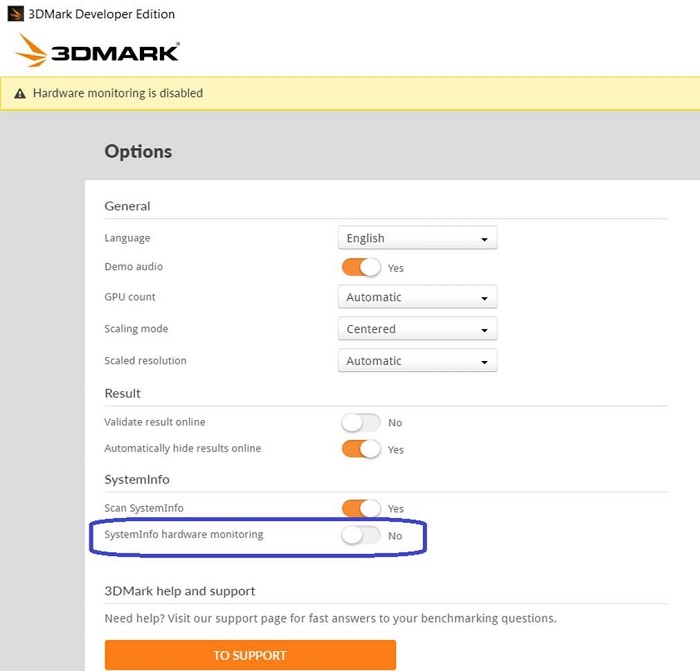
This article covers how to resolve the 3DMark is causing system lag. This is happening on while using an external Alienware Graphics Amplifier (AGA) or other model of Thunderbolt External Graphics Dock on Alienware Area 51m R2.
Cause
No cause information is available.
Resolution
In order to run it smoothly on an external display, disable the Systeminfo Hardware Monitoring in 3DMark options as shown in the picture below.
Affected Products
Alienware Area-51m R2Article Properties
Article Number: 000130690
Article Type: Solution
Last Modified: 29 Aug 2025
Version: 5
Find answers to your questions from other Dell users
Support Services
Check if your device is covered by Support Services.