PowerStore: Unable to add Remote PowerStore System with an IPv6 address
Summary: Adding a remote PowerStore System with an IPv6 address fails due to case sensitivity.
This article applies to
This article does not apply to
This article is not tied to any specific product.
Not all product versions are identified in this article.
Symptoms
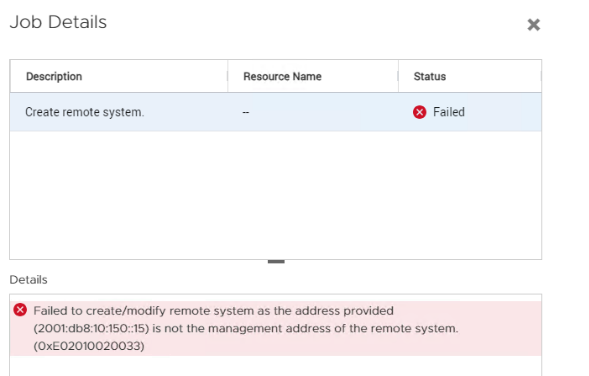
Unable to add Remote PowerStore System with an IPv6 address. This fails with error code 0xE02010020033.
Cause
The IPv6 management address should consistently use either lowercase or uppercase in both local and remote systems. When creating a remote system, the IPv6 management address must match the case used for the remote cluster's management_address.
Resolution
Check IPv6 management_address by https://[mgmt_ip]/api/rest/cluster?select=id,management_address.
Use this IPv6 management_address to create a remote system.
Affected Products
PowerStoreArticle Properties
Article Number: 000226424
Article Type: Solution
Last Modified: 30 Jun 2024
Version: 2
Find answers to your questions from other Dell users
Support Services
Check if your device is covered by Support Services.