PowerFlex 4.X: 규정 준수 파일 로드가 실패하고 다음 오류가 발생합니다. 잘못된 CEN 헤더 암호화 항목
Summary: 파일이 암호화되어 PowerFlex Manager에 RCM 또는 IC 규정 준수 파일을 업로드할 수 없습니다.
This article applies to
This article does not apply to
This article is not tied to any specific product.
Not all product versions are identified in this article.
Symptoms
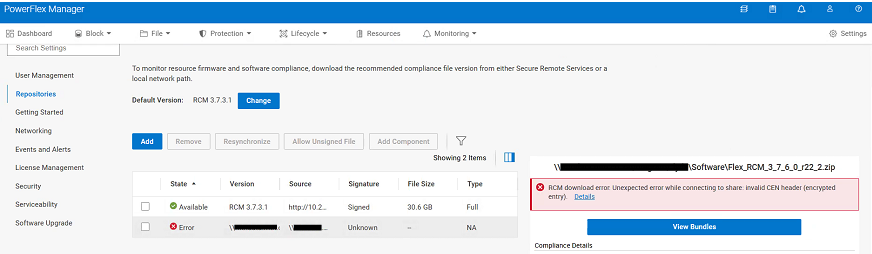
새 RCM 또는 IC 규정 준수 파일을 PowerFlex Manager에 업로드할 때 예기치 않은 오류가 발생합니다.
RCM download error: Unexpected error while connecting to share: Invalid CEN header (encrypted entry)
Cause
RCM 또는 IC 규정 준수 파일이 암호화됩니다. 비밀번호를 제거하려면 파일의 압축을 한 번 풀어야 합니다. 포함된 .zip 파일은 업그레이드 프로세스 중에 CIFS 또는 NFS 공유에서 PowerFlex Manager로 업로드됩니다.
Resolution
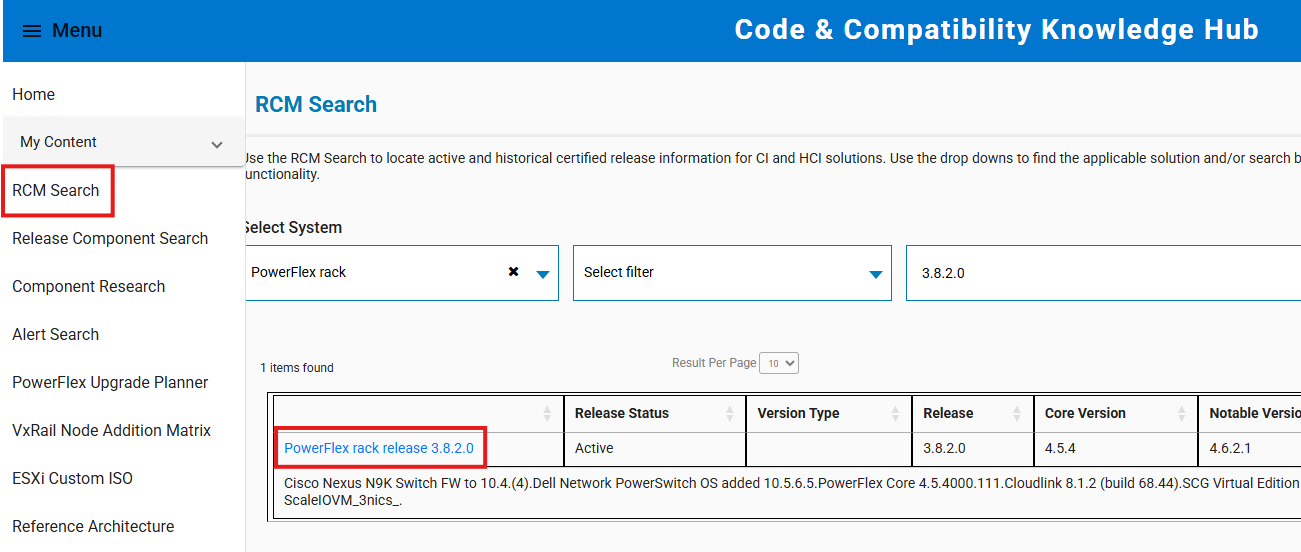
- https://cicodeportal.dell.com/ 로 이동
- 암호를 해독하려는 PowerFlex 랙 또는 어플라이언스 버전을 검색하고 릴리스가 나열되면 클릭합니다.
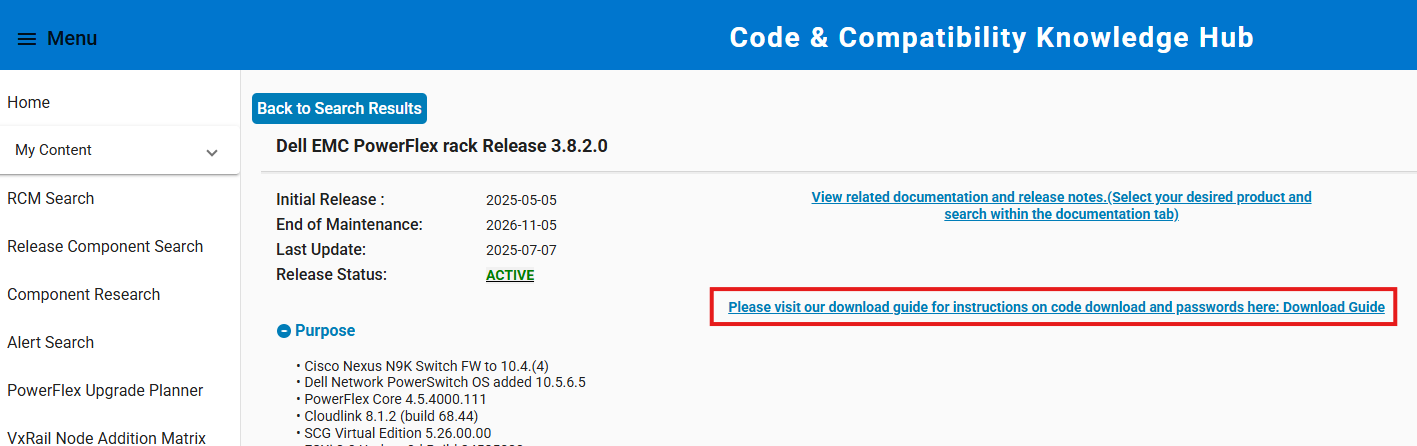
- 링크를 클릭하면 RCM 또는 IC 규정 준수 파일의 압축을 푸는 데 필요한 암호를 확인할 수 있는 다운로드 가이드를 볼 수 있습니다.
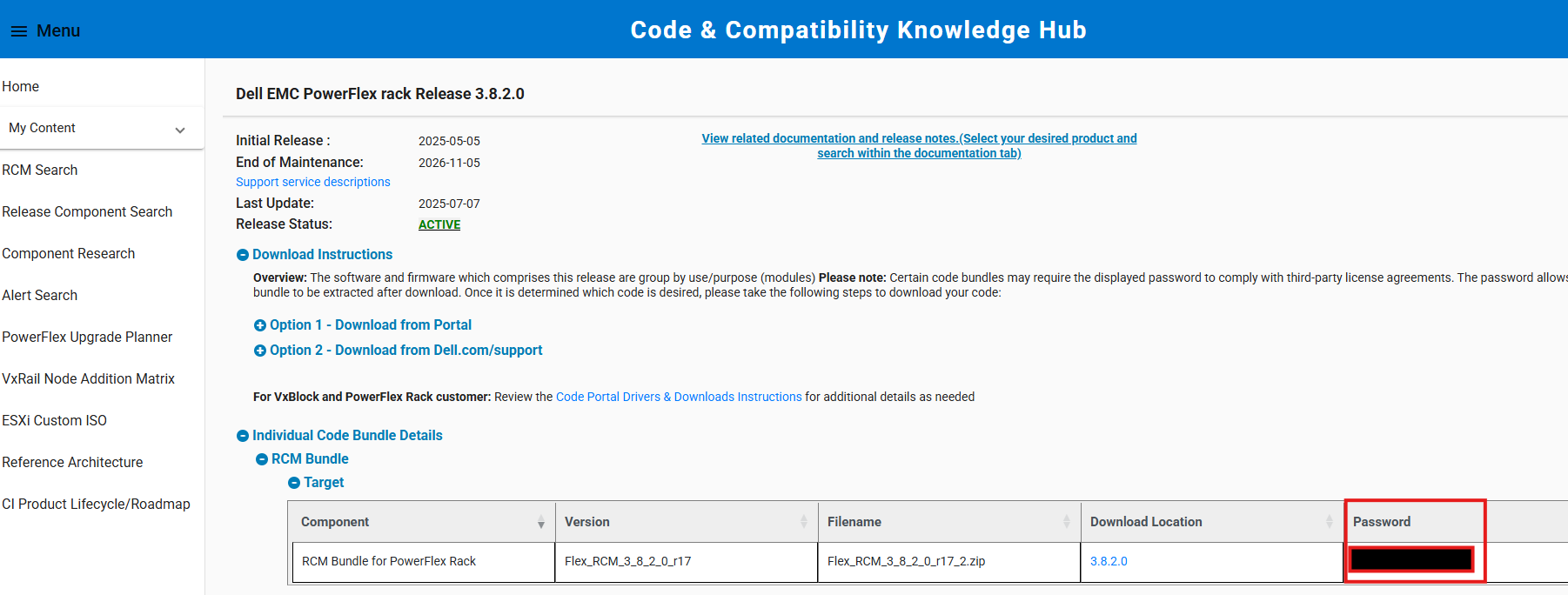
- 제공된 비밀번호를 사용하여 규정 준수 파일의 압축을 풉니다. 업그레이드 프로세스 중에 추출된 규정 준수 파일(내부 ZIP 파일)을 CIFS/NFS 공유에서 PowerFlex Manager로 업로드합니다.
참고: Windows 시스템에서 파일의 압축을 푸는 경우 통합 ZIP 압축 해제 도구를 사용하십시오. 7-Zip과 같은 타사 유틸리티는 때때로 제공된 암호를 수락하지 않습니다.
Affected Products
PowerFlex appliance Intelligent Catalog Software, PowerFlex rack RCM SoftwareProducts
PowerFlex rack, ScaleIO, PowerFlex SoftwareArticle Properties
Article Number: 000378620
Article Type: Solution
Last Modified: 14 Nov 2025
Version: 2
Find answers to your questions from other Dell users
Support Services
Check if your device is covered by Support Services.