PowerFlex 4.X:載入相容性檔案失敗,並顯示錯誤:無效的 CEN 標頭加密項目
Summary: RCM 或 IC 相容性檔案上傳至 PowerFlex Manager 失敗,因為檔案已加密。
This article applies to
This article does not apply to
This article is not tied to any specific product.
Not all product versions are identified in this article.
Symptoms
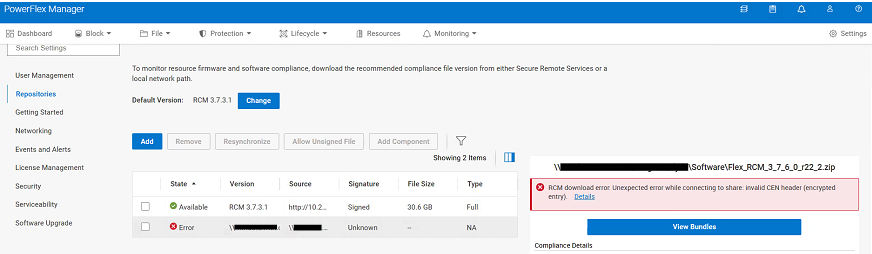
將新的 RCM 或 IC 相容性檔案上傳至 PowerFlex Manager 時發生未預期的錯誤:
RCM download error: Unexpected error while connecting to share: Invalid CEN header (encrypted entry)
Cause
RCM 或 IC 相容性檔案已加密。檔案必須解壓縮一次,才能移除密碼。在升級程序期間,內含的 .zip 檔案會從 CIFS 或 NFS 共用上傳至 PowerFlex Manager。
Resolution
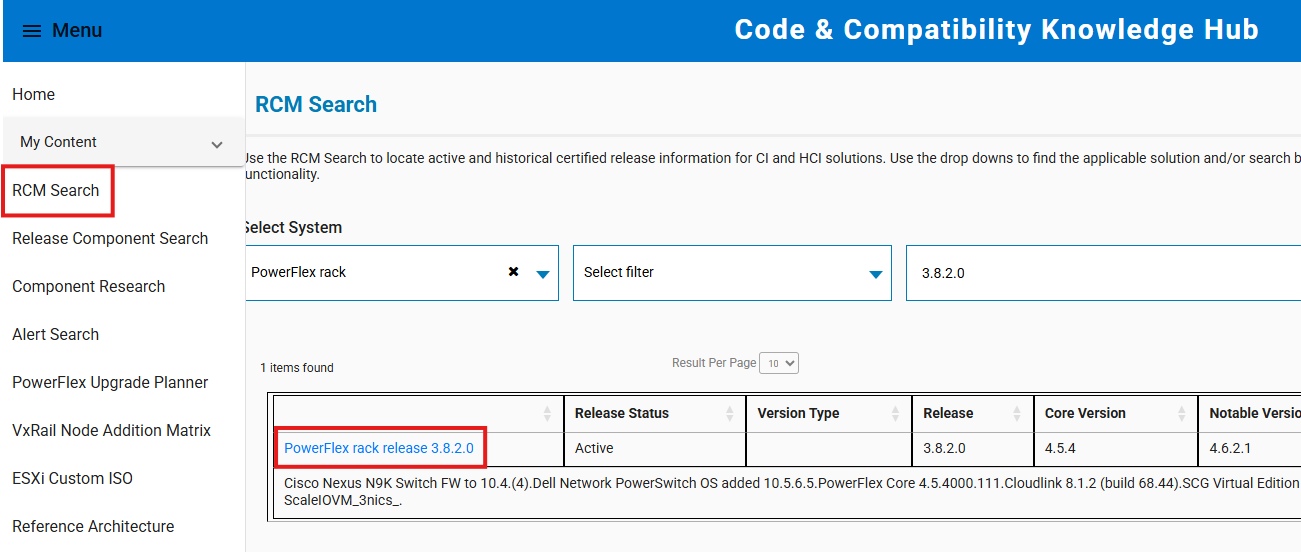
- 前往 https://cicodeportal.dell.com/
- 搜尋您嘗試解密的 PowerFlex 機架或裝置版本,列出後按一下版本。
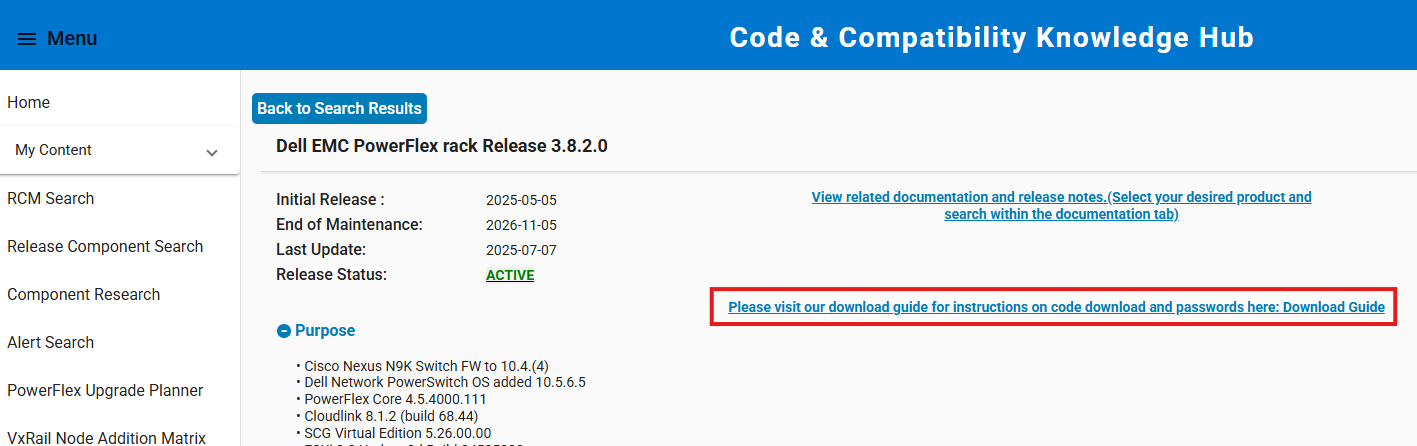
- 按一下連結以查看下載指南,其中顯示解壓縮 RCM 或 IC 相容性檔案所需的密碼。
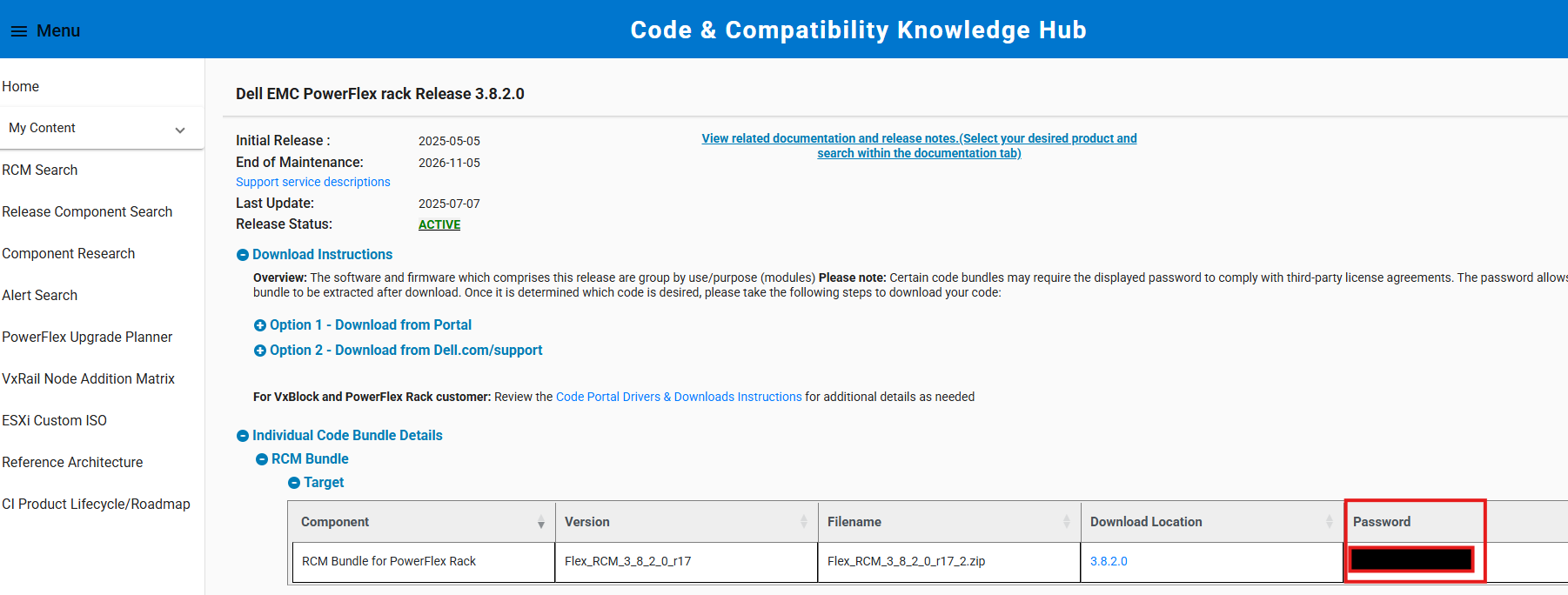
- 使用提供的密碼解壓縮相容性檔案。在升級程序期間,將解壓縮的相容性檔案 (內部 ZIP 檔案) 從 CIFS/NFS 共用上傳至 PowerFlex Manager。
注意:如果要在 Windows 系統上解壓縮檔案,請使用整合式 ZIP 解壓縮工具。7-Zip 等第三方公用程式有時不接受提供的密碼。
Affected Products
PowerFlex appliance Intelligent Catalog Software, PowerFlex rack RCM SoftwareProducts
PowerFlex rack, ScaleIO, PowerFlex SoftwareArticle Properties
Article Number: 000378620
Article Type: Solution
Last Modified: 14 Nov 2025
Version: 2
Find answers to your questions from other Dell users
Support Services
Check if your device is covered by Support Services.