PowerFlex 3.X: Javaのアップグレード後にロックボックスを作成できない
Summary: Javaをバージョン1.8.0ビルド351にアップグレードした後、PowerFlex Gateway (GW) Web UIがロードされず、エンドユーザーがロックボックスを作成できません。
This article applies to
This article does not apply to
This article is not tied to any specific product.
Not all product versions are identified in this article.
Symptoms
PowerFlex Gatewayバージョン3.6.0.4
Javaバージョンを1.8.0ビルドにアップグレード 351
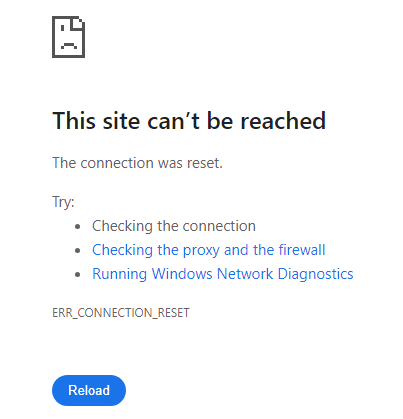
Gateway Web UIに次のエラーが表示されます。
This site can't be reached The connection was reset. ... ERR_CONNECTION_RESET
ゲートウェイ ScaleIO.logに次のエラーが表示されます。
2024-08-14 10:02:11,609 [Thread-3] ERROR c.e.s.a.mdm_proxy.MdmProxyServiceGW - in ScaleIo alert poller:
java.lang.IllegalStateException: Failed to load default crypto configuration. Either instantiate Lockbox with a custom crypto configuration or install a JCE provider which is capable of supporting the default crypto configuration
ロックボックスの作成時に、次のエラー メッセージが表示される場合もあります。
/opt/emc/scaleio/gateway/bin/FOSGWTool.sh --set_mdm_credentials --mdm_user admin --create_default_lockbox --mdm_password "<mdm_password>"
Exception in thread "main" java.lang.IllegalStateException: Failed to load default crypto configuration. Either instantiate Lockbox with a custom crypto configuration or install a JCE provider which is capable of supporting the default crypto configuration
問題
GW UIにアクセスできません。またはロックボックスを作成できません。
Cause
Javaをバージョン1.8.0_351にアップグレードした後、GW UIのロードに失敗し、ロックボックスを作成できません。この問題は、SHA-1 アルゴリズムで署名されたJARファイルがJavaでデフォルトで制限され、署名なしとして扱われるために発生します。
この問題は、SHA-1で署名され、GWによって使用されるcryptojライブラリに関連しています。
Resolution
PowerFlex Gatewayをバージョン3.6.1以降にアップグレードします。
影響を受けるバージョン:
PowerFlex 3.6以下
修正済みバージョン:
PowerFlex 3.6.1
Article Properties
Article Number: 000228082
Article Type: Solution
Last Modified: 02 Jan 2026
Version: 2
Find answers to your questions from other Dell users
Support Services
Check if your device is covered by Support Services.