Azure Stack MHC : Type OEM FirmwareCheckHealth du rôle L’OEM a soulevé une exception
Summary: Type FirmwareCheckHealth of Role OEM raised an exception Error running Test-OEMFirmwareHealth iDRAC has Critical Major faults could not proceed with Firmware update.
This article applies to
This article does not apply to
This article is not tied to any specific product.
Not all product versions are identified in this article.
Symptoms
La vérification préalable de l’OEM échoue Erreurs :
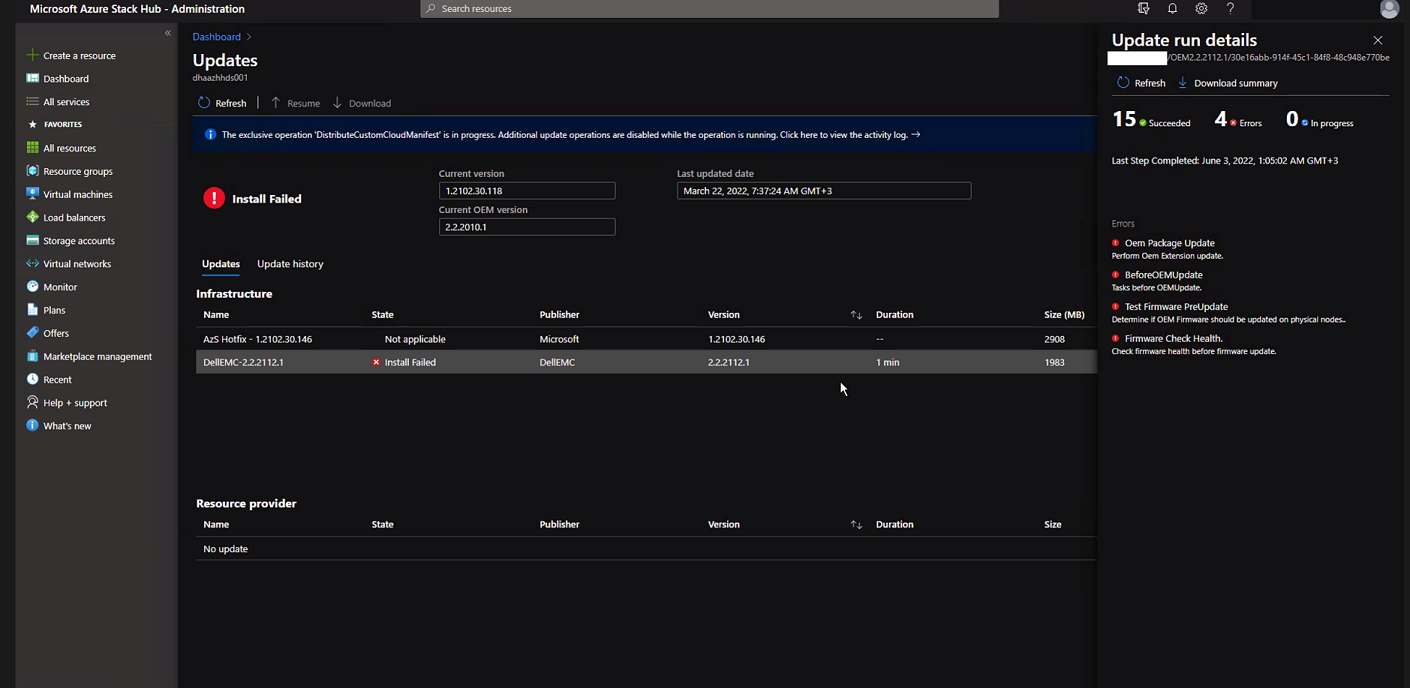
Cliquez sur « Download Summary ».
Error.json :
Oem Package Update
Perform Oem Extension update.

BeforeOEMUpdate
Tasks before OEMUpdate.

Test Firmware PreUpdate
Determine if OEM Firmware should be updated on physical nodes.

Firmware Check Health.
Check firmware health before update.
Cliquez sur « Download Summary ».
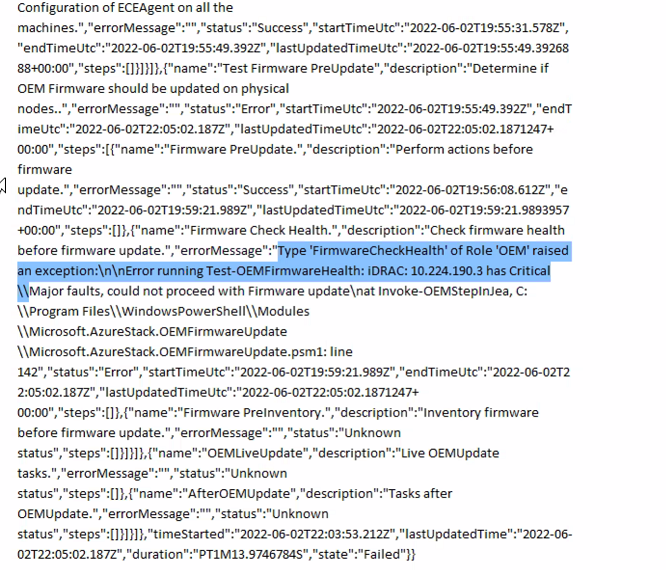
Error.json :
Type ‘FirmwareCheckHealth’ of Role ‘OEM’ raised an exception:\n\nError running Test-OEMFirmwareHealth: iDRAC: 10.224.190.3 has Critical Major faults, could not proceed with Firmware update….
Cause
Trois des quatre serveurs présentaient des erreurs de mémoire. Ceux-ci doivent être résolus avant de continuer.
The memory health monitor feature has detected a degradation in the DIMM installed in DIMM_A6. Reboot system to initiate self-heal process.
Resolution
Pour résoudre ce problème, corrigez les erreurs de mémoire.
- Déchargez le nœud dont l'iDRAC affiche la mémoire défaillante.
- Une fois déchargé, exécutez les commandes suivantes dans une fenêtre PowerShell PEP.
get-virtualdisk -cimsession "s-cluster"
get-virtualdisk -cimsession "s-cluster" | get-storagejob
- Une fois toutes les tâches de stockage terminées, démarrez le serveur à froid à partir de l’iDRAC
- Vérifiez que la barrette DIMM a été rétablie :
The self-heal operation successfully completed at DIMM DIMM_A6.
- Dans la fenêtre Azure Stack, démarrez le nœud.
- Dans la fenêtre Azure Stack, reprenez le nœud.
Affected Products
Integrated System for Microsoft Azure Stack Hub, Integrated System for Microsoft Azure Stack Hub 14GArticle Properties
Article Number: 000200301
Article Type: Solution
Last Modified: 08 Sep 2025
Version: 3
Find answers to your questions from other Dell users
Support Services
Check if your device is covered by Support Services.